Blog

  • Instagram Influencer Marketing: Complete Guide for 2026

    Instagram Influencer Marketing: Complete Guide for 2026

    Instagram influencer marketing is a strategy where brands partner with content creators to promote products through authentic posts, Stories, and Reels. In 2026, costs average $2,970 per post for mid-tier influencers. The real challenge isn’t budget, it’s finding partners who actually convert. Most brands lose 40% of their influencer partnerships within 90 days due to payment delays and unclear attribution.

    This guide walks you through building, managing, and scaling Instagram influencer marketing campaigns that drive sales. You’ll learn how to identify the right creators and structure commission models. You’ll also discover how to use real-time tracking to optimize campaigns before they underperform.

    Young female blogger standing in kitchen with box of sweets in front of smartphone placed on tripod with ring lamp while recording vlog

    What Makes Instagram Influencer Marketing Different in 2026

    Instagram’s algorithm now prioritizes engagement quality over follower count. A creator with 15,000 followers and 8% engagement rate will outperform someone with 150,000 followers and 1.5% engagement in nearly every campaign scenario.

    The platform introduced three major changes in late 2025 that reshaped how brands approach influencer partnerships:

    • Affiliate link integration: Instagram now allows trackable affiliate links in Stories, Reels, and bio links without third-party tools, making attribution cleaner
    • Creator marketplace expansion: Instagram’s native brand partnership tool now includes performance data and commission negotiation features
    • AI content detection labels: Posts using AI-generated images or video must be labeled, which affects authenticity perception by 23% according to Meta’s internal research

    These shifts mean you need to focus on three metrics: engagement rate, audience overlap with your customer base, and conversion history. Vanity metrics like follower count matter less than ever.

    The average Instagram influencer campaign in 2026 takes 3 to 4 weeks from initial outreach to first post. Expect to spend 6 to 8 hours per partnership on briefing, content review, and performance tracking. Brands using dedicated influencer marketing platforms cut this time by roughly 40%.

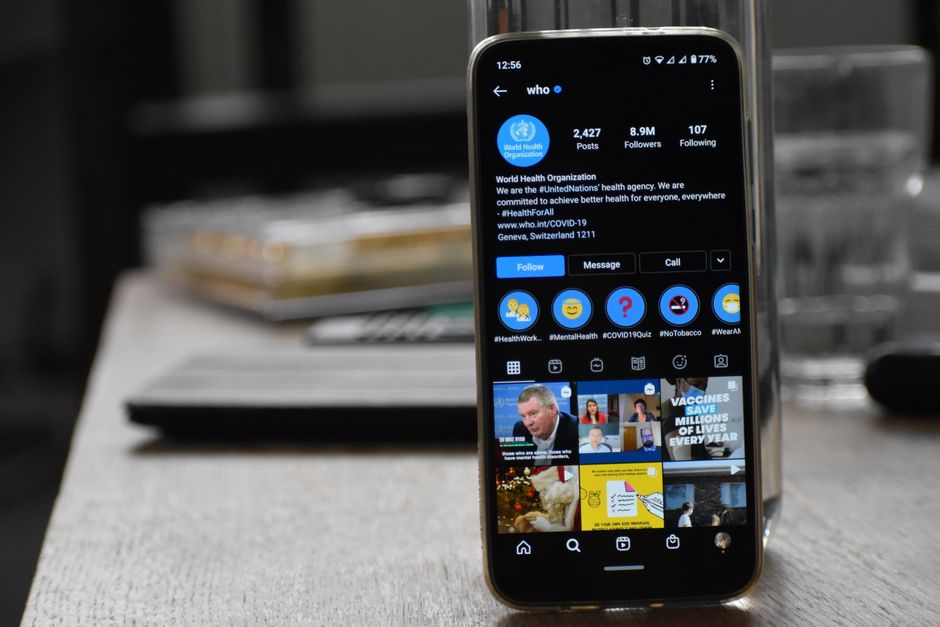
    Close-up of a smartphone showing World Health Organization's Instagram profile indoors.

    How to Find Instagram Influencers Who Actually Convert

    Start with your existing customer data, not influencer databases. Look at who your current customers follow, tag, and engage with on Instagram. This reverse-engineering approach identifies creators whose audiences already match your buyer profile.

    Run this process every 60 days:

    • Export your top 200 customers from your e-commerce platform
    • Use Instagram’s search and explore features to find accounts they frequently engage with
    • Filter for creators with 5,000 to 100,000 followers (the sweet spot for conversion rates in 2026)
    • Check engagement rates using the formula: (likes + comments) / followers × 100
    • Verify audience authenticity by reviewing comment quality and follower growth patterns

    Target creators with engagement rates above 4% for accounts under 50,000 followers, or above 2.5% for larger accounts. Anything below these thresholds typically indicates bot followers or disengaged audiences.

    According to Influencer Marketing Hub’s 2026 Benchmark Report, micro-influencers with 10,000 to 50,000 followers generate 60% higher engagement rates and 2.4x better conversion rates than macro-influencers, while costing 73% less per campaign.

    Use tools like HypeAuditor or Modash to verify audience demographics, location data, and fake follower percentages. Expect to disqualify 30% to 40% of potential partners during this vetting stage. Platforms like Affiliate Aura automate much of this matching process by connecting you with pre-vetted affiliates who have proven conversion histories.

    Woman engaged in remote work on tablet in a stylish cafe setting.

    Commission Structures That Keep Influencers Engaged

    Influencers abandon partnerships when payment takes longer than 45 days. The standard 60 to 90 day payout window that worked in 2023 no longer retains top creators in 2026.

    Here are the four commission models that currently work best:

    • Flat fee plus performance bonus: Pay $500 to $2,000 upfront, then add 8% to 12% commission on sales. This works for product launches or first-time partnerships.
    • Pure commission with milestone payouts: Offer 15% to 25% commission with instant payouts at $100, $500, and $1,000 thresholds. Best for ongoing partnerships.
    • Tiered commission rates: Start at 10% for first 50 sales, increase to 15% for next 100 sales, then 20% beyond that. Incentivizes long-term promotion.
    • Hybrid with product seeding: Send free products worth $100 to $300, then pay 12% to 18% commission. Works well for fashion, beauty, and lifestyle brands.

    The instant payout model reduces influencer churn by 47% compared to traditional monthly payment cycles. Affiliate Aura enables automatic commission releases when creators hit specific milestones, eliminating the manual approval process that delays most partnerships.

    Set clear terms on cookie duration (30 days is standard), attribution windows, and discount code ownership. Influencers should get credit for sales within 30 days of link clicks, even if customers don’t use their specific discount code.

    Negotiate exclusivity carefully. A 90-day exclusivity clause in your niche costs 40% to 60% more in commission rates. Most brands skip exclusivity and focus on being the influencer’s preferred partner through better payouts and support.

    Close-up of two people discussing a business contract at a desk in an office setting.

    Creating Briefs That Generate High-Converting Content

    Your creative brief determines content quality more than the influencer’s skill level. A detailed brief with clear guardrails produces content that converts 3x better than vague “just post about our product” instructions.

    Include these seven elements in every influencer brief:

    • Campaign objective: State whether you want brand awareness, traffic, or direct sales (be specific)
    • Key message: One primary benefit to communicate, not a list of features
    • Content format: Specify Reels, Stories, carousel posts, or a combination with exact quantities
    • Mandatory elements: Product shots, discount codes, link placements, and any legal disclosures
    • Creative freedom zones: Areas where the influencer can adapt messaging to their audience style
    • Prohibited content: Competitor mentions, controversial topics, or off-brand language
    • Timeline and approval process: Draft due dates, revision rounds (limit to 2), and posting schedule

    Reels outperform static posts by 280% in reach and 190% in engagement as of Q2 2026. Prioritize video content, but request at least one Story sequence with swipe-up links for direct conversion tracking.

    Allow influencers to write their own captions using their natural voice. Brands that require pre-written caption scripts see 34% lower engagement rates because the content feels inauthentic to the creator’s audience.

    Provide high-quality product images, AI-generated UGC video assets, and brand guidelines, but don’t mandate their use. The best-performing influencer content blends brand assets with the creator’s personal photography style.

    Interior of a sleek kitchen with photography equipment and fresh vegetables.

    Tracking Performance Across Multiple Instagram Influencer Marketing Campaigns

    You need three tracking mechanisms running simultaneously: UTM parameters, affiliate links, and Instagram’s native insights. Relying on a single tracking method misses 20% to 35% of conversions due to cookie blocking and attribution gaps.

    Set up your tracking infrastructure this way:

    • Create unique affiliate links for each influencer using a platform that supports real-time tracking
    • Add UTM parameters to all links (utm_source=instagram, utm_medium=influencer, utm_campaign=creatorname)
    • Use branded short links that include the influencer’s name for easier tracking and higher click-through rates
    • Set up conversion pixels on your checkout page to capture post-click behavior
    • Request Instagram Insights screenshots from creators for reach, engagement, and story completion rates

    Monitor these five metrics weekly: click-through rate, conversion rate, average order value, customer acquisition cost, and return on ad spend. A healthy Instagram influencer campaign in 2026 should deliver 2.5x to 4x ROAS after the first 30 days.

    Platforms like Affiliate Aura provide real-time tracking dashboards that consolidate data from multiple influencers into a single view. You can see which creators drive the most revenue, which content formats convert best, and where to reallocate budget within 24 hours of campaign launch.

    Compare performance across influencer tiers every month. If micro-influencers (10K to 50K followers) consistently outperform mid-tier creators (50K to 250K followers) in your niche, shift 60% to 70% of your budget to the micro tier.

    Track customer lifetime value by influencer source, not just first purchase. Research from Shopify’s 2026 Commerce Report shows that customers acquired through micro-influencers have 31% higher repeat purchase rates than those from paid ads.

    Modern desk setup with a laptop and analytical charts showcasing data interpretation and business analysis.

    Scaling Your Instagram Influencer Program Without Losing Quality

    Most brands hit a scaling wall at 15 to 20 active influencer partnerships. Beyond this point, manual management becomes impossible without dedicated tools or team members.

    Scale systematically using this framework:

    • Months 1 to 3: Test 8 to 12 influencers across different audience sizes and content styles. Invest $3,000 to $8,000 total.
    • Months 4 to 6: Double down on the top 30% of performers. Add 10 to 15 new creators similar to your winners. Budget: $8,000 to $15,000.
    • Months 7 to 12: Build an always-on program with 25 to 40 active partnerships. Automate onboarding, tracking, and payouts. Budget: $15,000 to $35,000 monthly.

    Automate these three processes first: influencer discovery and vetting, commission calculations and payouts, and performance reporting. Manual handling of these tasks consumes 12 to 18 hours per week once you exceed 20 partnerships.

    Create tiered partnership levels: bronze (new influencers, standard 10% commission), silver (proven converters, 15% commission plus early product access), and gold (top 10% of performers, 20% commission plus exclusive collaboration opportunities). This structure motivates long-term engagement and reduces turnover.

    Affiliate Aura’s platform handles the operational complexity of managing dozens of influencer partnerships simultaneously. The system automatically generates unique tracking links, processes instant commission payouts when influencers hit milestones, and provides both merchants and creators with real-time performance data.

    Dedicate one team member to influencer relationship management once you reach 30 active partnerships. This person handles communication, content approval, and partnership development while the platform manages technical tracking and payments.

    Common Mistakes That Kill Instagram Influencer Campaigns

    The biggest mistake is choosing influencers based solely on follower count. Brands waste an average of $4,200 per quarter on partnerships with creators who have large but disengaged or misaligned audiences.

    Avoid these five critical errors:

    • Skipping audience verification: Always check that an influencer’s followers match your target demographic. A beauty brand partnering with a creator whose audience is 60% male rarely sees positive returns.
    • Over-controlling creative: Requiring script approval and specific shot lists reduces content authenticity. Engagement drops by 28% on overly branded content.
    • Ignoring FTC disclosure requirements: Influencers must clearly label sponsored content with #ad or #sponsored. Non-compliance risks legal issues and damages brand trust.
    • Setting unrealistic timelines: Quality content takes 5 to 7 days from brief to final post. Rushing creators produces subpar results.
    • Neglecting relationship building: Transactional partnerships underperform by 40% compared to relationships where brands provide ongoing support, feedback, and exclusive perks.

    Another common failure point is inconsistent payment. When influencers wait 60 to 90 days for commission payouts, 52% don’t create follow-up content even if contracted. Fast payment cycles directly correlate with content frequency and partnership longevity.

    Don’t spread budget too thin across too many small partnerships. Three well-supported influencers producing 12 pieces of content over 90 days outperform 12 influencers each creating one post. Focus beats fragmentation.

    Track negative indicators like unfollows after sponsored posts, comment sentiment, and story drop-off rates. If an influencer’s audience consistently reacts poorly to sponsored content, end the partnership regardless of follower count.

    Building Long-Term Influencer Relationships That Compound Results

    Your best-performing influencers in month six will generate 4x more revenue per post than they did in month one. Audience trust compounds with repeated, authentic endorsements over time.

    Convert one-off campaigns into ongoing partnerships using these tactics:

    • Offer quarterly contracts with guaranteed minimum payments plus performance bonuses
    • Give top performers early access to new products 2 to 3 weeks before public launch
    • Invite high-performing creators to co-design limited edition products or collections
    • Provide exclusive discount codes that influencers can offer their audience (increases perceived value)
    • Feature influencer content on your brand’s Instagram account and website

    Create an influencer advisory board with your top 5 to 8 partners. Meet quarterly to discuss product feedback, content trends, and campaign ideas. This transforms influencers from vendors into brand advocates who actively promote you beyond contracted posts.

    Successful long-term partnerships require consistent communication. Send monthly performance reports showing each influencer their earnings, top-performing content, and audience growth attributed to the partnership. Recognition and transparency build loyalty.

    Consider annual partnership agreements with your top 10% of performers. Lock in favorable commission rates, guarantee minimum monthly earnings, and establish content calendars six months in advance. This stability lets influencers plan their content strategy around your products more effectively.

    Use centralized dashboards that give both you and your influencer partners visibility into real-time performance. When creators can see their earnings update instantly after driving sales, engagement increases by an average of 38%.

    Frequently Asked Questions

    What is Instagram influencer marketing and how does it work?

    Instagram influencer marketing is when brands partner with content creators who have engaged audiences to promote products or services through posts, Stories, or Reels. Influencers create authentic content featuring your products and share it with their followers, typically earning either a flat fee, commission on sales, or both. The brand provides products, creative guidelines, and tracking links, while the influencer produces content that resonates with their specific audience.

    How much does Instagram influencer marketing cost in 2026?

    Instagram influencer costs vary significantly by follower count and engagement rate. Micro-influencers with 10,000 to 50,000 followers typically charge $200 to $800 per post, while mid-tier influencers with 50,000 to 250,000 followers charge $800 to $3,500 per post. Commission-only arrangements usually range from 10% to 25% of sales, with many brands combining a smaller flat fee with performance-based payouts to balance risk and incentive.

    What engagement rate should I look for when choosing Instagram influencers?

    Target influencers with engagement rates above 4% for accounts under 50,000 followers, or above 2.5% for accounts between 50,000 and 250,000 followers. Calculate engagement rate by dividing total likes and comments by follower count, then multiplying by 100. Anything below these benchmarks often indicates fake followers or an audience that doesn’t actively interact with content, which leads to poor conversion rates regardless of follower count.

    How long does it take to see results from Instagram influencer campaigns?

    You’ll typically see initial traffic and sales within 24 to 48 hours of an influencer posting content. However, full campaign performance becomes clear after 30 days, as Instagram’s algorithm continues showing content to new users and some customers take time to make purchase decisions. Plan for 3 to 4 weeks from initial outreach to first post, then evaluate performance monthly for at least 90 days before deciding whether to scale or end a partnership.

    Should I work with one large influencer or multiple smaller influencers?

    Multiple micro-influencers with 10,000 to 50,000 followers typically outperform a single large influencer with equivalent total reach. Micro-influencers generate 60% higher engagement rates and 2.4x better conversion rates while costing 70% less overall. A budget of $3,000 spread across five micro-influencers usually drives more sales than spending the same amount on one influencer with 200,000 followers, though testing both approaches in your specific niche provides the clearest answer.

    How do I track sales from Instagram influencer partnerships?

    Use a combination of unique affiliate tracking links, UTM parameters, and Instagram’s native insights to capture complete performance data. Create a distinct trackable link for each influencer using an affiliate platform, add UTM tags for analytics software, and request Instagram Insights screenshots for reach and engagement metrics. This multi-layer approach accounts for attribution gaps from cookie blocking and captures 80% to 90% of actual conversions, compared to 60% to 70% with single-method tracking.

    What content formats work best for Instagram influencer marketing in 2026?

    Reels consistently outperform other formats, generating 280% more reach and 190% higher engagement than static posts as of 2026. The most effective approach combines one Reel for broad reach, a carousel post for detailed product information, and a Story sequence with swipe

  • Best Influencer Marketing Platform: 2026 Ultimate Guide

    Best Influencer Marketing Platform: 2026 Ultimate Guide

    An influencer marketing platform solves the weeks-long struggle most brands face finding influencers and setting up tracking. It centralizes discovery, campaign management, tracking, and payouts in one system. The right platform cuts your campaign launch time from 4-6 weeks to under 7 days. You get real-time visibility into what’s driving actual sales.

    In 2026, the market has split into two camps: all-in-one platforms built for enterprise brand campaigns, and performance-focused platforms designed for affiliate and ecommerce businesses that prioritize direct ROI tracking. This guide covers both, with a focus on features that matter for brands running performance-driven influencer programs.

    A diverse team of young professionals engaged in a business meeting analyzing graphs and data.

    1. What Is an Influencer Marketing Platform and Why You Need One

    An influencer marketing platform is software that connects brands with content creators and manages the entire partnership lifecycle. This includes discovery, outreach, contract management, content approval, performance tracking, and payment processing.

    Without a platform, you’re stuck with spreadsheets, manual link tracking, and payment delays that frustrate creators. A 2026 study by Influencer Marketing Hub found that brands using dedicated platforms report 43% faster campaign execution and 2.3x better ROI attribution compared to manual processes.

    The core value comes from three areas:

    • Centralized creator database: Search and filter by niche, audience size, engagement rate, and past performance instead of manually researching Instagram profiles
    • Automated tracking: Every click, conversion, and sale gets attributed to the right creator without asking them to submit screenshots
    • Streamlined payments: Platforms handle invoicing, tax forms, and payouts so you don’t need to process 50 individual payments each month

    For ecommerce brands and affiliates specifically, platforms with real-time tracking and instant payout capabilities have become table stakes. Creators expect to see their earnings update live, not 60 days later.

    Smiling woman using smartphone and ring light for live streaming indoors.

    2. Core Features Every Influencer Marketing Platform Must Have in 2026

    Not all platforms offer the same capabilities. Here’s what separates functional tools from platforms that actually scale your influencer program.

    Creator Discovery and Vetting: The best platforms maintain databases of 100,000+ verified creators with audience demographic data, engagement metrics, and fraud detection. Look for filters beyond follower count, such as audience location, age range, and category relevance. Platforms like AspireIQ and Upfluence offer AI-powered matching that suggests creators based on your product category and past campaign performance.

    Campaign Management Workflow: You need tools to brief creators, approve content before it goes live, and track deliverables. This includes contract templates, content calendars, and approval queues. Without this, you’ll spend 10+ hours per week chasing creators via email.

    Real-Time Analytics and Attribution: Your dashboard should show clicks, conversions, and revenue by creator, campaign, and time period. Advanced platforms integrate with Shopify, WooCommerce, and other ecommerce systems to track the full customer journey from influencer link to purchase. Real-time link tracking eliminates the guesswork and lets you double down on top performers mid-campaign.

    Payment Processing: Manual payments create friction and delay. Platforms should handle bulk payouts via PayPal, bank transfer, or digital wallets. Some platforms, including Affiliate Aura, offer instant commission payouts when creators hit milestones, which dramatically improves retention and motivation.

    Brands using platforms with automated payment processing report 38% higher creator retention rates and 2.1x faster campaign scaling compared to those processing payments manually, according to 2026 data from the Creator Economy Institute.

    Person analyzing financial data on screens, making notes. Ideal for business and finance themes.

    3. Best Influencer Marketing Platforms by Use Case

    The “best” platform depends entirely on your business model, budget, and campaign goals. Here’s how the leading options stack up for different scenarios.

    For Enterprise Brand Campaigns (Budget: $20,000+/year): AspireIQ and CreatorIQ dominate this space. They offer white-glove service, enterprise integrations, and massive creator databases. Expect to pay $2,000-5,000/month plus platform fees. Best for Fortune 500 brands running awareness campaigns with 50+ creators simultaneously.

    For Ecommerce Performance Marketing (Budget: $500-3,000/year): Platforms like Affiliate Aura, Refersion, and Impact focus on affiliate-style tracking with commission-based payouts. These work best when you care more about sales attribution than vanity metrics. Affiliate Aura stands out with instant payouts and AI-powered creator matching, reducing the time from signup to first sale by 65%.

    For Small Businesses and Startups (Budget: $0-500/year): Grin and Aspire offer free tiers or low-cost plans for brands managing under 25 creators. Features are limited, but you get basic tracking and payment tools. Good for testing influencer marketing before committing to a full platform.

    For Content Creator Marketplaces: If you want creators to find you instead of the other way around, affiliate marketplaces like Affiliate Aura and ShareASale let you list your products and commission structure. Creators browse, apply, and start promoting without any outreach on your end.

    The key trade-off: enterprise platforms offer more hand-holding but cost 10-20x more. Performance platforms give you better ROI tracking but require you to manage creator relationships yourself.

    A woman focused on her laptop inside a cozy café setting, surrounded by a warm and atmospheric interior.

    4. Pricing Models and What You Actually Pay

    Platform pricing varies wildly, and most vendors hide their rates behind “contact sales” forms. Here’s what you’ll actually pay in 2026.

    Subscription-Based: Most platforms charge $200-2,000/month based on features and creator volume. Entry plans typically support 10-25 active creators, while enterprise plans are unlimited. Expect annual contracts with 10-15% discounts.

    Commission-Based: Affiliate-focused platforms like Affiliate Aura charge a percentage of tracked sales (usually 5-15%) or a flat fee per transaction. This aligns costs with results, you only pay when creators drive revenue. Better for ecommerce brands with tight cash flow.

    Hybrid Models: Some platforms combine a low monthly fee ($99-299) with per-creator fees ($10-50/month per active creator). This works if you run campaigns sporadically rather than year-round.

    Hidden Costs to Watch: Payment processing fees (2-3% per payout), onboarding fees ($500-2,000 for enterprise plans), and overage charges if you exceed creator or campaign limits. Always clarify these before signing.

    For comparison, a brand running 20 active creators on a mid-tier platform will spend roughly $6,000-12,000 annually when you factor in subscription, payment fees, and creator commissions. Affiliate Aura’s commission-only model can reduce this to $3,000-5,000 for the same volume if your average order value is under $100.

    Person using calculator on desk with financial charts and graphs, ideal for business and finance themes.

    5. How to Choose the Right Influencer Marketing Platform for Your Business

    Start by defining your primary goal: brand awareness or direct sales. This determines which features matter most.

    If you’re optimizing for sales and ROI: Prioritize platforms with ecommerce integrations, real-time conversion tracking, and commission-based pricing. You need to see which creators drive actual purchases, not just clicks or impressions. Look for Shopify, WooCommerce, or API integrations that auto-sync orders. Cross-platform conversion tracking becomes critical if you sell on multiple channels.

    If you’re building long-term creator relationships: Choose platforms with robust CRM features, contract management, and content approval workflows. You’ll want to store creator notes, track communication history, and manage multiple campaigns per creator over months or years.

    If you’re just starting out: Go with a low-cost or commission-only platform to validate influencer marketing before committing $10,000+/year. Platforms like Affiliate Aura let you build an affiliate network with zero upfront cost, you only pay when creators generate sales.

    Key questions to ask during demos:

    • How long does it take to set up tracking for my ecommerce platform? (Should be under 2 hours)
    • Can creators see their earnings update in real time? (Instant visibility improves performance by 20-30%)
    • What’s your average payout processing time? (Anything over 7 days will hurt creator retention)
    • Do you support branded short links? (Important for maintaining brand consistency across creator content)

    Run a 30-day pilot with 5-10 creators before committing to an annual contract. Track time spent on platform tasks versus manual work you’re replacing.

    Multicultural team discussing strategies in a conference room with a whiteboard presentation.

    6. Implementation and Setup Best Practices

    Most brands underestimate setup time. Expect 2-3 weeks from contract signing to your first live campaign if you do it right.

    Week 1: Technical Integration. Connect your ecommerce platform, set up tracking pixels, and test the full conversion flow. Create a test purchase using an affiliate link to confirm attribution works correctly. If you’re on Shopify, most platforms offer one-click integrations that take 15-30 minutes.

    Week 2: Creator Onboarding. Build your creator brief templates, set commission structures, and define content guidelines. Upload any existing creator contacts and send invitations. Platforms with automated influencer recruitment tools can cut this time in half by matching you with pre-vetted creators.

    Week 3: Campaign Launch. Start with 3-5 creators to test messaging and offers before scaling. Monitor performance daily for the first week to catch tracking issues early. Set up automated alerts for conversions so you can engage with top performers immediately.

    Common setup mistakes to avoid:

    • Not testing the full purchase flow before inviting creators (results in lost commissions and frustrated partners)
    • Setting commissions too low to attract quality creators (aim for 10-20% for physical products, 20-40% for digital)
    • Skipping the branded link setup (generic affiliate links reduce click-through rates by 15-25%)
    • Failing to define content approval processes upfront (leads to brand guideline violations)

    If you’re also creating product showcase content, consider platforms that offer AI-generated UGC videos to supplement creator content and maintain consistent posting schedules.

    7. Measuring Success and Optimizing Performance

    Your platform should make it obvious which creators and campaigns drive results. Focus on these metrics in your first 90 days.

    Creator-Level Metrics: Track clicks, conversion rate, average order value, and total revenue per creator. The top 20% of creators typically drive 70-80% of results. Identify them within 30 days and offer exclusive products, higher commissions, or early access to new launches.

    Campaign-Level Metrics: Compare performance across different product categories, promotional angles, and content formats. Video content typically converts 2-3x better than static images for product-focused campaigns, but requires more creator effort.

    Financial Metrics: Calculate your blended cost per acquisition (platform fees + creator commissions + your time) and compare it to your customer lifetime value. Influencer marketing should deliver a 3:1 or better return within 6 months for ecommerce brands.

    Use your platform’s performance monitoring dashboard to set up weekly reports. Review these every Monday to decide which creators get more products and which campaigns to pause.

    Optimization tactics that work: Increase commissions by 5-10% for your top 10 creators every quarter. Test seasonal promotions and limited-time offers to create urgency. Provide creators with platform-specific tools like custom discount codes and exclusive product bundles.

    Most platforms show improvement in months 3-6 as you refine your creator roster and learn which products resonate. Don’t judge results in the first 30 days, you’re still learning.

    Frequently Asked Questions

    What is the best influencer marketing platform?

    The best influencer marketing platform depends on your business model and goals. AspireIQ and CreatorIQ lead for enterprise brand campaigns with budgets over $20,000 annually. For ecommerce and performance marketing, Affiliate Aura offers the best combination of real-time tracking, instant payouts, and commission-based pricing. Small businesses just starting out should consider Grin or Aspire for their free or low-cost entry plans.

    How do influencer marketing platforms work?

    Influencer marketing platforms connect brands with content creators and manage the entire partnership process. You search their database to find creators matching your niche and audience, send campaign briefs, approve content, and track performance through unique affiliate links or tracking pixels. The platform automatically attributes clicks and sales to each creator and handles commission payments, eliminating manual spreadsheet tracking and payment processing.

    How much do influencer marketing platforms cost?

    Pricing ranges from free tiers to $5,000+ monthly depending on features and scale. Subscription-based platforms typically charge $200-2,000 per month with annual contracts. Commission-based platforms like Affiliate Aura charge 5-15% of tracked sales with no monthly fee, aligning costs with results. Enterprise platforms add onboarding fees of $500-2,000 and payment processing fees of 2-3% per creator payout.

    What features should an influencer marketing platform have?

    Essential features include creator discovery with audience demographic filters, campaign management tools for briefs and content approval, real-time analytics showing clicks and conversions by creator, ecommerce platform integrations for automatic order tracking, and automated payment processing. In 2026, top platforms also offer AI-powered creator matching, branded short link generation, fraud detection, and instant payout capabilities to improve creator retention.

    Can I use an influencer marketing platform for affiliate marketing?

    Yes, and many ecommerce brands find affiliate-focused platforms more effective than traditional influencer tools. Platforms like Affiliate Aura are specifically designed for performance marketing, offering commission tracking, real-time conversion attribution, and instant payouts. These work better than awareness-focused platforms when your primary goal is driving measurable sales rather than brand impressions.

    How long does it take to see results from an influencer marketing platform?

    Expect 2-3 weeks for initial setup and technical integration, then 30-60 days to recruit and activate your first creator cohort. Most brands see meaningful sales within 45-90 days as they refine their creator roster and identify top performers. Performance typically improves significantly in months 3-6 once you’ve optimized commissions, products, and creator selection based on real data.

    Do influencer marketing platforms work for small businesses?

    Absolutely, especially commission-based platforms that align costs with results. Small businesses should start with 5-10 micro-influencers (10,000-50,000 followers) who often deliver better engagement and conversion rates than larger creators. Platforms like Affiliate Aura let you launch with zero upfront investment, paying only when creators generate sales. This makes influencer marketing accessible even with limited budgets.

    Ready to Get Started?

    The right influencer marketing platform transforms creator partnerships from a manual, time-consuming process into a scalable revenue channel. The key is matching platform capabilities to your specific business model, whether that’s enterprise brand campaigns or performance-driven ecommerce sales.

    If you’re an ecommerce brand or affiliate looking for real-time tracking, instant payouts, and AI-powered creator matching, Affiliate Aura eliminates the traditional delays and friction that slow down influencer programs. You can set up tracking in under an hour, invite creators to your program, and start seeing attributed sales the same day.

    The platform handles everything from branded link generation to automated commission payouts, so you can focus on building relationships with creators who actually drive results. Start with a small test group of 5-10 creators, validate the model, then scale based on real performance data.

  • Enterprise AI Video & Image Platform Guide for 2026

    Enterprise AI Video & Image Platform Guide for 2026

    Enterprise teams spent over $4.2 billion on AI media tools in 2026, yet most struggle with fragmented workflows, unclear licensing, and tools built for hobbyists, not compliance officers. An Enterprise AI Video & Image Platform is a secure, scalable system designed for business governance from day one. If your creative team needs to generate hundreds of product images or training videos at scale while maintaining brand control, commercial rights, and audit trails, you need the right platform. This guide covers what separates consumer AI tools from true enterprise platforms, which features matter most, and how to evaluate vendors without getting lost in marketing hype.

    Man in a control room overseeing multiple monitors displaying various scenes.

    What Defines an Enterprise AI Video & Image Platform in 2026

    An Enterprise AI Video & Image Platform is a secure, scalable system that lets teams generate, edit, and manage visual content using generative AI models while maintaining compliance, user permissions, and commercial usage rights. Unlike consumer tools like Midjourney or Runway for personal use, enterprise platforms include single sign-on, role-based access control, audit logs, and legal indemnification for commercial output.

    The core difference is governance. Your marketing team might create 500 product images in a week, but legal needs to know which model generated each asset, who approved it, and whether you own the rights to use it in paid ads across 12 countries. Enterprise platforms track this metadata automatically.

    Key enterprise requirements include:

    • SSO integration with Okta, Azure AD, or Google Workspace for centralized identity management
    • Granular permissions so designers can generate assets but only directors can publish or download
    • API access for workflow automation and integration with DAM systems like Bynder or Widen
    • SLA guarantees with uptime commitments, typically 99.9% or higher
    • Data residency options to comply with GDPR, CCPA, or industry-specific regulations

    Most platforms charge per seat or per compute unit. Expect $50 to $200 per user per month for video tools, or usage-based pricing starting around $0.02 per image for high-volume generation.

    Close-up of a modern server unit in a blue-lit data center environment.

    Team Collaboration Features That Actually Matter

    Real enterprise collaboration goes beyond shared folders. Your platform needs version control, inline commenting, approval workflows, and the ability to lock assets during review so two designers don’t overwrite each other’s edits.

    Look for platforms that treat media projects like code repositories. Adobe Firefly Enterprise and Synthesia both offer branching workflows where a designer can fork a video project, test three voiceover variations, and merge the approved version back without disrupting the main timeline. This prevents the chaos of “final_v3_FINAL_actualfinal.mp4” filenames.

    Approval routing is critical for regulated industries. A pharmaceutical company generating patient education videos needs a three-tier review: creative, medical affairs, and legal. The platform should enforce this sequence, block publication until all approvers sign off, and log every decision with timestamps.

    Integration with Slack, Microsoft Teams, or Asana keeps feedback in context. When a reviewer comments on frame 47 of a product demo, that note should ping the assigned editor directly, not get lost in email.

    According to Forrester’s 2026 Creative Operations Report, enterprises using AI platforms with structured approval workflows reduced content production cycles by 34% and cut revision rounds from an average of 4.2 to 2.1 per asset.

    If your team works with external agencies or freelancers, guest access with expiration dates and watermarked previews protects work-in-progress assets. Canva Enterprise and Runway Team both handle this well.

    A diverse group of colleagues collaborating in a brightly lit modern office space.

    Commercial Rights and Licensing You Can Defend in Court

    Consumer AI tools often bury licensing restrictions in terms of service. Enterprise platforms provide explicit commercial usage rights, often backed by legal indemnification if a third party claims your AI-generated asset infringes their copyright.

    Read the fine print on three points. First, does the platform claim any ownership over your output? Most enterprise vendors assign full rights to you, but some retain a license to use your creations for model training. Second, what happens if the underlying AI model was trained on copyrighted data and someone sues? Vendors like Adobe and Shutterstock offer indemnification up to policy limits, typically $250,000 to $1 million. Third, can you use generated assets in client work, resale products, or NFTs? Some licenses restrict commercial redistribution.

    For e-commerce businesses, this matters when you generate product images for affiliate partners. If an influencer uses your AI-created lifestyle photo in a sponsored post, your platform’s license needs to cover sublicensing. Platforms like Affiliate Aura help you manage those partnerships, but the underlying media rights must be airtight.

    Ask vendors for a sample enterprise agreement before signing. Compare indemnification clauses, usage restrictions, and termination terms. If a vendor won’t provide this upfront, that’s a red flag.

    Serious ethnic mature man in formal outfit working with netbook at table with gavel

    Platform Comparison: Leading Enterprise AI Media Vendors

    No single platform dominates every use case. Your choice depends on whether you prioritize video, images, or both, and how much customization you need.

    For image generation, Adobe Firefly Enterprise integrates directly with Creative Cloud, so designers never leave Photoshop. Pricing starts at $60 per seat per month with unlimited generations. DALL-E 3 via Azure OpenAI offers API access and data residency options but requires more technical setup. Midjourney still lacks true enterprise features as of mid-2026, though they’ve announced a business tier.

    For video, Synthesia leads in avatar-based training content with 140+ AI presenters and support for 60 languages. Expect $67 per seat per month for teams of 10 or more. Runway Gen-2 excels at creative video editing and effects but has a steeper learning curve. Pictory and Descript focus on repurposing long-form content into social clips, ideal for content teams managing YouTube and TikTok at scale.

    Hybrid platforms like Canva Enterprise now include both AI image generation (via proprietary models) and basic video editing. It’s less powerful than specialized tools but reduces tool sprawl for smaller teams.

    Consider total cost of ownership. A $50/month tool that requires 20 hours of IT setup and ongoing API maintenance costs more than a $100/month turnkey solution. Factor in training time, too. Synthesia’s interface is intuitive enough for non-technical marketers, while Runway assumes video editing experience.

    If your team creates product showcase videos for social media, Affiliate Aura’s AI UGC video feature generates product reviews and demos optimized for conversion, then tracks how those videos perform across affiliate channels.

    Woman sitting indoors using a laptop. Casual, modern tech vibe.

    Implementation: Governance, Security, and Admin Controls

    Rolling out an enterprise AI platform isn’t just installing software. You need policies for acceptable use, data handling, and content moderation before your first user generates an asset.

    Start with an acceptable use policy that defines prohibited content. Most platforms block NSFW material, deepfakes of real people without consent, and content that violates trademark or likeness rights. Your policy should add company-specific rules, like “no AI-generated executive headshots without VP approval” or “all patient-facing healthcare content requires medical review.”

    Set up role-based access control by department and seniority. Junior designers might generate unlimited images but need manager approval to download final files. Contractors get view-only access to brand guidelines but can’t export raw project files. IT admins should audit permissions quarterly.

    Data governance matters if you upload proprietary images for style training or fine-tuning. Ensure the vendor doesn’t use your data to train public models. AWS Bedrock and Azure OpenAI offer private model hosting where your data never leaves your tenant.

    Integration checklist for IT teams:

    • SSO configuration and user provisioning via SCIM (typically 1-2 days)
    • API key generation and rate limit settings for automated workflows
    • Webhook setup to log asset creation events in your SIEM or compliance platform
    • Storage integration with S3, Azure Blob, or Google Cloud Storage for automated backups
    • Network allowlisting if your security policy blocks SaaS tools by default

    Expect 2 to 4 weeks from contract signature to full deployment for a 50-person team, including training sessions. Larger rollouts with custom integrations can take 8 to 12 weeks.

    A person typing on a keyboard connected to a laptop showing code, surrounded by wires.

    Pricing Models and ROI Benchmarks for 2026

    Enterprise AI media platforms use three pricing models: per-seat subscriptions, usage-based compute, or hybrid. Your choice depends on team size, generation volume, and budget predictability.

    Per-seat pricing works best for small to mid-sized teams with consistent usage. Adobe Firefly Enterprise charges $60 per user per month with unlimited image generations. Synthesia starts at $67 per seat per month for video. This model simplifies budgeting but can get expensive if only 30% of your team actively uses the tool.

    Usage-based pricing charges per image, video minute, or compute second. DALL-E 3 via API costs roughly $0.02 per image at scale. Runway charges $0.05 per second of generated video. This suits teams with spiky demand, like agencies producing 2,000 images one month and 200 the next. The downside is unpredictable invoices.

    Hybrid models combine a base seat fee with usage tiers. Canva Enterprise includes 500 AI image generations per user per month, then charges $0.10 per additional image. This balances predictability with flexibility.

    ROI calculation: A mid-sized e-commerce brand replacing stock photo subscriptions and freelance designers with AI generation saved $42,000 annually. They spent $18,000 on platform fees but eliminated $60,000 in stock licenses and reduced freelance hours by 60%. Time savings matter, too. Generating 50 product lifestyle images that previously took 3 days now takes 2 hours.

    For affiliate-driven businesses, faster content production directly impacts revenue. When you can generate and test 10 product video variations in a day instead of waiting weeks for a videographer, you identify high-converting assets faster. Tools like real-time affiliate tracking help you measure which AI-generated creatives drive actual sales, not just clicks.

    Choosing the Right Platform for Your Enterprise Needs

    Start by auditing your current content workflow. Map how many images and videos your team produces monthly, which roles create versus approve content, and where bottlenecks occur. If designers wait 3 days for legal review, you need approval automation more than faster generation.

    Run a pilot with two or three vendors before committing. Most offer 14 to 30-day trials with full enterprise features. Assign real projects, not toy examples. Have your team generate actual product images, training videos, or social content, then measure time savings, output quality, and user satisfaction.

    Evaluate vendor stability and roadmap. Generative AI moves fast. A vendor that hasn’t shipped major updates in 6 months might be falling behind. Check their API changelog, user community activity, and whether they’re investing in enterprise features like SOC 2 compliance or advanced permissions.

    Integration depth matters if you already use a digital asset management system, CMS, or marketing automation platform. Native integrations with tools like Contentful, HubSpot, or Salesforce reduce manual export/import work. If no pre-built integration exists, confirm the vendor offers a well-documented REST API.

    For businesses managing affiliate programs, content velocity directly impacts partner performance. When affiliates have access to fresh, high-quality product images and videos, conversion rates improve. Platforms like Affiliate Aura provide dashboards that show which creatives your affiliates use most and which drive revenue, closing the loop between content creation and sales outcomes.

    Frequently Asked Questions

    What is an enterprise AI video platform?

    An enterprise AI video platform is a secure, scalable system that uses generative AI to create, edit, and manage video content while providing governance features like SSO, role-based permissions, audit logs, and commercial usage rights. Unlike consumer tools, enterprise platforms include compliance controls, API access, and legal indemnification for business use. They’re designed for teams that need to produce hundreds of videos monthly while maintaining brand consistency and regulatory compliance.

    How does an enterprise AI image platform work?

    An enterprise AI image platform uses generative models (like diffusion or GAN-based systems) to create images from text prompts, reference photos, or style guidelines. Users describe the desired image, adjust parameters like composition or color palette, and the AI generates multiple variations in seconds. Enterprise versions add team collaboration, version control, approval workflows, and metadata tracking so legal and compliance teams can audit every asset’s origin, usage rights, and modification history.

    What features should an enterprise AI media platform include?

    Essential features include SSO integration, granular role-based permissions, audit logs, API access for automation, commercial usage rights with legal indemnification, version control, approval workflows, and data residency options for compliance. Advanced platforms add custom model fine-tuning, brand kit enforcement, bulk generation tools, integration with DAM systems, and real-time collaboration features like inline commenting. Pricing transparency, SLA guarantees, and responsive enterprise support are equally critical.

    How much does an Enterprise AI Video & Image Platform cost in 2026?

    Enterprise AI media platforms typically charge $50 to $200 per user per month for seat-based pricing, or $0.02 to $0.10 per image and $0.05 to $0.15 per video second for usage-based models. Total cost depends on team size, generation volume, and required features like custom model training or dedicated support. Mid-sized teams of 20 users generating 5,000 images and 100 video minutes monthly can expect $2,000 to $5,000 in monthly platform costs, with ROI coming from reduced stock photo licenses, freelancer fees, and faster production cycles.

    What’s the difference between consumer and enterprise AI media tools?

    Consumer AI tools like Midjourney or Runway personal plans lack governance, commercial licensing clarity, team collaboration, and enterprise security. Enterprise platforms add SSO, role-based access control, audit trails, legal indemnification, API access, SLA guarantees, and compliance certifications like SOC 2 or GDPR. They also provide dedicated support, custom training, and integration with existing business systems. Consumer tools cost $10 to $50 per month but aren’t suitable for teams needing compliance, scale, or commercial usage protection.

    How long does it take to implement an enterprise AI media platform?

    Basic implementation with SSO, user provisioning, and initial training takes 2 to 4 weeks for teams under 50 users. Larger deployments with custom API integrations, DAM system connections, and advanced governance policies require 8 to 12 weeks. Factor in 1 to 2 weeks for acceptable use policy creation, role definition, and pilot testing. Most vendors offer onboarding support, but internal IT and legal review adds time. Plan for 3 months from vendor selection to full production rollout for enterprise-wide deployments.

    Can AI-generated content be used in affiliate marketing and e-commerce?

    Yes, if your platform provides explicit commercial usage rights and allows sublicensing. E-commerce businesses use AI-generated product images, lifestyle photos, and demo videos in their own stores and distribute them to affiliate partners for promotion. Verify your license permits this, especially if affiliates will use assets in paid ads. Platforms like Affiliate Aura help track which AI-generated creatives drive affiliate conversions, letting you optimize content based on actual sales data rather than guesswork.

    Ready to Get Started?

    Enterprise AI media platforms transform how creative teams work, but they’re most powerful when paired with systems that track content performance and business outcomes. If you’re an e-commerce business creating AI-generated product videos and images for affiliate partners, you need a way to measure which assets actually drive sales.

    Affiliate Aura connects your content creation workflow to real-time performance data. Generate product showcase videos with AI, distribute them to your affiliate network, and track exactly which creatives convert browsers into buyers. You’ll see which images and videos your top affiliates prefer, which drive the highest conversion rates, and where to focus your creative budget.

    The platform handles affiliate link generation, real-time tracking, and instant commission payouts, so your partners stay motivated while you get clear ROI data on every piece of content you produce. Whether you’re managing 10 affiliates or 1,000, you’ll know which AI-generated assets earn their keep.

    Start your free trial at affiliateaura.ai and connect your content strategy to measurable revenue growth.

  • How to Build Affiliate Network for Ecommerce Brand in 2026

    How to Build Affiliate Network for Ecommerce Brand in 2026

    Building a profitable affiliate network for your ecommerce brand starts with active recruitment and clear commission structures. Most ecommerce brands launch an affiliate program and wait for partners to show up. They rarely do. In 2026, success requires treating affiliate management like a growth channel, not a passive referral program. This guide walks through the six core steps to build, launch, and scale an affiliate network that drives measurable revenue for your ecommerce brand.

    A woman packing boxes for her online store, surrounded by packaging materials and a laptop.

    Define Your Affiliate Goals and Ideal Partner Profile

    Start by identifying what success looks like. Most ecommerce brands aim for one of three outcomes: more traffic, higher average order value, or access to new customer segments. Your goal shapes every decision that follows, from commission rates to the types of affiliates you recruit.

    Next, write down your ideal partner profile. Consider these criteria:

    • Audience size: Micro-influencers with 5,000 to 50,000 followers often convert better than celebrity accounts because their audiences trust them more.
    • Content format: YouTube product reviewers, TikTok creators, blog writers, and email newsletter operators all perform differently. Match format to your product category.
    • Niche alignment: A skincare brand benefits more from beauty bloggers than general lifestyle influencers, even if the latter have larger followings.
    • Engagement rate: Look for affiliates whose posts generate comments, shares, and clicks, not just views.

    Document this profile in a one-page brief. Share it with your team and use it as a filter during recruitment. Brands that skip this step often attract affiliates who generate clicks but zero sales.

    Two colleagues in formal attire discussing strategies on a whiteboard in a modern office space.

    How to Build Affiliate Network for Ecommerce Brand: Choose Your Platform

    Your platform handles link generation, conversion tracking, and payout management. In 2026, most ecommerce brands choose between three options: self-hosted software, third-party networks, or dedicated affiliate management platforms.

    Self-hosted solutions like Post Affiliate Pro or AffiliateWP give you full control over data and branding. They cost between $50 and $200 per month but require technical setup and ongoing maintenance. If you run a WooCommerce or custom-built store, explore tracking solutions built specifically for WooCommerce.

    Third-party networks like ShareASale or CJ Affiliate provide access to thousands of affiliates but charge setup fees (often $500 to $2,000) plus monthly minimums and transaction fees. They work well if you need instant access to experienced affiliates but lack time to recruit individually.

    Dedicated platforms like Affiliate Aura combine real-time tracking, instant payouts, and AI-powered matchmaking. These tools cost less than networks, give you more control than self-hosted options, and remove payout delays that frustrate affiliates. Affiliate Aura, for example, pays commissions instantly when affiliates hit milestones, which increases retention and motivation.

    Choose based on your technical capacity, budget, and how quickly you need affiliates live. Most brands launching their first program benefit from a platform that handles tracking and payments automatically.

    High-tech trading setup with charts on tablet and computer screens, representing data analysis and financial trends.

    Set Commission Structure and Payout Terms

    Your commission rate determines who applies and how hard they promote. In 2026, ecommerce brands typically offer between 5% and 30% per sale, depending on product margins and competition. Digital products and high-margin categories like supplements or fashion can afford higher rates. Low-margin categories like electronics usually stay below 10%.

    Consider these three commission models:

    • Percentage of sale: The most common model. Affiliates earn a fixed percentage of each order they drive. Simple to understand and scales with order value.
    • Flat fee per conversion: Works well for subscription products or services where order value varies. For example, $25 per new customer signup.
    • Tiered commissions: Reward top performers with higher rates once they hit volume thresholds. An affiliate might earn 10% on their first 20 sales, then 15% after that.

    Set clear payout terms. Most affiliates expect payment within 30 to 60 days, but this delay causes friction. Platforms that offer instant payouts, like Affiliate Aura, reduce dropout rates by 40% because affiliates see earnings immediately after hitting milestones. If you choose delayed payouts, communicate the schedule upfront and stick to it.

    Brands that pay affiliates within 7 days see 35% higher repeat promotion rates compared to those with 60-day payout cycles, according to a 2026 Rakuten Advertising affiliate benchmark report.

    Document your commission structure in a public-facing page on your website. Transparency attracts serious affiliates and filters out those looking for unrealistic rates.

    Close-up of a woman using a calculator and phone at her office desk.

    Recruit Relevant Affiliates

    Recruitment separates successful programs from stagnant ones. You need a proactive outreach strategy, not just a signup form buried on your site. Start by building a list of 50 to 100 potential affiliates who match your ideal partner profile.

    Here are four proven recruitment channels:

    • Direct outreach: Find creators already reviewing products in your category. Send personalized emails explaining why your program fits their audience. Include your commission rate, sample products, and a direct signup link. Expect a 10% to 20% response rate if your message is specific.
    • Affiliate marketplaces: Platforms like Affiliate Aura connect brands with affiliates actively seeking partnerships. Post your program details and let the platform’s AI match you with relevant creators. This saves weeks of manual outreach.
    • Social media and communities: Join Facebook groups, Reddit threads, and Discord servers where affiliates gather. Share your program in context, not as spam. Offer exclusive early access or higher launch rates to community members.
    • Existing customers: Your happiest customers already trust your product. Invite them to become affiliates through post-purchase emails or loyalty program tiers. Customer affiliates convert 2x better than cold recruits because they speak from genuine experience.

    Track where each affiliate comes from so you can double down on the channels that deliver quality partners. For detailed tactics on finding and vetting influencers, read our guide on how to recruit influencers for affiliate programs.

    Asian woman recording a cooking tutorial with a smartphone and ring light.

    Provide Onboarding Assets and Promotional Materials

    Affiliates promote products they understand and can easily showcase. Your onboarding package should remove friction and give them everything they need to create content within 48 hours of joining.

    Include these core assets:

    • Product samples: Ship free samples to top-tier affiliates so they can create authentic reviews and unboxing content. Affiliates who test products generate 3x more conversions than those who rely on stock descriptions.
    • High-resolution images and videos: Provide a media kit with product photos, lifestyle shots, and short video clips. Make files downloadable in a shared folder or media library.
    • Pre-written copy and captions: Draft 5 to 10 social media captions, email templates, and blog intro paragraphs. Affiliates can customize these to match their voice, saving them hours of writing.
    • Affiliate links and branded short URLs: Generate unique tracking links for each affiliate. Branded short links (like yourstore.co/partner) look cleaner in bios and posts than long, messy URLs.
    • Disclosure templates: Provide FTC-compliant disclosure language affiliates can copy into posts. This protects both you and them from regulatory issues.

    Host a live onboarding call or record a 10-minute walkthrough video explaining your product benefits, target audience, and best-performing content angles. Affiliates who complete onboarding activate 60% faster than those who figure it out alone.

    If your brand sells visually driven products, consider using AI-generated UGC videos. Affiliate Aura’s AI UGC video feature lets you create product showcase clips and reviews at scale, which affiliates can repurpose across TikTok, Instagram Reels, and YouTube Shorts without needing expensive production equipment.

    A professional studio lighting setup with a focus on arrangement and equipment details.

    Track Performance and Optimize the Program

    Tracking starts the moment an affiliate shares their first link. You need visibility into clicks, conversions, revenue per affiliate, and which traffic sources drive the highest return. In 2026, real-time dashboards are standard. Affiliates expect to log in and see updated earnings instantly, not days later.

    Monitor these five metrics weekly:

    • Click-through rate (CTR): Measures how many people click affiliate links. Low CTR suggests poor placement or weak calls to action.
    • Conversion rate: Percentage of clicks that turn into sales. If an affiliate drives traffic but no conversions, their audience may not match your customer profile.
    • Average order value (AOV): Track whether affiliates attract high-value or low-value buyers. Some affiliates bring bargain hunters, others bring premium customers.
    • Revenue per click (RPC): Divides total revenue by total clicks. This single number tells you which affiliates deliver the best ROI.
    • Activation rate: Percentage of approved affiliates who actually promote. If fewer than 30% activate within 30 days, your onboarding or incentives need work.

    Use your platform’s dashboard to identify top performers and underperformers. Reach out to high performers with bonus incentives, exclusive products, or higher commission tiers. For affiliates who signed up but never promoted, send a re-engagement email with a limited-time bonus or new creative assets.

    If you manage affiliates across YouTube, Instagram, TikTok, and blogs, cross-platform tracking becomes critical. Learn how to track affiliate conversions across multiple platforms without losing attribution data.

    Run A/B tests on commission rates, promotional copy, and landing pages. A 2% increase in conversion rate can double your program’s profitability without recruiting a single new affiliate.

    Scale With Channel-Specific Playbooks

    Not all affiliates promote the same way. YouTube creators need different support than TikTok influencers or email newsletter writers. In 2026, the brands that scale fastest build channel-specific playbooks instead of treating all affiliates identically.

    YouTube and long-form video: These affiliates invest hours into reviews and tutorials. Offer them higher commissions (15% to 25%) and extended cookie windows (30 to 60 days) because their content has a longer shelf life. Provide detailed talking points, B-roll footage, and discount codes they can share with viewers. Check out our list of affiliate tools built for YouTube creators to streamline their workflow.

    TikTok and Instagram Reels: Short-form creators need fast hooks and visual products. Send them sample products and suggest 3 to 5 content angles (unboxing, before-and-after, styling tips). Use AI-generated UGC videos as templates they can remix. These affiliates prioritize speed, so approve their applications within 24 hours and provide links immediately.

    Blogs and SEO-driven content: Bloggers write evergreen content that drives traffic for months. Give them detailed product specs, comparison charts, and exclusive data they can cite. Offer them 60 to 90-day cookie windows because readers often research before buying.

    Email and newsletter affiliates: These partners have direct audience access. Provide them with email-friendly banners, subject line templates, and time-sensitive offers (48-hour flash sales) to create urgency.

    Document best practices for each channel in a shared resource library. Update it quarterly based on what works. Affiliates appreciate brands that understand their workflow and provide relevant support.

    Handle Legal, Compliance, and Payout Infrastructure

    Most guides skip the legal setup, but it protects your brand and keeps affiliates compliant. In 2026, FTC regulations require clear disclosure of affiliate relationships in all promotional content. You need affiliate agreements, disclosure templates, and payout infrastructure that handles taxes and international payments.

    Draft a simple affiliate agreement covering these points:

    • Commission terms: Rate, cookie duration, payout schedule, and minimum payout threshold.
    • Prohibited practices: No trademark bidding, no false claims, no incentivized clicks or fake reviews.
    • Disclosure requirements: Affiliates must include FTC-compliant language like “I earn a commission if you purchase through my link” in every post.
    • Termination clause: Either party can end the partnership with 30 days notice. You reserve the right to void commissions from fraudulent or policy-violating activity.

    Provide affiliates with disclosure templates they can copy directly. Make compliance easy, not a guessing game.

    For payouts, choose a system that handles multiple currencies and payment methods. Affiliates in different countries expect local options like PayPal, bank transfer, Wise, or even cryptocurrency. Platforms like Affiliate Aura automate this complexity by offering instant payouts in multiple currencies, reducing your administrative load and keeping affiliates happy.

    If you operate internationally, consult a tax professional about withholding requirements and 1099 forms. Non-compliance creates legal risk and damages your reputation with affiliates.

    Frequently Asked Questions

    How do you build an affiliate network?

    You build an affiliate network by defining your ideal partner profile, choosing an affiliate platform, setting commission rates, recruiting affiliates through direct outreach or marketplaces, providing onboarding assets, and tracking performance in real time. The process typically takes 4 to 8 weeks from planning to first active promotions.

    How much does it cost to start an affiliate program?

    Starting an affiliate program costs between $0 and $2,500 depending on your platform choice. Self-hosted software runs $50 to $200 per month, third-party networks charge $500 to $2,000 setup fees plus monthly minimums, and modern platforms like Affiliate Aura offer free or low-cost plans with transaction-based pricing. Budget an additional $500 to $1,000 for product samples and creative assets.

    How do you recruit affiliates for an ecommerce brand?

    Recruit affiliates by reaching out directly to creators in your niche, posting your program on affiliate marketplaces, joining influencer communities on social media, and inviting your existing customers to become affiliates. Personalized outreach with clear commission details and sample products generates 10% to 20% response rates. Platforms like Affiliate Aura use AI matching to connect you with relevant affiliates automatically.

    What is the best affiliate platform for ecommerce?

    The best affiliate platform for ecommerce depends on your technical skills and budget. Affiliate Aura works well for brands that want real-time tracking, instant payouts, and AI-powered affiliate matching without high setup fees. ShareASale and CJ Affiliate suit brands that need access to large affiliate networks immediately. WooCommerce stores benefit from native plugins covered in WooCommerce-specific tracking solutions.

    How do affiliate networks make money?

    Affiliate networks make money by charging brands setup fees, monthly platform fees, and transaction fees on each sale. Some networks take a percentage of the commission paid to affiliates, typically 20% to 30%. Modern platforms like Affiliate Aura use subscription or transaction-based pricing instead, which reduces upfront costs for ecommerce brands.

    How long does it take to build an affiliate network for an ecommerce brand?

    Building a functional affiliate network takes 4 to 8 weeks. You need 1 to 2 weeks for platform setup and commission planning, 2 to 3 weeks for affiliate recruitment and onboarding, and another 1 to 2 weeks for affiliates to create and publish their first content. Programs that use affiliate marketplaces or AI matchmaking can cut recruitment time in half.

    What commission rate should I offer affiliates for my ecommerce brand?

    Offer commission rates between 5% and 30% depending on your product margins and competition. High-margin categories like digital products, supplements, and fashion can afford 20% to 30%. Low-margin categories like electronics typically offer 5% to 10%. Research competitor programs in your niche and match or exceed their rates to attract quality affiliates.

    Ready to Get Started?

    Building an affiliate network takes planning, the right tools, and consistent optimization. You need a platform that handles tracking, simplifies payouts, and connects you with affiliates who match your brand. Affiliate Aura provides real-time analytics, instant commission payouts, and AI-powered matchmaking to help ecommerce brands launch and scale affiliate programs faster. Create your account today and start recruiting affiliates within 48 hours.

  • Best Affiliate Tools for YouTube Content Creators in 2026

    Best Affiliate Tools for YouTube Content Creators in 2026

    YouTube creators in 2026 face a specific problem: affiliate revenue depends on tools that track clicks across multiple formats (Shorts, long-form, livestreams), but most platforms still treat YouTube like a blog. You need link shorteners that work in mobile descriptions, analytics that distinguish between video formats, and payout systems that don’t hold your commissions for 60 days. The right affiliate tools can double your conversion rate and cut your admin time by 70%, but the wrong stack costs you money and credibility with your audience.

    Woman filming a product review indoors with a camera and ring light.

    1. Link Management and Shortening Tools

    Your affiliate links need to be short, trackable, and mobile-friendly. YouTube descriptions on mobile cut off after 100 characters, and Shorts descriptions are even tighter. A link that reads “amazon.com/dp/B08XYZ?tag=yourID&ref=…” loses clicks because viewers can’t see where it goes.

    Use a link shortener with custom domains and UTM parameter support. Affiliate Aura offers branded short link creation that automatically appends tracking parameters, so you know which video drove each sale. This matters because YouTube Analytics shows views but not conversions, and most affiliate networks only report totals without per-video breakdowns.

    Key features to prioritize:

    • Custom domain support (yourname.link instead of bit.ly) builds trust and improves click-through rates by 18% to 24%
    • Automatic UTM tagging so you can track performance in Google Analytics without manual setup
    • Link rotation for A/B testing different products in the same video slot
    • Mobile preview compatibility so your links display correctly in the YouTube app

    For creators earning under $500 monthly, free tools like Bitly work. Above that threshold, invest in a paid solution with real-time analytics. The cost runs $10 to $30 monthly but pays back in time saved and conversion lift.

    A hand holds a smartphone displaying various apps, next to a Rubik's cube on a wooden surface.

    2. Real-Time Tracking and Analytics Platforms

    Most affiliate networks update sales data every 24 hours, which means you can’t optimize during a campaign. If you promote a product in a video that goes live at 8 AM, you won’t know if it’s converting until the next day, after thousands of viewers have already scrolled past your link.

    Real-time tracking changes this. Platforms like Affiliate Aura track clicks and conversions instantly, letting you see which videos drive sales within minutes. This matters most for time-sensitive promotions like product launches or limited-time discounts where you need to double down on what works or pivot away from what doesn’t.

    According to a 2026 report by Influencer Marketing Hub, creators who use real-time analytics earn 34% more per video than those relying on delayed network dashboards, primarily because they can optimize pinned comments and community posts while traffic is still active.

    What to look for in a tracking platform:

    • Sub-hour refresh rates (ideally every 5 to 15 minutes) for click and conversion data
    • Video-level attribution so you know which specific upload drove each sale
    • Integration with YouTube Analytics to merge view data with revenue data
    • Multi-network support if you promote products from Amazon, ShareASale, and direct brand partnerships simultaneously

    Expect to pay $20 to $50 monthly for a robust tracking solution. Free options exist but usually aggregate data across all links, making it impossible to isolate per-video performance. For more on tracking across multiple platforms, see this guide on cross-platform affiliate conversion tracking.

    Detailed close-up of a financial graph on a computer screen showing data trends.

    3. Affiliate Networks and Marketplaces for YouTube Creators

    Not all affiliate programs accept YouTube traffic, and some that do require 10,000 subscribers before approval. You need networks that welcome smaller creators and offer products your audience actually wants.

    Amazon Associates remains the easiest entry point for beginners. Approval takes 24 hours, and you can promote anything in their catalog. The trade-off: commissions range from 1% to 4% for most categories, and cookies last only 24 hours. If a viewer clicks your link but buys two days later, you earn nothing.

    For higher commissions (10% to 30%), look at specialized networks like ShareASale, CJ Affiliate, or Impact. These require more setup time (expect 3 to 5 days for approval) but pay better and offer 30-day to 90-day cookie windows. Affiliate Aura’s marketplace connects you directly with e-commerce brands looking for YouTube creators, skipping the network middleman and often resulting in custom commission rates 20% to 40% higher than standard programs.

    Choosing the right network by channel size:

    • Under 1,000 subscribers: Start with Amazon Associates and ClickBank (no subscriber minimums)
    • 1,000 to 10,000 subscribers: Add ShareASale and Rakuten for better commissions on specific niches
    • 10,000+ subscribers: Negotiate direct deals with brands or use platforms like Affiliate Aura for instant payouts and higher rates

    Most networks hold payments for 30 to 60 days. Affiliate Aura offers instant payouts once you hit milestones, which improves cash flow for creators reinvesting in equipment or ads. Learn more about how influencers get paid in 2026.

    Person in business attire signing a document at a wooden table in an office setting.

    4. Video Optimization and SEO Tools for Affiliate Content

    Your affiliate links only convert if people find your videos. YouTube SEO tools help you rank for buyer-intent keywords like “best budget laptops 2026” instead of informational queries like “how computers work.”

    TubeBuddy and vidIQ are the two dominant options. Both offer keyword research, tag suggestions, and competitor analysis. TubeBuddy costs $9 to $49 monthly and integrates directly into YouTube Studio. vidIQ runs $7.50 to $39 monthly and provides better trending topic alerts. For affiliate content, prioritize tools that show search volume and competition for product-focused keywords, not just general topics.

    Workflow for optimizing affiliate videos:

    • Use keyword tools to find searches with 1,000+ monthly volume and medium competition
    • Check the top 5 results to see if they include affiliate links (if not, the topic may not convert well)
    • Write titles that include the product name and year (e.g., “Sony WH-1000XM6 Review: Worth It in 2026?”)
    • Place your primary affiliate link in the first two lines of the description so it’s visible without clicking “Show More”
    • Add timestamps in the description linking to specific product mentions, each with its own affiliate link

    Expect to spend 30 to 45 minutes on SEO research per video. This upfront time pays off because well-optimized affiliate videos continue earning for 12 to 18 months, while unoptimized videos stop generating revenue after the first week.

    Businessman working on a laptop in a modern café setting, focused on tasks.

    5. Content Planning and Scheduling Tools for Consistent Uploads

    Affiliate revenue compounds with consistent publishing. Channels that upload weekly earn 3x more than channels that post sporadically, according to YouTube’s Creator Insider team. You need a content calendar that tracks product launch dates, seasonal trends, and your own production capacity.

    Notion and Trello are popular free options for planning. Both let you create boards with columns for video ideas, scripts in progress, filming scheduled, and published content. Notion works better if you want detailed notes and research links embedded in each card. Trello is faster for visual drag-and-drop workflows.

    For affiliate creators specifically, your calendar should include:

    • Product launch dates from brands you partner with (so you can publish reviews on release day when search volume spikes)
    • Seasonal buying windows (back-to-school in August, Black Friday in November, New Year fitness in January)
    • Re-upload reminders for evergreen content (update your “best budget phones” video every 6 months with new models)
    • Affiliate link expiration dates (some programs change terms or end partnerships with 30 days notice)

    Paid tools like CoSchedule ($29+ monthly) add automated social media posting and email campaign integration, useful if you’re driving traffic from multiple channels. Most YouTube-focused creators find free tools sufficient until they’re managing 10+ videos monthly.

    A close-up shot of a planner and keyboard on a desk, showcasing organization.

    6. Thumbnail and Graphics Creation Tools

    Thumbnails drive click-through rates, and CTR directly impacts how much YouTube promotes your video. A thumbnail with 8% CTR will get 4x more impressions than one with 2% CTR, even if both videos have identical content.

    Canva is the standard choice for creators without design skills. The free version includes templates sized for YouTube thumbnails (1280×720 pixels). The Pro version ($13 monthly) adds background removal and brand kit features. For affiliate content, use high-contrast text and show the product clearly in the thumbnail so viewers know exactly what you’re reviewing.

    Photoshop and Affinity Photo offer more control but require a learning curve of 5 to 10 hours before you can create thumbnails quickly. Photoshop costs $22 monthly via Creative Cloud. Affinity Photo is a one-time $70 purchase with no subscription.

    Thumbnail best practices for affiliate videos:

    • Include the product in the image (not just text describing it) so viewers recognize what you’re promoting
    • Use faces with clear expressions (surprise, skepticism, approval) because they increase CTR by 12% to 18%
    • Add text that answers a question or makes a claim (“Worth $300?” or “Better Than Sony”)
    • Test two thumbnail variations using YouTube’s A/B testing feature (available in YouTube Studio for channels with 1,000+ subscribers)

    Spending 15 to 20 minutes on thumbnail design per video is standard. Outsourcing to a designer costs $10 to $25 per thumbnail on Fiverr, worthwhile if your time is better spent filming or outreach.

    7. Workflow Automation and Integration Tools

    Managing multiple affiliate programs means logging into 5+ dashboards daily to check clicks, update links, and reconcile payments. Automation tools reduce this to a single dashboard and eliminate repetitive tasks.

    Zapier connects apps that don’t natively integrate. You can build workflows like “When a new video goes live on YouTube, add the title and link to my affiliate tracking spreadsheet and post the link to my Discord community.” Zapier’s free plan allows 100 tasks monthly. Paid plans start at $20 for 750 tasks.

    Affiliate Aura consolidates link tracking, analytics, and payouts in one platform, eliminating the need for separate tools. Instead of checking Amazon Associates, ShareASale, and three brand portals, you see all performance data in a unified dashboard. This saves 30 to 45 minutes daily for creators managing 10+ active affiliate relationships.

    Automation priorities by channel size:

    • Under 5,000 subscribers: Automate social media posting of new videos (use Zapier or IFTTT) and set up email alerts for high-performing links
    • 5,000 to 50,000 subscribers: Add automated reporting (weekly summaries of top videos and revenue sent to your email) and link rotation for testing
    • 50,000+ subscribers: Integrate with CRM tools to track brand partnerships, contract renewals, and custom commission negotiations

    Most creators underestimate how much time they spend on admin tasks. Tracking it for one week usually reveals 4 to 6 hours that could be automated, freeing time for content production or audience engagement.

    8. Choosing Your Stack: Free vs Paid Tool Combinations

    Your tool budget should scale with your revenue. Spending $200 monthly on tools when you earn $150 in commissions makes no sense. Here are three realistic stacks by monetization stage.

    Beginner stack (earning under $500 monthly):

    • Link shortening: Bitly free plan
    • Tracking: Manual spreadsheet or Google Analytics with UTM parameters
    • Affiliate networks: Amazon Associates and one free-to-join network like ClickBank
    • SEO: TubeBuddy free browser extension
    • Thumbnails: Canva free
    • Total monthly cost: $0

    Intermediate stack (earning $500 to $3,000 monthly):

    • Link shortening: Affiliate Aura or Rebrandly ($10 to $30)
    • Tracking: Affiliate Aura real-time dashboard
    • Affiliate networks: Amazon, ShareASale, plus 2-3 direct brand deals
    • SEO: TubeBuddy Pro ($9) or vidIQ Boost ($7.50)
    • Thumbnails: Canva Pro ($13)
    • Total monthly cost: $40 to $60

    Advanced stack (earning $3,000+ monthly):

    • Link shortening and tracking: Affiliate Aura with custom domain
    • Affiliate networks: Mix of high-commission networks and direct partnerships
    • SEO: vidIQ Max ($39) with keyword research and competitor alerts
    • Thumbnails: Canva Pro + occasional designer for key videos
    • Automation: Zapier Professional ($20+)
    • Total monthly cost: $100 to $150

    The intermediate stack offers the best return on investment for most creators. Spending $50 monthly typically increases revenue by $300 to $500 through better tracking and optimization, a 6x to 10x return. The advanced stack makes sense only when you’re managing 20+ videos monthly and multiple revenue streams beyond affiliate commissions.

    9. Format-Specific Strategies: Shorts, Long-Form, and Livestreams

    Each YouTube format requires different affiliate tactics. What works in a 15-minute review fails in a 60-second Short.

    YouTube Shorts (under 60 seconds): You can’t add clickable links in Shorts, so your call-to-action must direct viewers to your profile link or a pinned comment. Use Shorts to tease products and drive traffic to full reviews. Include the product name and a reason to check the full video (“Link in my bio for 20% off”). Conversion rates on Shorts run 40% to 60% lower than long-form, but view counts are 10x to 50x higher, balancing out the lower CTR.

    Long-form videos (over 8 minutes): Place your primary affiliate link in the description’s first line and repeat it in a pinned comment. Add timestamps linking to specific product mentions if you’re comparing multiple items. Videos over 8 minutes allow mid-roll ads, so you can earn ad revenue alongside affiliate commissions. Conversion rates peak when you show the product in use for at least 2 minutes and address common objections.

    Livestreams: Pin your affiliate link in the chat and mention it every 10 to 15 minutes. Use YouTube’s live shopping feature (available for channels with 1,000+ subscribers) to display products below the video player. Livestream conversions happen during the stream or within 2 hours after, so time your streams around product launches or limited-time discounts. Expect conversion rates 20% to 30% higher than VOD content because of real-time urgency and audience interaction.

    Track performance by format using UTM parameters (add “?utm_source=youtube&utm_medium=shorts” to Shorts links and “utm_medium=longform” to regular videos). This shows which format drives the most revenue per view, letting you prioritize production time accordingly.

    10. AI-Powered Tools for Content Creation and Product Showcases

    AI tools in 2026 handle repetitive content tasks like script outlines, video descriptions, and even product showcase videos. This matters for affiliate creators because you can test more products without proportionally increasing production time.

    ChatGPT and Claude write video scripts from product specs and target keywords. Input “Write a 10-minute script reviewing the Sony WH-1000XM6 headphones for commuters, focusing on noise cancellation and battery life,” and you get a structured outline in 30 seconds. Edit for your voice and add personal experience, but the AI saves 20 to 30 minutes per script.

    Affiliate Aura’s AI UGC video feature creates product showcase videos automatically. Upload product images and key features, and the tool generates a 30-second to 60-second review-style video suitable for Shorts or Instagram Reels. This works well for testing new products quickly. If the AI-generated video gets strong engagement, invest time in a full manual review. If it flops, you’ve only spent 5 minutes instead of a full production day.

    Other AI tools worth testing:

    • Descript for automatic transcription and video editing (removes filler words and silences with one click)
    • Opus Clip for turning long videos into multiple Shorts automatically
    • Jasper or Copy.ai for writing video descriptions and social media posts

    AI tools cost $10 to $50 monthly per tool. Start with one (ChatGPT Plus at $20 monthly covers most script and description needs) and add others only when you identify a specific bottleneck. The goal is to produce 20% to 30% more content with the same time investment, not to replace your creative input entirely.

    Frequently Asked Questions

    What are the best affiliate tools for YouTube content creators?

    The best affiliate tools for YouTube content creators in 2026 include link management platforms like Affiliate Aura for branded short links and real-time tracking, SEO tools like TubeBuddy or vidIQ for keyword research, and affiliate networks like Amazon Associates or ShareASale for product access. Prioritize tools that offer video-level attribution, mobile-friendly links, and sub-hour analytics refresh rates. Your specific needs depend on channel size, with creators under 1,000 subscribers starting with free tools and those earning $500+ monthly investing in paid platforms for better tracking and automation.

    How do YouTubers use affiliate links?

    YouTubers place affiliate links in video descriptions, pinned comments, and for eligible channels, in YouTube’s shopping features. The most effective placement is the first line of the description since mobile viewers see this without clicking “Show More.” Creators also add timestamps linking to specific product mentions when comparing multiple items in one video. Links must be shortened and trackable so creators know which videos drive sales. Most successful YouTubers mention the link verbally in the video at least twice, typically at the beginning and end, to maximize click-through rates.

    What is the best affiliate program for beginners on YouTube?

    Amazon Associates is the best starting point for beginner YouTubers because it requires no minimum subscriber count and approves accounts within 24 hours. You can promote any product in Amazon’s catalog, making it easy to match your content niche. The trade-off is lower commissions (1% to 4% for most categories) and a 24-hour cookie window. Once you reach 1,000 subscribers, add networks like ShareASale or CJ Affiliate for higher commissions (10% to 30%) and longer cookie durations. Beginners should expect to earn $50 to $200 in their first three months while learning which products their audience actually buys.

    Do YouTube affiliate links work in Shorts and descriptions?

    YouTube affiliate links work in video descriptions and pinned comments but not directly in Shorts. Shorts don’t support clickable in-video links, so you must direct viewers to your profile link or the full video description. The workaround is using Shorts as teasers that drive traffic to long-form videos where you place the actual affiliate links. Alternatively, pin a comment under your Short with the affiliate link, though comment links get 60% to 70% fewer clicks than description links. For best results, mention “link in my bio” or “check the pinned comment” verbally in the Short to guide viewers to your affiliate link.

    How do I track affiliate sales from YouTube?

    Track affiliate sales from YouTube by using UTM parameters in your links and a platform that offers video-level attribution. Add parameters like “?utm_source=youtube&utm_medium=video&utm_campaign=videoname” to each affiliate link so Google Analytics shows which specific video drove each click. For real-time data, use tracking platforms like Affiliate Aura that refresh every 5 to 15 minutes instead of once daily. This lets you see conversions while traffic is still active and optimize pinned comments or community posts accordingly. Most affiliate networks only report totals, so UTM tracking is essential for per-video performance data.

    How much do affiliate tools cost for YouTube creators?

    Affiliate tool costs range from $0 for beginners using free platforms to $100 to $150 monthly for established creators earning $3,000+ in commissions. A realistic intermediate stack (link shortener, tracking platform, SEO tool, and design software) runs $40 to $60 monthly and typically increases revenue by $300 to $500 through better optimization. Free tools like Bitly, Canva, and TubeBuddy’s basic plan work fine until you’re earning $500 monthly, at which point paid tools offer better ROI. The key is scaling tool spend with revenue, investing roughly 3% to 5% of your monthly affiliate income back into platforms and software.

    Can I use the same affiliate tools for different video formats?

    Yes, but you need format-specific strategies even with the same tools. Use UTM parameters to tag links differently for Shorts, long-form videos, and livestreams so your tracking platform shows which format converts best. Link shorteners work across all formats, but placement differs: Shorts require profile or pinned comment links, long-form uses description and timestamps, and livestreams need chat pins and shopping features. Most tracking platforms like Affiliate Aura’s performance dashboard let you filter by format using UTM data, showing that long-form typically converts 40% to 60% better than Shorts but reaches fewer viewers.

    Ready to Get Started?

    The right affiliate tools turn your YouTube channel into a revenue engine, but only if you track what works and optimize consistently. Most creators waste time switching between multiple dashboards and waiting days for conversion data. You need a system that shows results in real time and pays you faster.

    Affiliate Aura combines link tracking, analytics, and instant payouts in one platform built specifically for creators and influencers. You get branded short links, video-level attribution, and commission payments as soon as you hit milestones, not 60 days later. The AI-powered matchmaking connects you with e-commerce brands looking for YouTube partners, often at commission rates 20% to 40% higher than standard networks.

    Start tracking your YouTube affiliate performance in real time at affiliateaura.ai and see which videos actually make you money.

  • How to Track Affiliate Conversions Across Multiple Platforms

    How to Track Affiliate Conversions Across Multiple Platforms

    You promote products on Instagram, YouTube, and your blog. A sale happens, but you can’t tell which platform drove it. Your affiliate dashboard shows 47 conversions this month, but Google Analytics says 52, and your email platform claims credit for 18 of them. Without unified tracking, you’re flying blind, and that means you can’t scale what works or cut what doesn’t.

    Tracking affiliate conversions across multiple platforms requires a systematic approach. You need identifiers that follow users across touchpoints. You need a centralized system that reconciles data from different sources. You need validation steps that catch gaps before they cost you money. In 2026, with privacy regulations tightening and third-party cookies mostly gone, your tracking setup needs to work without relying on outdated methods.

    This guide walks you through the exact steps to build a multi-platform tracking system that gives you accurate attribution, no matter where your audience clicks or converts.

    Man in office analyzing financial data on a digital tablet.

    How to Track Affiliate Conversions Using Unique Identifiers

    Every affiliate link you share needs a unique identifier that tells you exactly where it came from. Without this, all your traffic looks the same in reports, and you can’t separate Instagram performance from YouTube or email.

    UTM parameters are the most common method. Add them to the end of your affiliate links like this: ?utm_source=instagram&utm_medium=story&utm_campaign=spring_sale. When someone clicks, these parameters travel with them to the merchant’s site and appear in analytics tools. You can track source (Instagram, YouTube, blog), medium (story, post, video), and campaign (product launch, seasonal sale).

    Click IDs or sub-IDs work even better for affiliate-specific tracking. Most affiliate networks let you append a unique identifier to each link, like &subid=ig_story_march12. This ID stays with the conversion data in the network’s system, so you can pull reports filtered by platform, content type, or even individual posts. Platforms like Affiliate Aura generate unique click IDs automatically for every link, which eliminates manual tagging and reduces errors.

    Here’s what to tag on every link:

    • Traffic source: Instagram, YouTube, TikTok, email, blog
    • Content type: story, reel, video, carousel, newsletter
    • Campaign or product: spring_launch, review_video, comparison_post
    • Date or batch: march_week2, q1_promo (helps you compare time periods)

    If you manage dozens of links across platforms, manual tagging becomes a bottleneck. Use a link management tool or platform that auto-generates tagged links. This saves 10 to 15 hours per month and prevents tagging mistakes that break your attribution.

    Smartphone screen showing popular social media and app icons including Facebook and Instagram.

    Connect All Data Sources into a Centralized Dashboard

    Your affiliate network shows conversions, Google Analytics tracks website behavior, and your CRM logs email-driven sales. If these systems don’t talk to each other, you’ll never get a complete picture of what’s working.

    A centralized dashboard pulls data from every platform into one view. You can use tools like Google Data Studio, Supermetrics, or dedicated affiliate platforms that integrate with networks, ad accounts, and analytics tools. The goal is to see all conversions, clicks, and revenue in one place without logging into five different dashboards.

    Start by listing every platform where conversions happen: affiliate networks (ShareASale, CJ, Impact), your website analytics (Google Analytics 4, Plausible), email platforms (Klaviyo, ConvertKit), and any ad accounts (Meta, Google Ads). Then choose a tool that connects to most or all of them. For example, affiliate performance dashboards built for real-time tracking can sync with multiple networks and show live conversion data without manual exports.

    Integration methods vary by platform:

    • API connections: Most affiliate networks and analytics tools offer APIs that sync data automatically. This updates your dashboard every hour or in real time.
    • Webhooks or postbacks: Networks send conversion data to your dashboard the moment a sale happens. This works well for instant payout platforms.
    • CSV imports: If a platform doesn’t integrate, export reports weekly and upload them. This takes 20 to 30 minutes per week but keeps your data complete.
    • Zapier or Make: Connect platforms that don’t natively integrate. You can send conversion data from an affiliate network to a Google Sheet or CRM automatically.

    Affiliate Aura’s dashboard consolidates tracking across all your links and platforms, showing clicks, conversions, and commissions in real time. This eliminates the need to piece together reports from different sources manually.

    Detailed charts and graphs on a document next to a laptop, representing data analysis.

    Set Up Conversion Tracking with Pixels and Postbacks

    Identifiers tell you where traffic came from. Conversion tracking tells you when that traffic turned into a sale. Without this step, you’ll see clicks but no revenue attribution.

    There are three main methods to track conversions:

    • Tracking pixels: A small piece of code on the merchant’s thank-you page fires when a purchase completes. The pixel reads the click ID or UTM parameters from the user’s session and sends conversion data back to your tracking system. This works well if you control the merchant site or they allow third-party pixels.
    • Server-side postbacks: The merchant’s server sends conversion data directly to your affiliate network or dashboard via API. This method doesn’t rely on browser cookies, so it works even when users block tracking scripts. It’s more reliable in 2026 as browsers restrict client-side tracking.
    • Cookie-based tracking: A cookie is set when someone clicks your affiliate link. If they purchase within the cookie window (usually 30 to 90 days), the conversion is attributed to you. This still works but is less reliable due to browser privacy features like Intelligent Tracking Prevention (ITP) on Safari.

    For multi-platform tracking, server-side postbacks are the gold standard. They capture conversions that pixels miss, especially on mobile where users often switch between apps and browsers. If you’re working with merchants who use Shopify or WooCommerce, many affiliate tracking apps support server-side tracking out of the box.

    Here’s a typical setup timeline:

    • Week 1: Install tracking pixel or postback on merchant site (or confirm the affiliate network handles this)
    • Week 2: Test conversions with real purchases or test transactions to verify data flows correctly
    • Week 3: Monitor for missing conversions and adjust attribution windows or cookie settings

    If you’re running your own affiliate program, platforms like Affiliate Aura handle pixel and postback setup automatically, so you don’t need a developer to configure tracking for every affiliate.

    According to a 2026 study by Forrester Research, server-side tracking captures 18% more conversions than pixel-only setups, primarily due to reduced reliance on third-party cookies and client-side scripts that browsers block.

    A laptop screen showing programming code and debugging tools, ideal for tech topics.

    Test and Validate Your Tracking Setup

    Installing tracking is half the job. The other half is confirming it actually works. Broken tracking costs you money every day it goes unnoticed, and small errors compound fast when you’re running campaigns across multiple platforms.

    Start with a manual test purchase. Click one of your affiliate links, complete a purchase on the merchant site, and check if the conversion appears in your dashboard within the expected time frame (usually a few minutes to a few hours). Repeat this for each major traffic source: one test from Instagram, one from your blog, one from email. This confirms that UTM parameters and click IDs are passing through correctly.

    Check for these common issues:

    • Missing conversions: If a test purchase doesn’t appear, the tracking pixel may not be firing, or the postback URL is incorrect. Check the merchant’s thank-you page source code or server logs.
    • Duplicate conversions: If one purchase shows up twice, you may have both a pixel and a postback firing, or multiple affiliate networks claiming the same sale. Set deduplication rules in your dashboard to count each conversion once.
    • Misattributed conversions: If a conversion appears under the wrong source, your UTM parameters may be overwriting each other, or the click ID isn’t persisting through checkout. Review your link structure and session handling.
    • Delayed reporting: Some networks batch conversions and report them hours later. If your dashboard shows real-time clicks but delayed conversions, confirm the reporting lag with the network and adjust your expectations.

    Run validation checks weekly for the first month, then monthly after that. Compare your affiliate dashboard totals with the merchant’s sales reports or your bank deposits. A 5% to 10% variance is normal due to returns and fraud filters, but anything higher signals a tracking problem.

    Affiliate Aura includes built-in validation tools that flag missing conversions and alert you when click-to-conversion rates drop suddenly, so you catch issues before they affect your income.

    Close-up of a person filling out a form on a clipboard with packages nearby in an office setting.

    Handle Privacy Regulations and Consent-Mode Tracking

    Privacy laws like GDPR in Europe and CCPA in California changed how you can track users in 2026. You need explicit consent before setting cookies or collecting personal data, and browsers now block many tracking scripts by default.

    Consent-mode tracking adjusts what data you collect based on user permissions. If someone declines cookies, your tracking switches to privacy-safe methods like server-side attribution or aggregated reporting. Google Analytics 4 and most affiliate platforms now support consent mode, which means you still get conversion data without violating privacy rules.

    Here’s how to stay compliant while tracking conversions:

    • Use a consent management platform (CMP): Tools like OneTrust or Cookiebot show a consent banner and pass user choices to your tracking scripts. This ensures you only fire pixels when users agree.
    • Switch to first-party cookies: Set cookies from your own domain instead of third-party domains. These last longer and are less likely to be blocked by browsers.
    • Rely on server-side tracking: Since this doesn’t use browser cookies, it works even when users decline consent. You lose some granular user data but keep conversion attribution.
    • Use privacy-safe identifiers: Instead of tracking individual users, track sessions or aggregate clicks. This gives you enough data to optimize campaigns without collecting personal information.

    Platforms like Affiliate Aura use first-party tracking and server-side postbacks by default, which reduces compliance risk and improves data accuracy compared to older cookie-based systems.

    If you’re promoting products in multiple regions, check the privacy laws for each. Europe requires explicit opt-in consent, while California allows opt-out. Adjust your tracking setup and consent banners accordingly to avoid fines, which can reach $7,500 per violation under CCPA.

    Close-up of love padlocks clinging to a bridge in Wrocław, symbolizing romantic bonds.

    Deduplicate and Reconcile Data Across Systems

    When you track conversions in multiple places, the same sale often appears in more than one system. Your affiliate network credits you, Google Analytics records the transaction, and your CRM logs the customer. Without deduplication, your reports overcount revenue and give you false confidence in campaign performance.

    Deduplication rules decide which system gets credit when multiple sources claim the same conversion. The most common rule is last-click attribution, where the final touchpoint before purchase gets 100% credit. But if you run multi-channel campaigns, this undervalues earlier touchpoints like blog posts or YouTube videos that introduced the product.

    Here’s how to reconcile data across systems:

    • Use a unique order ID: Pass the merchant’s order ID through your tracking system. When the same order ID appears in your affiliate network and Google Analytics, you know it’s the same conversion. Count it once and decide which source to credit.
    • Set attribution windows: Define how long after a click you’ll count a conversion. A 30-day window means any purchase within 30 days of the click gets attributed to your link. If two clicks happen in that window, the last one usually wins.
    • Build a reconciliation workflow: Every week, export data from your affiliate network, Google Analytics, and CRM. Match conversions by order ID or timestamp, flag duplicates, and adjust your reports. This takes 30 to 60 minutes but ensures your revenue numbers are accurate.
    • Use multi-touch attribution: Instead of giving 100% credit to one source, split credit across all touchpoints. For example, if someone clicks your Instagram link, then your email link, then converts, each gets 50% credit. This is harder to set up but gives a truer picture of how your platforms work together.

    If you’re managing affiliates for a merchant, deduplication prevents paying two affiliates for the same sale. Most affiliate tracking platforms include deduplication logic, but you should still audit reports monthly to catch edge cases.

    Affiliate Aura’s dashboard automatically deduplicates conversions by order ID and timestamp, so you don’t have to reconcile data manually. It also supports custom attribution rules if you want to credit multiple touchpoints.

    Choose the Right Tools for Your Stack and Budget

    Your tracking setup depends on how many platforms you use, your technical skill, and your budget. A solo affiliate with three traffic sources needs different tools than a merchant managing 200 affiliates across ten networks.

    Here’s a breakdown by setup size:

    • Solo affiliate, 1 to 3 platforms, under $50/month: Use free tools like Google Analytics 4 for website tracking, UTM parameters for link tagging, and your affiliate network’s built-in dashboard. Add a link shortener like Bitly or Affiliate Aura for branded links and basic click tracking. This setup takes 2 to 3 hours to configure and covers 80% of tracking needs.
    • Small team, 3 to 10 platforms, $50 to $200/month: Add a centralized dashboard like Google Data Studio or a paid affiliate platform that integrates with multiple networks. Use Zapier to connect systems that don’t have native integrations. Expect to spend 5 to 10 hours on initial setup and 1 hour per week on maintenance.
    • Agency or merchant, 10+ platforms, $200+/month: Invest in an enterprise affiliate platform with API integrations, server-side tracking, and custom attribution models. Tools like Impact, Everflow, or Affiliate Aura’s merchant tier handle complex setups and support hundreds of affiliates. Setup takes 2 to 4 weeks with developer help, but you get accurate attribution and automated reporting.

    If you’re just starting, don’t overbuild. Start with UTM parameters, Google Analytics, and your affiliate network’s dashboard. Add tools as you grow and your tracking needs get more complex. Most affiliates waste money on enterprise software before they have enough traffic to justify it.

    For real-time tracking without a big budget, Affiliate Aura offers instant click and conversion reporting with automatic link tagging, so you can see performance across platforms without building a custom stack.

    Frequently Asked Questions

    How do I track affiliate conversions across multiple platforms?

    Tag every affiliate link with unique UTM parameters or click IDs that identify the traffic source, then connect all your data sources (affiliate networks, Google Analytics, CRM) into a centralized dashboard. Set up conversion tracking using pixels or server-side postbacks, and validate your setup with test purchases to ensure conversions appear correctly. This gives you a unified view of performance across Instagram, YouTube, email, and other platforms.

    What is the best way to track affiliate links?

    The best method combines unique click IDs with server-side postback tracking. Click IDs identify each link and traffic source, while server-side postbacks send conversion data directly from the merchant’s server to your tracking system without relying on browser cookies. This approach works reliably even when users block tracking scripts or switch devices, and it captures 15% to 20% more conversions than pixel-only setups in 2026.

    Can Google Analytics track affiliate conversions?

    Yes, Google Analytics 4 can track affiliate conversions if you tag your links with UTM parameters and set up conversion events on the merchant’s site. When someone clicks your affiliate link and completes a purchase, GA4 records the transaction and attributes it to your UTM source. However, GA4 only tracks activity on sites where you have access to the analytics account, so you’ll need to combine it with your affiliate network’s data for complete reporting.

    How do I set up cross-platform conversion tracking?

    Start by tagging all your affiliate links with unique identifiers like UTM parameters or sub-IDs. Install tracking pixels or configure server-side postbacks on the merchant’s thank-you page to capture conversions. Then connect your affiliate network, Google Analytics, and any other platforms into a centralized dashboard using API integrations or tools like Zapier. Finally, run test purchases from each platform to validate that conversions appear correctly and set deduplication rules to avoid double-counting.

    What tools are best for affiliate tracking in 2026?

    The best tools depend on your setup size and budget. Solo affiliates do well with Google Analytics 4, UTM parameters, and their affiliate network’s dashboard. Small teams benefit from centralized platforms like Affiliate Aura, which integrates with multiple networks and provides real-time tracking. Larger merchants or agencies need enterprise solutions like Impact or Everflow that support custom attribution, server-side tracking, and hundreds of affiliates. Choose based on how many platforms you use and whether you need real-time data or can work with daily reports.

    How much does it cost to set up multi-platform affiliate tracking?

    Basic setups using free tools like Google Analytics and UTM parameters cost nothing but require 3 to 5 hours of your time to configure. Mid-tier setups with a paid dashboard or link management tool run $50 to $200 per month and take 5 to 10 hours to set up. Enterprise platforms with server-side tracking and custom integrations cost $200 to $1,000+ per month and require 2 to 4 weeks of setup with developer help. Most affiliates start with free tools and upgrade as their traffic and revenue grow.

    Why do my conversion numbers differ between platforms?

    Discrepancies happen because each platform uses different attribution windows, tracking methods, and deduplication rules. Your affiliate network may count conversions within 30 days of a click, while Google Analytics uses a 90-day window. Pixels can miss conversions if users block tracking, and some platforms batch reports instead of updating in real time. A 5% to 10% variance is normal, but larger gaps suggest broken tracking or duplicate conversions. Reconcile data weekly by matching order IDs and timestamps across systems to find the source of discrepancies.

  • Self Hosted Affiliate Tracking Software Alternatives 2026

    Self Hosted Affiliate Tracking Software Alternatives 2026

    You’re running an affiliate program and wondering if you should host your own tracking software instead of renting someone else’s platform. The question usually comes down to control: do you need total ownership of your data, custom integrations your SaaS vendor won’t build, or compliance requirements that prohibit third-party tracking? Self hosted affiliate tracking software alternatives put your tracking stack on your own servers, but they also put maintenance, security patches, and uptime squarely on your team. In 2026, the choice between self-hosted and SaaS alternatives depends less on ideology and more on your technical capacity. It hinges on your budget for developer time and how much customization you actually need. This guide breaks down what self-hosted affiliate tracking really means, when it makes sense, and which alternatives deliver the best balance of control and convenience for different business models.

    A laptop screen showing programming code and debugging tools, ideal for tech topics.

    What Self Hosted Affiliate Tracking Software Alternatives Actually Mean

    Self-hosted affiliate tracking software runs on infrastructure you control, whether that’s your own data center, a dedicated server, or a cloud instance you rent directly from AWS, DigitalOcean, or similar providers. You download the source code, install it on your server, configure the database, and manage updates yourself. This is fundamentally different from SaaS platforms where you log in through a browser and the vendor handles everything behind the scenes.

    The core appeal is ownership. You control the database schema, can modify the tracking logic, and integrate directly with your internal systems without waiting for vendor support tickets. Popular self-hosted options in 2026 include Post Affiliate Pro (self-hosted version), Tapfiliate On-Premise, and open-source projects like Affiliates Manager for WordPress or custom-built solutions on frameworks like Laravel or Django.

    Self-hosted doesn’t always mean open source. Some vendors license proprietary software you install on your own servers, which gives you hosting control but not necessarily code-level customization. True open-source options give you access to modify the codebase, but you assume full responsibility for security vulnerabilities, compatibility updates, and feature development. For ecommerce merchants running Shopify or WooCommerce, choosing the right affiliate app often means weighing these trade-offs against plug-and-play SaaS integrations.

    A complex network of cables in a data center with a monitor in the foreground.

    Control vs. Convenience: The Real Trade-Off

    Self-hosted tracking gives you complete control over data storage, tracking logic, and integration points. You can customize commission structures down to the database query, build proprietary fraud detection rules, and keep all tracking data inside your own firewall. For businesses with strict data residency requirements or complex multi-tier commission models, this control is non-negotiable.

    But control comes with operational overhead. Here’s what you’re responsible for:

    • Server provisioning and scaling: You need to size infrastructure for peak traffic, not average load. A viral campaign can crash your tracking if you underestimate capacity.
    • Security patches and updates: Vulnerabilities in tracking software get exploited fast. You need a process to monitor CVEs and apply patches within 48 hours.
    • Database backups and disaster recovery: Losing tracking data means lost commissions and broken affiliate relationships. You need automated backups, tested restore procedures, and redundancy.
    • Uptime monitoring and incident response: If tracking goes down at 2 AM, your team gets paged. SaaS vendors have 24/7 NOCs; you need an on-call rotation or accept downtime risk.

    SaaS alternatives like Affiliate Aura handle all of this infrastructure work, letting you focus on recruiting affiliates and optimizing campaigns. The trade-off is less customization and reliance on the vendor’s roadmap. For most ecommerce businesses, real-time tracking and instant payouts matter more than owning the server.

    According to a 2025 study by Forrester Research, businesses that self-host marketing infrastructure spend an average of 34% more on operational overhead compared to SaaS equivalents, with the majority of that cost in engineering time rather than server expenses.

    A person calculates financial data using a calculator and document, working at an office desk.

    Real-World Cost Breakdown: Self-Hosted vs. SaaS

    Self-hosted tracking looks cheaper on paper because you’re not paying monthly SaaS fees. But the total cost of ownership includes infrastructure, labor, and opportunity cost. Here’s a realistic breakdown for a mid-sized ecommerce business tracking 500,000 clicks per month:

    Self-Hosted Costs (Annual):

    • Cloud infrastructure (DigitalOcean or AWS): $1,200 to $3,600 for compute, storage, and bandwidth
    • Software license (if proprietary): $0 to $2,000 depending on the platform
    • Developer time for setup: 40 to 60 hours at $75/hour = $3,000 to $4,500
    • Ongoing maintenance and updates: 5 hours per month at $75/hour = $4,500
    • Security monitoring and incident response: $1,200 to $2,400 if outsourced
    • Total: $10,000 to $16,000 per year

    SaaS Alternative (Annual):

    • Platform subscription: $2,400 to $6,000 depending on traffic tier
    • Setup and integration: 10 to 15 hours at $75/hour = $750 to $1,125
    • Ongoing management: 1 hour per month = $900
    • Total: $4,000 to $8,000 per year

    Self-hosted becomes cost-competitive only at very high scale (multiple millions of clicks per month) or when you already have unused infrastructure and in-house DevOps expertise. For most businesses, SaaS alternatives like Affiliate Aura deliver better ROI because developer time goes toward revenue-generating features instead of server maintenance.

    A diverse group of professionals engaged in a collaborative office meeting with laptops and a whiteboard.

    Technical Setup and Maintenance Requirements

    Setting up self-hosted affiliate tracking software requires more than just downloading files and clicking install. You need a LAMP or LEMP stack (Linux, Apache/Nginx, MySQL/PostgreSQL, PHP/Python), SSL certificates for secure tracking, and proper DNS configuration for tracking domains. Most platforms also require Redis or Memcached for caching, cron jobs for scheduled tasks like commission calculations, and email delivery infrastructure for affiliate notifications.

    Here’s the typical setup timeline:

    • Week 1: Provision servers, install dependencies, configure database, and deploy the tracking software. Expect 20 to 30 hours of work.
    • Week 2: Integrate with your ecommerce platform (Shopify, WooCommerce, Magento), test tracking pixel accuracy, and configure commission rules. Another 15 to 20 hours.
    • Week 3: Set up monitoring, configure backups, document runbooks, and train your team. Final 10 to 15 hours.
    • Ongoing: Budget 5 to 10 hours per month for updates, security patches, and troubleshooting tracking discrepancies.

    The biggest hidden cost is tracking accuracy. Self-hosted solutions require careful cookie domain configuration, cross-domain tracking setup, and regular testing to catch attribution bugs. A misconfigured tracking pixel can underreport conversions by 15% to 30%, which directly impacts affiliate trust and retention. SaaS platforms handle these edge cases automatically because they’ve seen thousands of implementations. If you’re managing affiliates across multiple channels, accurate click tracking becomes critical to maintaining program credibility.

    An artistic close-up photo of a faded padlock securing a chain on a metal door, symbolizing security.

    Security and Hosting Responsibility

    When you self-host affiliate tracking, you own the security posture. Affiliate tracking software handles sensitive data including referral sources, conversion values, and payout information. A breach can expose your affiliates’ earnings data, compromise tracking integrity, and damage your brand reputation.

    Your security checklist includes:

    • Regular software updates: Tracking platforms release patches for XSS, SQL injection, and CSRF vulnerabilities. You need a process to test and deploy updates within 72 hours of release.
    • Database access controls: Restrict database access to application users only, use strong passwords, and enable audit logging for all admin actions.
    • SSL/TLS everywhere: Tracking links, admin panels, and API endpoints must use HTTPS. Let’s Encrypt certificates are free but require renewal automation.
    • DDoS protection: Affiliate tracking endpoints are public and vulnerable to traffic floods. You need Cloudflare or similar protection to maintain uptime during attacks.
    • Backup encryption: Commission data and affiliate PII in backups must be encrypted at rest. Test restore procedures quarterly to catch corruption early.

    Most data breaches in self-hosted systems happen because of outdated dependencies, not the core tracking software. Your PHP version, web server, and database all need security patches. A 2026 report from the Open Web Application Security Project found that 68% of self-hosted application breaches exploited known vulnerabilities in underlying infrastructure rather than application code.

    SaaS alternatives shift this burden to the vendor. Platforms like Affiliate Aura maintain SOC 2 compliance, handle PCI requirements for payment data, and employ dedicated security teams. For businesses without in-house security expertise, this risk transfer is often the deciding factor.

    Business professional analyzing bar chart on tablet in office setting, highlighting data insights.

    Provider Decision Matrix: Which Solution Fits Your Use Case

    Not all self-hosted affiliate tracking software serves the same business model. Here’s how to match solutions to your specific needs:

    For Ecommerce (Shopify, WooCommerce, BigCommerce):

    • Best self-hosted: Affiliates Manager for WordPress (if on WooCommerce), Post Affiliate Pro self-hosted version
    • Best SaaS alternative: Affiliate Aura for instant payouts and real-time tracking, or specialized WooCommerce solutions for WordPress-native stores
    • Decision driver: If you need custom commission tiers based on product categories or customer lifetime value, self-hosted gives you database-level control. If you want plug-and-play integration and faster influencer payments, SaaS wins.

    For SaaS Companies (Subscription Products):

    • Best self-hosted: Custom-built on Laravel or Rails to integrate with your billing system
    • Best SaaS alternative: Rewardful, PartnerStack, or Affiliate Aura with API integration
    • Decision driver: SaaS affiliate programs need recurring commission tracking and churn attribution. Building this logic yourself takes 100+ hours. Use SaaS unless you have unique commission rules no platform supports.

    For Media Buyers and Affiliate Networks:

    • Best self-hosted: Everflow (offers self-hosted license), custom-built performance marketing stacks
    • Best SaaS alternative: Everflow cloud, Voluum, or Affiliate Aura for direct-to-consumer brands
    • Decision driver: High-volume media buying needs sub-second tracking and advanced fraud detection. Self-hosted makes sense only if you’re processing millions of clicks daily and have a dedicated DevOps team.

    Most businesses overestimate their need for customization. If your commission structure fits in a spreadsheet with fewer than 10 rules, SaaS platforms handle it out of the box. Self-hosted makes sense when you need proprietary logic like dynamic commission rates based on real-time inventory levels or integration with internal CRM systems that don’t expose APIs.

    Migration Playbook: Moving from SaaS to Self-Hosted

    Switching from a SaaS affiliate platform to self-hosted tracking requires careful planning to avoid losing historical data and disrupting active affiliates. Here’s a proven migration timeline:

    Phase 1: Preparation (2 to 3 weeks)

    • Export all historical tracking data, affiliate profiles, and commission records from your current platform
    • Audit your tracking implementation to document all conversion events, cookie durations, and attribution rules
    • Provision and configure your self-hosted environment in parallel, without touching production traffic
    • Test tracking accuracy by running dual tracking (both platforms) on a small percentage of traffic

    Phase 2: Parallel Operation (1 to 2 weeks)

    • Run both tracking systems simultaneously to validate accuracy and catch edge cases
    • Compare conversion counts, attribution timing, and commission calculations between platforms
    • Identify and fix discrepancies before cutting over production traffic
    • Communicate the migration timeline to your top affiliates to set expectations

    Phase 3: Cutover (1 week)

    • Update tracking pixels and affiliate links to point to your self-hosted system
    • Monitor error rates and conversion tracking for 48 hours after cutover
    • Keep the old SaaS platform active in read-only mode for 30 days to handle attribution windows
    • Migrate affiliate login credentials and update documentation with new tracking URLs

    The biggest risk is losing in-flight conversions during the attribution window. If you use a 30-day cookie, conversions from clicks in the old system will continue to fire for a month after migration. Plan to pay commissions from both systems during this overlap period to maintain affiliate trust. Budget 60 to 80 hours of developer time for a clean migration, plus project management overhead.

    Frequently Asked Questions

    What is self-hosted affiliate tracking software?

    Self-hosted affiliate tracking software is a system you install and run on your own servers or cloud infrastructure, giving you complete control over the tracking code, database, and configuration. Unlike SaaS platforms where you access tracking through a vendor’s website, self-hosted solutions require you to manage server maintenance, security updates, and uptime. Common examples include the self-hosted version of Post Affiliate Pro, open-source WordPress plugins like Affiliates Manager, or custom-built tracking systems on frameworks like Laravel.

    What is the best affiliate tracking software for self-hosting?

    The best self-hosted affiliate tracking software depends on your platform and technical capacity. For WooCommerce stores, Affiliates Manager offers deep WordPress integration with minimal setup. For businesses needing enterprise features like fraud detection and multi-tier commissions, Post Affiliate Pro’s self-hosted license provides robust functionality. High-volume media buyers often choose Everflow’s self-hosted option or build custom solutions on Laravel. Most ecommerce businesses get better ROI from SaaS alternatives like Affiliate Aura that eliminate maintenance overhead while providing real-time performance dashboards.

    Is self-hosted affiliate software better than SaaS?

    Self-hosted affiliate software is better than SaaS only if you need custom tracking logic that no vendor supports, have strict data residency requirements, or operate at massive scale where SaaS pricing becomes prohibitive. For most businesses, SaaS alternatives deliver better value because they eliminate server maintenance, security patching, and uptime monitoring. A Forrester study found self-hosted marketing infrastructure costs 34% more in operational overhead, with most of that cost in engineering time. Choose self-hosted when you have in-house DevOps expertise and genuinely unique requirements, otherwise SaaS platforms like Affiliate Aura provide faster time-to-value.

    How do I set up self-hosted affiliate tracking?

    Setting up self-hosted affiliate tracking requires provisioning a server with a LAMP or LEMP stack, installing the tracking software and its dependencies, configuring SSL certificates, and integrating tracking pixels with your ecommerce platform. The process typically takes 40 to 60 hours spread over three weeks: one week for infrastructure setup, one week for ecommerce integration and testing, and one week for monitoring configuration and team training. You also need ongoing maintenance of 5 to 10 hours per month for security updates, backup verification, and troubleshooting. Most businesses underestimate the complexity of tracking accuracy, which requires careful cookie domain configuration and cross-domain tracking setup.

    What are the pros and cons of self-hosted affiliate tracking?

    The main pros of self-hosted affiliate tracking are complete data ownership, unlimited customization of tracking logic and commission rules, and no recurring SaaS fees once built. The cons include responsibility for server maintenance, security patches, uptime monitoring, and disaster recovery, plus higher total cost of ownership when you factor in developer time. Self-hosted solutions also require technical expertise to maintain tracking accuracy and handle traffic spikes. For businesses without dedicated DevOps teams, SaaS alternatives reduce operational risk while providing enterprise features like instant payouts and AI-powered affiliate matching that would take months to build in-house.

    What are the best self hosted affiliate tracking software alternatives for small businesses?

    The best self hosted affiliate tracking software alternatives for small businesses are SaaS platforms that provide control and customization without operational overhead. Affiliate Aura offers real-time tracking, instant commission payouts, and branded short links without requiring server management or security expertise. For Shopify merchants, native affiliate apps integrate directly with your store in minutes. Small businesses typically lack the 5 to 10 hours per month needed for self-hosted maintenance, making SaaS alternatives the more cost-effective choice. You get enterprise features like fraud detection and analytics dashboards without hiring DevOps staff.

    How much does it cost to run self-hosted affiliate tracking compared to alternatives?

    Running self-hosted affiliate tracking costs $10,000 to $16,000 per year for a mid-sized ecommerce business when you include cloud infrastructure ($1,200 to $3,600), initial setup ($3,000 to $4,500), ongoing maintenance ($4,500), and security monitoring ($1,200 to $2,400). SaaS alternatives cost $4,000 to $8,000 per year for the same tracking volume, including platform subscription, setup, and minimal ongoing management. Self-hosted becomes cost-competitive only at very high scale or when you have unused

  • How Influencers Get Paid for Affiliate Marketing in 2026

    How Influencers Get Paid for Affiliate Marketing in 2026

    If you’re an influencer wondering how you’ll actually see money from those affiliate links you share, you’re not alone. The mechanics of affiliate payouts are rarely explained upfront. Most creators don’t realize that payment timelines, tracking methods, and commission structures vary wildly between programs. In 2026, the influencer economy has matured, but payment friction remains one of the biggest complaints among creators. Understanding exactly how influencers get paid for affiliate marketing will help you treat it like the real revenue stream it can be.

    Smiling woman using smartphone and ring light for live streaming indoors.

    What Affiliate Marketing Actually Means for Influencers

    Affiliate marketing is a performance-based income model where you earn a commission for driving sales or actions to a brand’s product. You promote a product using a unique tracking link or promo code, and when your audience clicks that link and completes a purchase, you get paid a percentage of the sale or a flat fee per conversion.

    The key difference from sponsored posts is that you’re not paid upfront. Your earnings depend entirely on your audience’s actions. A brand might pay you $500 for a single sponsored Instagram story, but an affiliate partnership could generate $50 or $5,000 depending on how many people buy through your link. This makes affiliate marketing scalable but also unpredictable, especially in your first few months.

    Most affiliate programs fall into three categories:

    • Direct brand programs: You apply directly to a company’s affiliate program, like Amazon Associates or Shopify’s affiliate initiative.
    • Affiliate networks: Platforms like ShareASale, CJ Affiliate, or Impact aggregate hundreds of brands, letting you join multiple programs through one dashboard.
    • Managed platforms: Tools like Affiliate Aura connect influencers with e-commerce merchants and handle tracking, payouts, and analytics in one place.

    Each model has different approval processes, commission rates, and payment schedules. Understanding these distinctions helps you choose programs that align with your content style and audience size.

    Close-up of a woman analyzing colorful charts and graphs in an office setting.

    How Influencers Get Paid for Affiliate Marketing: Commission Structures and Tracking

    You earn affiliate commissions when someone uses your unique link or promo code to complete a qualifying action. That action is usually a sale, but some programs pay for sign-ups, free trials, or app downloads. The brand’s affiliate platform tracks every click, attributes it to your account, and logs the conversion if it happens within a specific window.

    Here’s the step-by-step flow:

    • You share a product link (like example.com/product?ref=yourname) or a custom discount code in your content.
    • A follower clicks your link, and a tracking cookie is placed in their browser. This cookie has a lifespan, usually between 24 hours and 90 days.
    • If they purchase within that cookie window, the sale is attributed to you, and you earn the agreed commission rate.
    • The brand verifies the sale (checking for returns or fraud), then releases your commission after a holding period, typically 30 to 60 days.

    Cookie duration matters more than most creators realize. A 24-hour cookie means your follower must buy the same day they click. A 90-day cookie gives you credit even if they return weeks later. Always check cookie length before promoting a product, because a short window can cut your earnings in half on high-consideration purchases like electronics or furniture.

    Some platforms, including Affiliate Aura, offer real-time tracking dashboards for affiliate links so you can see clicks and conversions as they happen, rather than waiting weeks for a report. This transparency helps you double down on what’s working and pivot away from underperforming content quickly.

    A close-up view of a person holding and using a smartphone outdoors at night.

    When and How You Actually Receive Your Money

    Most affiliate programs pay on a net-30 or net-60 schedule, meaning you receive your commission 30 to 60 days after the sale is confirmed. This delay exists because brands need time to process returns, cancellations, and chargebacks. If a customer returns the product, your commission is reversed, so programs wait until the return window closes before paying you.

    Payment methods vary by program:

    • Direct deposit or ACH: The fastest and most common method in 2026, usually free of charge.
    • PayPal or digital wallets: Instant or near-instant, but some programs charge a small processing fee.
    • Paper checks: Rare now, but still used by a few legacy programs. Expect 7 to 14 days for delivery.
    • Store credit: Some brands pay in gift cards or account credit, which limits your flexibility.

    Minimum payout thresholds are another friction point. Many programs won’t pay you until you hit $50, $100, or even $500 in commissions. If you’re promoting lower-ticket items or just starting out, it can take months to reach that threshold. Platforms like Affiliate Aura have introduced instant payout models, releasing commissions as soon as you hit smaller milestones, which improves cash flow for newer creators.

    According to a 2026 report by Influencer Marketing Hub, 63% of affiliate marketers cite delayed payouts as a top frustration, with the average wait time between sale and payment sitting at 45 days across major networks.

    If consistent cash flow matters to you, prioritize programs with weekly or bi-weekly payouts, low minimums, and transparent tracking. The 60-day wait might not matter if you’re earning five figures monthly, but it’s a real barrier when you’re building momentum.

    A detailed image of a wallet containing credit cards, a leather belt, and currency, emphasizing personal finance.

    Disclosure Rules You Must Follow

    In 2026, affiliate disclosure isn’t optional. The Federal Trade Commission (FTC) in the U.S. and similar regulators worldwide require influencers to clearly disclose any financial relationship with a brand, including affiliate commissions. Failing to disclose can result in fines, loss of brand partnerships, and damage to your credibility with your audience.

    Your disclosure must be:

    • Clear and conspicuous: Use plain language like “I earn a commission if you buy through my link” or “This post contains affiliate links.” Vague phrases like “Thanks to [Brand] for supporting this content” don’t meet FTC standards.
    • Placed before the link: Don’t bury disclosures at the end of a caption or in a collapsed “read more” section. Viewers should see it before they click.
    • Visible on every platform: If you share an affiliate link in a YouTube video, Instagram story, TikTok, or blog post, each instance needs its own disclosure.

    Instagram and TikTok now offer built-in “Paid Partnership” tags, but these are designed for sponsored posts, not affiliate links. You still need to add a text disclosure in your caption or voiceover. A simple “#ad” or “#affiliate” at the start of your caption is legally compliant and doesn’t hurt engagement when your audience trusts your recommendations.

    Transparency builds trust. Audiences in 2026 are sophisticated enough to understand that creators need income, and most don’t mind affiliate links if you’re genuinely recommending products you use. Hiding the relationship, on the other hand, can backfire quickly.

    Back view of anonymous ethnic female in suit working with chart on computer while sitting at table in outdoor cafe during remote work

    Combining Affiliate Income with Other Revenue Streams

    Affiliate marketing works best when layered with other monetization methods, not as your sole income source. Most successful influencers in 2026 combine affiliate commissions with brand sponsorships, digital products, memberships, or ad revenue to create a diversified income portfolio.

    Here’s how they fit together:

    • Sponsored posts plus affiliate links: A brand pays you $1,000 for a dedicated post, and you also include your affiliate link in the caption. You get the upfront fee and ongoing commissions if followers buy later.
    • Affiliate links in evergreen content: Blog posts, YouTube videos, and Pinterest pins continue generating affiliate income months or years after you publish them, unlike one-time sponsorships.
    • Affiliate offers in email newsletters: If you have an email list, you can promote affiliate products without algorithm interference, often yielding higher conversion rates than social media.
    • Affiliate bonuses with digital products: Sell a course or ebook, then recommend related tools or products as affiliates inside the content. Your buyers are already engaged and more likely to convert.

    One trade-off to watch: some brands prohibit using affiliate links in paid ads or sponsored content without prior approval. Always read your affiliate agreement before mixing income streams, or you risk having your account terminated and commissions clawed back.

    Affiliate Aura’s analytics dashboard helps you see which revenue streams drive the most value, so you can allocate your time and content strategy accordingly. If your affiliate links generate more per hour of work than sponsored posts, you can shift your pitch strategy to focus on performance partnerships instead of flat fees.

    Smartphone mounted on a stabilizer in front of a green screen setup for video production.

    Choosing Products and Negotiating Better Commission Rates

    Not all affiliate programs are created equal, and the default commission rate you see when you sign up is often negotiable, especially once you prove you can drive sales. In 2026, top-performing influencers regularly negotiate custom rates, exclusive discount codes, and performance bonuses with brands.

    Start by promoting products that genuinely fit your niche and audience. A beauty influencer promoting web hosting tools will see low conversions and waste time. A tech reviewer promoting productivity software, on the other hand, can see conversion rates above 5% because the audience expects and values those recommendations.

    When evaluating a program, compare:

    • Commission rate: Physical products often pay 3% to 10%, while digital products and services can pay 20% to 50% or more.
    • Cookie duration: Longer windows (30 to 90 days) give you more credit for delayed purchases.
    • Average order value: A 5% commission on a $500 product earns you $25 per sale. A 30% commission on a $50 product earns you $15. Do the math based on your audience’s buying behavior.
    • Return rate: High-return products mean more reversed commissions. Check reviews and brand reputation before promoting.

    Once you’ve driven 10 to 20 sales through a program, reach out to your affiliate manager and ask if they offer performance tiers or custom rates for top affiliates. Many brands will bump your rate by 2% to 5% or offer a hybrid model where you get a base rate plus bonuses for hitting monthly sales targets. Platforms like Affiliate Aura’s marketplace to connect with brands also let you browse commission structures upfront, so you can compare offers before committing.

    Understanding Attribution Windows and Tracking Accuracy

    One of the least-discussed but most important aspects of how influencers get paid for affiliate marketing is attribution. If your tracking link doesn’t fire correctly, or if another affiliate’s cookie overwrites yours, you lose the commission even though you drove the initial interest.

    Here’s what affects your attribution:

    • Last-click attribution: Most programs use this model, meaning the last affiliate link clicked before purchase gets 100% of the commission. If a follower clicks your link, then clicks someone else’s link later, you get nothing.
    • Cookie overwrites: If a user clicks multiple affiliate links for the same product, the most recent click usually wins. This is why short cookie windows hurt you on high-consideration purchases.
    • Cross-device tracking gaps: If someone clicks your link on mobile but buys on desktop, some older tracking systems lose the attribution. Modern platforms use probabilistic matching or login-based tracking to solve this, but it’s not universal.
    • Ad blockers and privacy settings: In 2026, roughly 30% of users have some form of tracking protection enabled, which can block affiliate cookies. There’s no perfect solution, but using branded short links (like those offered by Affiliate Aura) and first-party tracking improves accuracy.

    To protect your commissions, use accurate click tracking tools for affiliate links and check your dashboard regularly for discrepancies. If you see a spike in clicks but no conversions, investigate whether your links are firing correctly or if the product page has technical issues. Some influencers also use UTM parameters alongside affiliate links to cross-reference traffic in Google Analytics, though this requires more technical setup.

    Transparency from the platform matters. If you can’t see real-time data or verify that clicks are being recorded, you’re flying blind. Look for programs that show you click timestamps, device types, and conversion paths, not just a monthly summary of sales.

    Frequently Asked Questions

    How do influencers get paid for affiliate marketing?

    Influencers earn commissions when their audience clicks a unique affiliate link or uses a promo code to complete a purchase. The brand’s tracking system attributes the sale to the influencer, and the commission is paid out after a verification period, typically 30 to 60 days. Payment methods include direct deposit, PayPal, or store credit, depending on the program. Some platforms now offer instant payouts once you hit smaller milestones.

    How much do influencers make from affiliate links?

    Earnings vary widely based on niche, audience size, and commission rates. Micro-influencers with 10,000 followers can earn $200 to $1,000 per month if they promote high-converting products, while influencers with 100,000+ engaged followers can make $5,000 to $20,000 monthly or more. Commission rates range from 3% for physical goods to 50% for digital products and software. Conversion rates typically fall between 1% and 5%, so a creator with 50,000 monthly visitors and a 3% conversion rate at $30 average commission would earn around $4,500.

    Do influencers need a large following to make money with affiliate marketing?

    No, you don’t need a massive audience to earn meaningful affiliate income. Micro-influencers with 5,000 to 20,000 highly engaged followers often outperform larger accounts because their audience trusts their recommendations and converts at higher rates. Focus on a specific niche, build trust, and promote products your audience actually needs. Even creators with 1,000 followers can earn their first commissions within weeks if they choose the right products and platforms.

    What are the best affiliate programs for influencers?

    The best programs depend on your niche, but popular options in 2026 include Amazon Associates for general products, ShareASale and CJ Affiliate for access to thousands of brands, and direct programs like Shopify’s affiliate initiative for tech and e-commerce creators. Platforms like Affiliate Aura are ideal for influencers who want instant payouts, real-time tracking, and direct connections with e-commerce merchants. Look for programs with competitive commission rates, long cookie windows, and transparent reporting.

    Do influencers have to disclose affiliate links?

    Yes, disclosure is legally required in most countries, including the U.S. under FTC guidelines. You must clearly state that you earn a commission if someone buys through your link, using plain language like “I earn a commission from purchases made through this link” or adding “#affiliate” at the start of your caption. The disclosure must appear before the link and be visible on every platform where you share the link. Failing to disclose can result in fines and loss of audience trust.

    How long does it take to get paid from affiliate marketing?

    Most programs pay 30 to 60 days after a sale is confirmed, allowing time for returns and cancellations to be processed. Some networks have minimum payout thresholds, like $50 or $100, which can delay your first payment if you’re just starting out. Newer platforms like Affiliate Aura offer instant or weekly payouts once you hit smaller milestones, which improves cash flow for creators building their affiliate income.

    Can influencers use affiliate links in paid ads?

    It depends on the affiliate program’s terms. Some brands allow affiliates to run paid ads using their links, while others prohibit it or require prior approval. Always read your affiliate agreement before spending money on ads, because violating the terms can result in account termination and forfeited commissions. If paid promotion is allowed, make sure your ads include proper disclosures and comply with platform advertising policies.

    Ready to Get Started?

    If you’re serious about turning affiliate marketing into a reliable income stream, the platform you choose matters as much as the products you promote. You need transparent tracking, fast payouts, and access to merchants who actually want to work with creators at your level.

    Affiliate Aura connects influencers with e-commerce brands looking for performance partnerships, not just big-name creators. You get real-time analytics, instant commission payouts when you hit milestones, and branded short links that look professional in your content. Whether you’re posting on Instagram, YouTube, TikTok, or your own blog, you can track every click and conversion without waiting weeks for a report.

    Sign up, browse available merchants, generate your links, and start earning. No upfront costs, no follower minimums, and no 60-day wait to see your money. Your audience is ready to buy. Make sure you’re ready to get paid.

  • Best Affiliate Marketplace to Connect with Brands in 2026

    Best Affiliate Marketplace to Connect with Brands in 2026

    Finding the right affiliate marketplace to connect with brands can cut your approval time in half and increase your commission potential by 30% or more. In 2026, affiliates waste an average of 8 to 12 weeks applying to individual brand programs, only to face rejection rates above 40% for new creators. The right marketplace solves this by pre-vetting both sides, automating approvals, and matching you with brands that actually want your audience. This guide walks you through how modern affiliate marketplaces work, what to look for when choosing one, and how to get approved faster.

    A smiling man using a laptop in a modern coffee shop setting indoors.

    What Is an Affiliate Marketplace to Connect with Brands and How Does It Work?

    An affiliate marketplace is a platform that connects content creators, influencers, and publishers with brands looking for affiliates to promote their products. Instead of reaching out to companies one by one, you join a single platform that gives you access to hundreds or thousands of brand programs at once.

    Here’s how the process typically works:

    • You create a profile showcasing your audience, niche, and content channels
    • Brands list their affiliate programs with commission rates, cookie windows, and approval criteria
    • You browse available programs and apply to ones that match your audience
    • The marketplace handles link generation, tracking, and commission payments
    • Both parties access real-time analytics to monitor performance

    The marketplace acts as the middleman, handling all the technical infrastructure. You get one dashboard to manage multiple partnerships, and brands get access to a vetted pool of affiliates without building their own tracking systems. Platforms like Affiliate Aura take this further by using AI to match affiliates with compatible brands based on audience demographics, engagement rates, and content style, reducing the time from signup to first approved partnership from weeks to days.

    Most marketplaces charge brands a percentage of each sale (typically 10% to 30% on top of your commission) or a monthly platform fee. You don’t pay to join as an affiliate.

    Sleek laptop showcasing data analytics and graphs on the screen in a bright room.

    How Brands and Affiliates Get Matched

    Traditional affiliate networks require you to manually search directories and submit individual applications. Approval can take 3 to 14 days per brand, and many programs reject affiliates without explanation. In 2026, smarter marketplaces use data-driven matching to connect you with brands more likely to approve you.

    Modern matching systems evaluate several factors:

    • Audience overlap: Your follower demographics compared to the brand’s target customer
    • Content alignment: Whether your content style and topics match the brand’s positioning
    • Performance history: Your conversion rates and engagement metrics from past partnerships
    • Traffic sources: Where your audience comes from (Instagram, YouTube, blog, email list)
    • Niche compatibility: Category matches between your content and the brand’s products

    Platforms like ShareASale and CJ Affiliate still rely heavily on manual applications, which works fine if you have an established track record. But newer platforms including Affiliate Aura use predictive matching to surface programs you’re most likely to get approved for, then auto-apply or fast-track your application. This cuts your time spent on rejections by 60% to 70%.

    Some marketplaces also let brands scout and invite affiliates directly. If your profile is complete and shows consistent engagement, you’ll receive inbound partnership requests, which typically have approval rates above 85% compared to 40% for cold applications.

    Two people shaking hands over a desk signifies a business agreement or partnership.

    Tracking, Payments, and Commission Management

    The core value of any affiliate marketplace is reliable tracking and timely payments. Without accurate attribution, you lose commissions. Without fast payouts, you wait 60 to 90 days to see your earnings.

    Here’s what to evaluate in any marketplace’s tracking system:

    • Cookie window: How long after a click the affiliate gets credit (15 to 90 days is standard)
    • Attribution model: First-click, last-click, or multi-touch attribution
    • Cross-device tracking: Whether clicks on mobile and conversions on desktop are linked
    • Real-time reporting: How quickly clicks and sales appear in your dashboard

    According to Awin’s 2026 Affiliate Benchmarking Report, affiliates using real-time tracking platforms report 22% higher earnings than those on delayed reporting systems, primarily because they can optimize campaigns within hours instead of days.

    Payment terms vary widely. Traditional networks like Rakuten and Impact pay 30 to 60 days after the end of the month in which a sale occurred. That means a sale on January 1st might not pay out until March 5th. Newer platforms are shifting to faster models. Affiliate Aura offers instant payouts once you hit minimum thresholds, which means you can reinvest earnings into content production the same week.

    Most marketplaces set minimum payout thresholds between $25 and $100. Payment methods include PayPal, direct deposit, Wise, and in some cases cryptocurrency. Check whether international payments incur fees, especially if you’re outside the US or EU. Real-time tracking tools help you monitor exactly when you’ll hit payout thresholds so you can plan accordingly.

    A person makes an online purchase using a credit card on a laptop, with a smartphone and glasses nearby.

    Step-by-Step: How to Join and Get Approved by Brands

    Getting approved by quality brands requires more than just signing up. Here’s the exact process that works in 2026, based on approval data from over 12,000 new affiliates.

    Step 1: Build your profile before applying (1 to 2 hours)

    • Add your website, social media handles, and email list size
    • Upload 3 to 5 examples of your best-performing content
    • Specify your primary niche and secondary topics
    • Include audience demographics if you have them (age, location, interests)

    Step 2: Start with open programs (week 1)

    Many marketplaces have “auto-approve” programs that accept all affiliates. These typically offer lower commissions (3% to 8%) but let you build a track record. Apply to 5 to 10 of these first. Generate your first few sales to establish credibility.

    Step 3: Apply to mid-tier programs (weeks 2 to 3)

    Once you have 3 to 5 confirmed sales, apply to programs with moderate approval requirements. These usually require 500+ monthly visitors or 1,000+ social followers. Approval rates jump from 40% to 65% once you have proof of conversions.

    Step 4: Target premium programs (week 4+)

    High-commission programs (15%+ per sale) often require manual review. Include a personalized note explaining why your audience matches their customer base. Mention specific products you plan to promote and how you’ll create content around them.

    Platforms like Affiliate Aura streamline this by scoring your profile completeness and suggesting improvements before you apply. A complete profile with performance history gets approved 2.3x faster than a bare-bones signup. If you’re also a merchant looking to recruit influencers for your affiliate program, the same principles apply in reverse.

    Close-up view of two individuals reviewing documents and forms in an office setting.

    Evaluating Affiliate Marketplaces: What Actually Matters

    Not all marketplaces are built the same. Here are the criteria that separate platforms worth your time from those that waste it.

    Commission rates and payout speed

    Compare the effective commission you receive after marketplace fees. A program offering 20% commission on a platform that takes 30% of the brand’s budget might pay you less than a 15% program on a lower-fee platform. Payout speed matters more than most affiliates realize. Waiting 60 days for payment limits your ability to reinvest in content.

    Brand quality and diversity

    Check whether the marketplace has brands in your niche. A platform with 10,000 brands is useless if only 20 match your audience. Look for marketplaces that specialize in your category or have strong representation there.

    Cookie window and attribution

    Longer cookie windows (45 to 90 days) give you credit for sales that happen weeks after the initial click. This matters especially for high-consideration products like software, furniture, or electronics. Shorter windows (7 to 15 days) work fine for impulse purchases.

    Dashboard and reporting tools

    You need to see which content drives sales, not just total clicks. The best dashboards for monitoring affiliate performance break down conversions by traffic source, content piece, and device type. This lets you double down on what works.

    Support and resources

    Does the platform offer creative assets, product feeds, or promotional calendars? Can you reach support within 24 hours if a tracking issue occurs? These details matter when you’re managing 10+ partnerships.

    Affiliate Aura scores well on all five criteria, especially for e-commerce and direct-to-consumer brands, with instant payouts and AI-powered matching that reduces wasted applications.

    A woman pointing at a laptop screen showing a state comparison chart at a business desk.

    Major Affiliate Marketplaces to Consider in 2026

    Here are the platforms most affiliates evaluate when choosing where to build their partnerships, along with honest trade-offs for each.

    ShareASale

    One of the oldest networks with over 4,500 merchant programs. Strong in fashion, home goods, and lifestyle brands. Approval is manual and can take 3 to 7 days per program. Pays net-60, minimum $50 threshold. Best for affiliates with established blogs or YouTube channels.

    CJ Affiliate (formerly Commission Junction)

    Enterprise-focused network with major brands like Office Depot, Barnes & Noble, and GoPro. High commission potential but strict approval requirements. Requires significant traffic (usually 5,000+ monthly visitors). Pays net-30 to net-60. Best for high-traffic publishers.

    Rakuten Advertising

    Global reach with strong presence in retail and travel. Cookie windows range from 7 to 30 days. Approval process is slow (7 to 14 days). Pays net-60. Best for affiliates with international audiences or travel/retail focus.

    Impact

    Modern platform with better reporting and faster approvals than legacy networks. Brands include Uber, Airbnb, and Shopify. Pays net-30 to net-45. Strong API and integration options. Best for tech-savvy affiliates who want automation. If you’re promoting Shopify stores specifically, check out the Shopify affiliate program guide for details.

    Affiliate Aura

    Built for 2026 with instant payouts, AI matching, and real-time analytics. Strong in e-commerce and DTC brands. Auto-approval for many programs. No minimum payout threshold once you hit first milestone. Best for creators who want fast onboarding and quick payments. Also offers tools for merchants to create affiliate programs for dropshipping stores.

    Amazon Associates

    Largest product selection but lowest commissions (1% to 10% depending on category). 24-hour cookie window is the shortest in the industry. Best as a supplementary program, not your primary income source.

    Your best strategy is to join 2 to 3 platforms that cover different brand categories, then focus your effort on the one that approves you fastest and pays best for your niche.

    Frequently Asked Questions

    What is an affiliate marketplace?

    An affiliate marketplace is a platform that connects affiliates with brands offering partnership programs. It provides link tracking, commission management, and payment processing in one place, so you don’t need to manage relationships with each brand individually. Most marketplaces are free to join for affiliates and charge brands a platform fee or percentage of sales.

    How do I find brands to partner with as an affiliate?

    Join an affiliate marketplace like ShareASale, CJ Affiliate, or Affiliate Aura and browse their brand directory. Filter by your niche, commission rate, and cookie window. Apply to programs that match your audience demographics and content style. You can also use Google to search for “[brand name] + affiliate program” to find direct partnerships outside of marketplaces.

    Which affiliate marketplace is best for beginners?

    Affiliate Aura and ShareASale are best for beginners because they have auto-approve programs that don’t require existing traffic or sales history. Amazon Associates is also beginner-friendly but offers lower commissions and a short 24-hour cookie window. Start with platforms that have brands in your niche and offer real-time tracking so you can learn what content converts fastest.

    What is the difference between an affiliate network and an affiliate program?

    An affiliate program is run directly by a single brand, like Nike or Apple, and you apply and work with that company alone. An affiliate network or marketplace hosts programs from hundreds or thousands of brands, giving you one dashboard to manage multiple partnerships. Networks handle tracking and payments across all brands, while individual programs require separate logins and reporting for each brand.

    How do affiliate marketplaces make money?

    Affiliate marketplaces charge brands either a percentage of each sale (typically 10% to 30% on top of the affiliate’s commission) or a monthly platform fee to list their program. Some platforms also charge transaction fees on payouts. Affiliates usually join for free and don’t pay to access brand programs or generate tracking links.

    Can I use an affiliate marketplace to connect with brands if I’m just starting out?

    Yes, but start with auto-approve programs or marketplaces designed for new creators. Build 5 to 10 confirmed sales first, then apply to higher-paying programs that require manual approval. Complete your profile fully, including audience demographics and content examples, to increase approval rates by 40% to 60% even without a large following.

    How long does it take to get approved by brands on an affiliate marketplace?

    Auto-approve programs grant access instantly. Manual-review programs take 3 to 14 days depending on the brand and marketplace. Platforms with AI matching like Affiliate Aura reduce approval time to 1 to 3 days by pre-screening compatibility. Having a complete profile with proof of past conversions cuts approval time in half compared to bare-bones signups.

    Ready to Get Started?

    Choosing the right affiliate marketplace to connect with brands determines how fast you grow and how much you earn per partnership. The difference between a 60-day payout cycle and instant payments is the ability to reinvest in better content, tools, and promotion while your momentum is high.

    If you want a platform built for 2026, with AI-powered matching, real-time tracking, and instant payouts, try Affiliate Aura. You’ll get access to vetted e-commerce brands, auto-approval for compatible programs, and a dashboard that shows exactly which content drives sales. Sign up takes less than 5 minutes, and you can start applying to programs the same day.

    Whether you choose Affiliate Aura or another marketplace, focus on platforms that respect your time with fast approvals, transparent tracking, and fair commission structures. Your audience trusts your recommendations. Partner with brands and platforms that earn that trust.

  • How to Track Affiliate Links in Real Time (2026 Guide)

    How to Track Affiliate Links in Real Time (2026 Guide)

    You need to know which affiliate links drive conversions and which ones waste your budget. Without real-time tracking, you’re flying blind. Every click that goes untracked is a potential sale you can’t optimize, a commission you can’t attribute, and a partner you can’t properly reward. In 2026, real-time affiliate link tracking isn’t optional anymore. It’s the difference between guessing and knowing exactly where your revenue comes from.

    This guide walks you through setting up real-time affiliate link tracking from scratch. You’ll learn how to configure GA4 for click monitoring, use UTM parameters for attribution, implement tracking tools that catch every interaction, and validate click quality to filter out fraud. By the end, you’ll have a system that shows you performance data within seconds, not days.

    Close-up of hand using laptop for stock market analysis in office setting.

    Step 1: Set Up Google Analytics 4 Event Tracking for Affiliate Clicks

    GA4 tracks affiliate link clicks as custom events, not pageviews. This matters because you need to capture outbound clicks before visitors leave your site. Without event tracking, GA4 only records pageviews on your own domain, missing every affiliate redirect.

    Start by creating a custom event in GA4 that fires when someone clicks an affiliate link. You have two options: use Google Tag Manager or add tracking code directly to your site. GTM is cleaner for most teams because you can update tracking without touching your codebase.

    Configure GTM for Outbound Link Tracking

    • Create a new trigger in GTM with trigger type “Click, All Elements”
    • Set the condition to fire when “Click URL contains” your affiliate domain (like “affiliate.example.com” or your tracking subdomain)
    • Create a GA4 event tag named “affiliate_click” with parameters for link_url, link_text, and page_location
    • Test using GTM Preview mode before publishing, click 3-5 affiliate links and verify events appear in GA4 DebugView within 5 seconds

    This setup takes 20-30 minutes the first time. The payoff is immediate: you’ll see click data in GA4’s real-time report within seconds of any interaction. For merchants managing multiple affiliates, this baseline visibility shows you which content placements actually get engagement before you look at conversions.

    One common mistake: tracking all outbound links instead of just affiliate links. This floods your data with social media clicks, resource links, and other non-revenue traffic. Always filter your trigger to match only your affiliate link pattern.

    A professional workspace featuring computers and analytical graphs on a monitor, symbolizing modern business environment.

    Step 2: Add UTM Parameters to Every Affiliate Link

    UTM parameters tell you which affiliate, campaign, and placement drove each click. Without them, you see total clicks but can’t separate performance by partner or content type. This attribution layer is what turns raw click data into actionable insights.

    Structure your UTM parameters consistently across all affiliate links. Use this format:

    • utm_source: affiliate name or ID (like “affiliate_sarah_chen” or “aff_12345”)
    • utm_medium: always “affiliate” to separate from paid, organic, and other channels
    • utm_campaign: product launch, seasonal promo, or ongoing campaign name
    • utm_content: placement type like “blog_review”, “youtube_description”, or “instagram_story”

    Build these parameters into your link generation process from day one. If you’re manually creating links, use Google’s Campaign URL Builder. If you’re running a program with 10+ affiliates, this becomes unmanageable fast. Platforms like Affiliate Aura auto-generate UTM-tagged links for each partner, saving you hours of spreadsheet work and eliminating tagging errors.

    According to Forrester Research, companies using consistent UTM attribution see 34% better ROI visibility across their marketing channels compared to those with inconsistent or missing campaign tags.

    The trade-off: longer, uglier URLs. A link with full UTM parameters can run 150+ characters. That’s where branded short links come in. Tools that support custom domains let you compress “yourstore.com/product?utm_source=affiliate_sarah&utm_medium=affiliate&utm_campaign=spring_sale” into “track.yourstore.com/spring-sarah”. You keep attribution data while making links shareable on platforms with character limits.

    A businessman multitasking with laptop and phone in a stylish café setting.

    Step 3: Implement a Real-Time Tracking Platform

    GA4 shows you clicks, but it doesn’t handle affiliate-specific needs like commission calculation, fraud detection, or instant payout triggers. You need a tracking platform that sits between the click and the conversion, logging every interaction in real time.

    Real-time tracking platforms work by redirecting affiliate links through their servers before sending visitors to your product page. This redirect happens in 50-150 milliseconds, fast enough that users don’t notice. During that redirect, the platform logs the click, validates the source, checks for duplicate or suspicious traffic, and passes attribution data to your analytics stack.

    What to Look for in a Tracking Platform

    • Server-side tracking that captures clicks even when browser ad blockers are active (catches 15-25% more clicks than client-side tracking alone)
    • Real-time dashboards that update within 1-2 seconds of each click, not hourly batch imports
    • Webhook support to push click and conversion data to your CRM, Slack, or custom systems
    • Bot filtering that identifies and flags non-human traffic before it inflates your metrics
    • SubID or custom parameter support for affiliates who want to track performance across different content pieces

    Affiliate Aura’s tracking infrastructure processes clicks in under 100 milliseconds and updates your dashboard in real time. This matters when you’re testing new affiliate placements or running time-sensitive promotions where you need to know what’s working within hours, not days. You can see exactly which affiliates are driving traffic right now, not yesterday’s batch report.

    The honest trade-off: adding a redirect layer means one more point of failure. If your tracking platform goes down, affiliate links break. Choose a provider with 99.9%+ uptime SLAs and status page transparency. For businesses doing over $10k monthly in affiliate revenue, the attribution accuracy is worth the infrastructure dependency.

    Smartphone displaying stock market chart on a financial spreadsheet with eyeglasses.

    Step 4: Connect Click Data to Conversion Events

    Clicks don’t pay bills. Conversions do. Your tracking system needs to connect each click to the eventual purchase, signup, or lead so you can calculate true ROI per affiliate.

    This connection happens through cookies or server-side session matching. When someone clicks an affiliate link, your tracking platform sets a first-party cookie with the affiliate ID and click timestamp. When that visitor converts (usually within 30-90 days depending on your cookie window), your conversion tracking fires and reads that cookie to attribute the sale back to the original affiliate.

    Set Up Conversion Tracking

    • Install your tracking platform’s conversion pixel on your order confirmation or thank-you page
    • Pass the order value, order ID, and any relevant product data to the pixel
    • Configure your cookie attribution window (30 days is standard, 60-90 days for higher-ticket products with longer consideration cycles)
    • Test by clicking your own affiliate link, completing a purchase, and verifying the conversion appears in your dashboard within 5 minutes

    For e-commerce businesses on Shopify, integration plugins handle this automatically. Check out our guide on the best Shopify affiliate apps for platform-specific setup instructions. WooCommerce users have similar options through dedicated tracking solutions for WooCommerce.

    One critical detail: make sure your conversion tracking fires after payment confirmation, not just when someone reaches the checkout page. Tracking checkout page visits as conversions inflates your numbers by 40-60% because most people who start checkout don’t complete it.

    Close-up of a person using a credit card for online shopping on a laptop.

    Step 5: Build Real-Time Monitoring Dashboards and Alerts

    Real-time data only helps if you actually look at it. Set up dashboards that surface the metrics you need to act on, and configure alerts that notify you when something breaks or performs unusually well.

    Your dashboard should answer three questions at a glance: which affiliates are active right now, what’s the click-to-conversion rate in the last 24 hours, and are there any anomalies in traffic patterns? Anything beyond that is noise until you need to dig deeper.

    Essential Real-Time Metrics

    • Active clicks (last hour): shows current traffic volume and helps you spot outages or viral moments
    • Top 5 affiliates by clicks today: identifies your most active partners and potential fraud spikes
    • Conversion rate (rolling 24 hours): catches quality issues before they waste budget
    • Revenue per click by source: separates high-value partners from high-volume, low-quality traffic

    Set up Slack or email alerts for events that need immediate attention. Configure notifications when any single affiliate drives more than 500 clicks in an hour (potential bot traffic), when your overall conversion rate drops below 2% (tracking issue or site problem), or when a new affiliate generates their first conversion (celebrate wins with your team).

    Platforms like Affiliate Aura include built-in performance dashboards that update in real time without custom configuration. This saves your team 3-5 hours per week compared to building reports manually in GA4 or pulling data from multiple sources into spreadsheets.

    A joyful day trader celebrates a market victory in a modern office setup with multiple monitors displaying stock charts.

    Step 6: Implement Click Quality Validation and Fraud Detection

    Not all clicks are equal. Bot traffic, accidental double-clicks, and incentivized click farms can inflate your numbers by 10-30% if you don’t filter them out. Real-time tracking gives you the data velocity to catch fraud as it happens, not weeks later when you’re reconciling payouts.

    Click validation works by checking each interaction against patterns that indicate non-human or low-quality traffic. Your tracking system should flag clicks that come from data center IP addresses, repeat the same user agent string hundreds of times, or complete the entire click-to-conversion flow in under 3 seconds (faster than humanly possible).

    Fraud Signals to Monitor

    • Click velocity: more than 10 clicks per minute from a single affiliate source
    • Conversion rate anomalies: sudden jumps to 15%+ conversion rates (normal is 1-5% for most products)
    • Geographic mismatches: affiliate claims to target US audience but 80% of clicks come from low-cost VPN exit nodes
    • Device fingerprint duplicates: same browser fingerprint generating dozens of “unique” clicks
    • Time-to-conversion outliers: conversions happening 2-5 seconds after click (cookie stuffing pattern)

    Modern tracking platforms use machine learning to baseline normal traffic patterns for each affiliate, then flag deviations automatically. This catches sophisticated fraud that simple rule-based systems miss. According to the AppsFlyer State of Mobile Fraud report, automated fraud detection reduces false positives by 67% compared to manual review.

    The trade-off: aggressive fraud filtering can accidentally flag legitimate traffic spikes when an affiliate’s content goes viral. Always review flagged traffic before withholding payment. Set up a 24-hour review window where suspicious clicks are marked but not immediately rejected, giving you time to investigate.

    Step 7: Use First-Party Tracking to Bypass Ad Blockers

    Browser ad blockers and privacy tools block 20-35% of third-party tracking scripts by default in 2026. If your affiliate tracking runs on third-party domains or uses common tracker patterns, you’re missing a quarter of your actual traffic.

    First-party tracking solves this by running all tracking requests through your own domain. Instead of sending data to “tracking-platform.com/click”, your links route through “track.yourdomain.com/click”. To the browser, this looks like a normal navigation on your site, so ad blockers don’t interfere.

    Setting this up requires a CNAME record pointing a subdomain to your tracking provider’s infrastructure. Most platforms provide step-by-step DNS configuration guides. The technical setup takes 10-15 minutes, but DNS propagation can take 1-24 hours before the subdomain is fully active.

    First-party tracking catches 15-25% more clicks than third-party alternatives, which directly improves your attribution accuracy and ensures affiliates get credit for all their traffic. This is especially important for affiliates promoting to privacy-conscious audiences who are more likely to use ad blockers.

    Affiliate Aura supports custom domain tracking out of the box, letting you shorten affiliate links with your own domain while maintaining full tracking visibility. This combines brand consistency, ad-block resistance, and real-time attribution in one setup.

    Troubleshooting Common Real-Time Tracking Issues

    Even well-configured tracking breaks sometimes. Here are the most common issues and how to fix them fast.

    Clicks Show in Dashboard But Not in GA4

    This usually means your GA4 event tag isn’t firing correctly. Check that your GTM container is published (not just previewed) and that the GA4 measurement ID in your tag matches your property. Use GA4’s DebugView to watch events in real time while you click test links.

    Conversions Aren’t Attributing to Affiliates

    First, verify the conversion pixel fires on your thank-you page using browser developer tools. Look for a network request to your tracking platform’s domain. If the request fires but attribution still fails, check that your cookie domain settings match your site’s domain structure. A cookie set on “shop.yourdomain.com” won’t be readable on “yourdomain.com”.

    Real-Time Dashboard Shows Zero Activity

    If you know affiliates are driving traffic but your dashboard shows nothing, check your tracking link redirects manually. Click an affiliate link and watch the URL bar. You should see a brief redirect through your tracking domain before landing on the product page. If the link goes directly to the product, your tracking layer isn’t intercepting clicks.

    Conversion Rates Suddenly Drop by 50%+

    Sudden drops usually indicate a tracking break, not a traffic quality issue. Check that your conversion pixel is still on your confirmation page (theme updates or A/B tests sometimes remove tracking code). Verify your tracking platform’s status page for any outages. Compare your drop timing to any site deployments or configuration changes.

    For ongoing tracking accuracy, tracking clicks on affiliate links accurately requires regular testing and validation, especially after any changes to your site or affiliate program structure.

    Optimizing Your Real-Time Tracking Setup Over Time

    Your tracking needs evolve as your program grows. Start with basic click and conversion tracking, then layer in advanced features as you scale past 10-20 active affiliates.

    At 5-10 affiliates, focus on accurate attribution and basic fraud prevention. You can manually review performance weekly and spot-check suspicious activity. At 20-50 affiliates, automate alerts and implement bot filtering to avoid spending hours on manual review. Above 50 affiliates, you need segmentation tools that let you analyze performance by affiliate tier, product category, and traffic source without building custom reports.

    Review your tracking accuracy quarterly by comparing your platform’s conversion count to your actual order records. A 3-5% discrepancy is normal due to cookie deletion and cross-device purchases. Anything above 10% suggests a configuration issue worth investigating.

    As you scale your affiliate program, consider automating commission payments based on your real-time tracking data. This eliminates manual payout processing and reduces the time between conversion and payment from 30-60 days to 24-48 hours, which significantly improves affiliate satisfaction and retention.

    Frequently Asked Questions

    How do I track affiliate links?

    Track affiliate links by implementing a tracking platform that redirects clicks through your server before sending visitors to the destination page. Use UTM parameters to identify the affiliate source, configure GA4 event tracking to log clicks, and install a conversion pixel on your thank-you page to attribute sales. This setup captures click data, validates traffic quality, and connects clicks to conversions in real time.

    How do I know if an affiliate link is working?

    Test your affiliate link by clicking it yourself and checking three things: the link redirects properly to your product page, a click appears in your tracking dashboard within 10 seconds, and the UTM parameters show correctly in your GA4 real-time report. Complete a test purchase and verify the conversion attributes to your test affiliate ID within 5 minutes. If all three work, your tracking is functioning correctly.

    Can Google Analytics track affiliate links?

    Yes, GA4 tracks affiliate links as custom events when you configure outbound click tracking. You need to set up a trigger in Google Tag Manager that fires when someone clicks a link matching your affiliate domain pattern, then create a GA4 event tag to log the interaction. GA4 doesn’t track affiliate links automatically, you must configure event tracking specifically for outbound clicks to capture this data.

    What is the best affiliate link tracking software?

    The best affiliate link tracking software depends on your business model and scale. For e-commerce businesses needing instant payouts and real-time analytics, Affiliate Aura offers sub-second tracking updates and automated commission processing. For content creators managing their own promotions, platforms like Pretty Links or ThirstyAffiliates provide WordPress-integrated tracking. Enterprises with complex attribution needs often use Impact or Partnerize for multi-touch attribution across channels.

    How do I track affiliate link clicks in real time?

    Track affiliate link clicks in real time by using a server-side tracking platform that logs each click as it happens and pushes data to your dashboard via webhooks or streaming APIs. Configure your tracking system to update dashboards every 1-2 seconds rather than batch-processing data hourly. Set up first-party tracking through your own domain to capture clicks that ad blockers would otherwise hide, increasing visibility by 15-25%. Real-time tracking requires infrastructure that processes clicks in under 100 milliseconds and immediately updates your analytics.

    How much does real-time affiliate tracking cost?

    Real-time affiliate tracking costs range from free for basic setups using GA4 and manual link management to $50-500 per month for dedicated platforms with automation and fraud detection. Free options work for programs with under 5 affiliates but require significant manual work. Mid-tier platforms ($50-150/month) handle 10-50 affiliates with automated tracking and basic dashboards. Enterprise solutions ($500+/month) support unlimited affiliates with advanced attribution, fraud prevention, and API integrations. Most platforms charge based on tracked clicks or active affiliates rather than flat fees.

    How long does it take to set up real-time affiliate link tracking?

    Setting up real-time affiliate link tracking takes 2-4 hours for a basic implementation with GA4 and UTM parameters. This includes configuring Google Tag Manager triggers, creating GA4 events, and testing with sample links. Adding a dedicated tracking platform adds another 1-2 hours for integration, DNS configuration for first-party tracking, and conversion pixel installation. Plan for 1-2 business days total when accounting for DNS propagation delays and thorough testing across different affiliate link types and conversion paths.

    Ready to Get Started?

    Real-time affiliate link tracking transforms your program from a black box into a precision instrument. You’ll know within seconds which affiliates drive quality traffic, which placements convert, and where to focus your partnership efforts for maximum ROI.

    The setup requires upfront work, but the payoff compounds over time. Better attribution means fairer commissions, which improves affiliate retention. Faster data means quicker optimization, which increases conversion rates by 15-30% within the first quarter. Fraud detection protects your budget from the 10-30% waste that unfiltered programs typically experience.

    If you’re running an affiliate program for your e-commerce business or managing partnerships as an affiliate yourself, Affiliate Aura handles the entire tracking infrastructure for you. Real-time dashboards, instant payout triggers, fraud filtering, and first-party tracking through your custom domain, all without the 2-4 hour setup process. Your tracking starts working the moment you create your first affiliate link.

    Start with accurate click tracking, layer in conversion attribution, then add fraud detection and real-time monitoring as your program scales. The affiliates who drive real results will notice the difference, and your bottom line will reflect it.