Tag: link management

  • How to Shorten Affiliate Links with Custom Domain (2026)

    How to Shorten Affiliate Links with Custom Domain (2026)

    Long affiliate links hurt click-through rates. A 2026 study by Pretty Links found that branded short links get 34% more clicks than generic URL shorteners, and 2.5x more clicks than raw affiliate links with tracking parameters. Custom domain shortening lets you turn “amazon.com/dp/B08XYZ?tag=youraffid123&ref=xyz” into “yourbrand.link/recommend” while preserving full tracking and compliance. This guide walks you through domain setup, DNS configuration, and link creation with real examples and troubleshooting steps.

    Crop unrecognizable person surfing internet on contemporary netbook and typing on keyboard in dark workspace

    Why Use a Custom Domain for Affiliate Link Shortening

    Custom domains build trust and increase conversions. When readers see a link from your branded domain, they recognize your brand and feel safer clicking. Generic shorteners like bit.ly/abc123 look anonymous and can trigger spam filters.

    The conversion impact is measurable. Affiliates using custom domains on platforms like Instagram and TikTok report 18-25% higher click-through rates compared to generic shorteners. Email clients also flag generic shorteners more aggressively, with Mailchimp data showing 12% lower deliverability for campaigns heavy with bit.ly links versus branded domains.

    Custom domains give you complete control over your link infrastructure. If a URL shortener shuts down or changes terms, you own the domain and can redirect links to a new service. This protects years of content and backlinks. You also gain advanced tracking capabilities, including:

    • UTM parameter preservation across all shortened links
    • Custom slug creation for A/B testing different landing pages
    • Geo-targeting and device-specific redirects
    • Integration with your existing analytics stack

    The setup cost is minimal. Domain registration runs $10-15 per year, and most URL shorteners with custom domain support start at free or $10-20 monthly. The trust and conversion lift pays back this investment within weeks for active affiliates.

    A close-up view of a laptop displaying a search engine page.

    Choosing and Registering Your Custom Domain

    Pick a domain that reinforces your brand and stays short. Aim for 12 characters or fewer, avoiding hyphens and numbers that create confusion when spoken aloud. Common patterns include “yourname.link”, “yourbrand.co”, or “go.yourbrand.com” as a subdomain of your existing site.

    Domain extensions matter for perception. The .link extension signals a redirect and costs around $12/year. Traditional .com domains run $10-15/year and look more established, though finding short available names is harder. Newer extensions like .io, .co, and .club work well for tech-focused audiences and typically cost $15-30/year.

    Register through any major registrar like Namecheap, Google Domains, or Cloudflare. Cloudflare offers the best value at cost pricing (no markup), typically $8-10/year for .com domains. During registration, disable auto-renewal upsells and privacy protection add-ons you don’t need, but do enable WHOIS privacy if your registrar includes it free.

    After purchase, you’ll configure DNS records to point your domain to your URL shortener. Don’t configure anything yet, just complete the registration and verify your email. The DNS setup happens in the next section and requires specific values from your shortener service.

    One strategic option: use a subdomain of your existing site like links.yourbrand.com instead of buying a new domain. This inherits your main domain’s trust signals and costs nothing extra. The trade-off is slightly longer URLs, but for established brands, this approach often outperforms new domains for the first 6-12 months.

    A close-up photo of a computer screen showing the settings button with a cursor hovering over it.

    Configuring DNS Records for Your Custom Domain

    DNS configuration connects your domain to your URL shortener’s servers. You’ll add either an A record (pointing to an IP address) or a CNAME record (pointing to a hostname), depending on your shortener’s requirements. This process takes 5-10 minutes but can take 24-48 hours to propagate globally.

    Log into your domain registrar and find the DNS management section. It’s usually under “DNS Settings”, “Advanced DNS”, or “Manage Domain”. You’ll see a table of existing records, typically some default nameserver entries. Don’t delete anything unless your shortener’s documentation explicitly tells you to.

    Most URL shorteners provide specific DNS values in their custom domain setup flow. For example, Rebrandly requires two A records pointing to their IP addresses, while Short.io uses a single CNAME record. Here’s the typical process for a CNAME setup:

    • Add a new CNAME record with host “@” or your subdomain name
    • Set the value to your shortener’s target (like “cname.short.io”)
    • Set TTL to 3600 seconds (1 hour) or leave as automatic
    • Save the record and wait for propagation

    For root domain setup (yourdomain.link instead of go.yourdomain.link), some registrars don’t support CNAME records at the root. In this case, use A records with the IP addresses your shortener provides. Platforms like Affiliate Aura handle both configurations and provide step-by-step instructions specific to your registrar during onboarding.

    Verify DNS propagation using a tool like WhatsMyDNS.net. Enter your domain and check that the CNAME or A record appears correctly across multiple global locations. If records don’t appear after 2 hours, double-check your host value, some registrars require “yourdomain.link.” with a trailing period for root domains.

    According to DNSimple’s 2026 DNS reliability report, 78% of custom domain setup failures stem from incorrect host field values, with users entering “www” instead of “@” for root domain records or forgetting to remove default parking page A records that conflict with new entries.

    Detailed view of HTML and CSS code on a computer screen, concept of programming.

    Setting Up Your URL Shortener with Custom Domain

    After DNS propagation completes, connect your domain in your URL shortener’s dashboard. Most platforms have a “Custom Domains” or “Branded Domains” section where you enter your domain and verify ownership through the DNS records you just created.

    Popular shorteners handle this differently. Bitly requires a paid plan ($29/month minimum) for custom domains and verifies via DNS lookup. Rebrandly offers custom domains on their free plan (limited to 500 links/month) and adds SSL certificates automatically. Short.io charges $20/month and includes advanced features like link retargeting and conversion pixels.

    The verification process typically looks like this:

    • Navigate to custom domain settings in your shortener dashboard
    • Enter your domain exactly as registered (with or without www, matching your DNS setup)
    • Click verify or connect, the platform checks your DNS records
    • Wait 5-10 minutes for SSL certificate provisioning (HTTPS support)
    • Test by creating a short link and visiting it in an incognito browser

    SSL certificate provisioning is automatic with modern shorteners using Let’s Encrypt. Your links will work with https:// within 10-15 minutes of verification. If you see certificate errors after 30 minutes, the DNS propagation likely hasn’t completed globally yet. Wait another 12 hours and recheck.

    For affiliates managing multiple brands or clients, platforms like Affiliate Aura let you add unlimited custom domains under one account, each with separate tracking and analytics. This eliminates the need to juggle multiple shortener subscriptions and consolidates click tracking in one dashboard.

    Minimalist photo of a smartphone displaying 'Create' next to green leaves on a white background.

    Creating and Managing Shortened Affiliate Links

    With your custom domain connected, you can start shortening affiliate links. The process preserves all tracking parameters while creating memorable, branded URLs you control. Each link should include a custom slug that hints at the content without revealing the destination.

    To create a shortened link in most platforms, paste your full affiliate URL (including tracking tags) into the link creation field. Add a custom slug that’s descriptive but concise, like “summer-gear” instead of “amazon-affiliate-link-123”. Good slugs improve click-through rates by 8-12% because readers understand where they’re going.

    Always preserve UTM parameters and affiliate tracking codes. Your shortener should pass through all query parameters automatically, but verify this with a test link. Create a short link, click it, and check that your affiliate ID and any campaign tracking parameters appear in the final URL. If parameters get stripped, check your shortener’s settings for a “preserve query parameters” option.

    Advanced link management features to use:

    • UTM builder integration to add campaign tracking at shortening time
    • Link expiration dates for limited-time promotions
    • Geographic redirects to send different regions to localized product pages
    • Device targeting to send mobile users to app deep links
    • A/B testing with split traffic between multiple destination URLs

    Organize links with tags or folders by campaign, product category, or platform. When you’re promoting 50+ products across Instagram, YouTube, and email, this organization becomes critical for efficient link management. Create a naming convention early, like “platform-product-month” for slugs.

    Most URL shorteners limit link creation on free plans, typically 100-500 links per month. For active affiliates, this fills up quickly. Affiliate Aura includes unlimited link creation and custom domain support in all plans, with real-time analytics and instant commission tracking built in.

    Close-up of a hand pointing at stock market graphs on a monitor in a workspace.

    Tracking Performance and Analytics

    Custom domain shorteners give you detailed analytics on every link. Track total clicks, geographic distribution, device types, and referral sources to understand what content drives conversions. This data helps you double down on what works and cut underperforming promotions.

    Your shortener’s dashboard should show clicks by day, hour, and source. Look for patterns like which social platforms drive the most traffic, what time your audience clicks most, and whether mobile or desktop converts better. Use this to schedule posts and optimize content format.

    Connect your shortener analytics to Google Analytics for deeper insights. Most platforms support automatic UTM parameter addition, tagging each short link with source, medium, and campaign values. This flows click data into your GA4 dashboard where you can track the full user journey from click to conversion.

    Key metrics to monitor weekly:

    • Click-through rate by link and platform (benchmark: 2-5% for social, 8-15% for email)
    • Geographic distribution to identify high-value regions
    • Device breakdown to optimize landing pages for your audience’s primary device
    • Referrer data to see which content pieces drive the most link clicks
    • Conversion rate from click to sale (requires integration with your affiliate network)

    For conversion tracking, you need to connect your affiliate network data to your link analytics. Some shorteners offer pixel-based conversion tracking, but this requires access to the merchant’s thank-you page. A better approach is using a platform like Affiliate Aura that natively integrates link shortening with sales conversion tracking, showing exactly which shortened links generated revenue.

    Set up weekly reports to track month-over-month growth. Export your top 10 performing links and analyze what made them successful, the product type, the content format, the call-to-action. Replicate these elements in future promotions to compound your results.

    Troubleshooting Common Setup Issues

    DNS propagation delays cause most custom domain problems. If your domain doesn’t verify after 2 hours, the issue is usually incomplete propagation or incorrect DNS values. Use WhatsMyDNS.net to check if your records appear globally, if only some regions show the correct values, wait another 12-24 hours.

    SSL certificate errors after verification mean the shortener hasn’t provisioned HTTPS yet. Let’s Encrypt certificates can take up to 2 hours to issue and propagate. If you still see warnings after 4 hours, remove and re-add your domain in the shortener dashboard to trigger a new certificate request.

    Common DNS configuration mistakes and fixes:

    • Wrong host value: Use “@” for root domains (yourdomain.link), not “www” or blank
    • Conflicting records: Remove default parking page A records before adding new ones
    • TTL too high: Set to 3600 seconds (1 hour) during setup for faster troubleshooting
    • Trailing periods: Some registrars require “cname.short.io.” with a period, others don’t
    • Proxy status: If using Cloudflare, disable the orange cloud (proxy) during initial setup

    If links redirect to the wrong destination, check that your full affiliate URL includes https:// at the start. Many shorteners treat URLs without a protocol as relative paths and break the redirect. Also verify that special characters in your affiliate URL are properly encoded, especially ampersands in multi-parameter tracking links.

    For links that work but don’t track clicks, the issue is usually browser privacy settings or ad blockers. Test in multiple browsers and devices, if tracking works in Chrome but not Safari, you’re seeing Intelligent Tracking Prevention blocking third-party cookies. This doesn’t affect the redirect, only the analytics. Modern platforms like Affiliate Aura use server-side tracking that bypasses these limitations.

    Domain verification timeouts happen when your registrar’s DNS propagation is slower than average. GoDaddy and Namecheap typically propagate within 1-2 hours, but some smaller registrars take 24-48 hours. If you’re past 48 hours, log into your registrar and confirm the DNS records saved correctly, sometimes changes don’t commit due to interface bugs.

    Legal and Compliance Considerations

    Shortening affiliate links doesn’t exempt you from disclosure requirements. The FTC requires clear disclosure when you earn commissions from links, regardless of whether the URL reveals the affiliate relationship. Add disclosure language near your shortened links, not just in a footer or bio.

    Effective disclosure looks like “This is an affiliate link, I earn a commission on purchases” placed directly above or next to the shortened URL. On Instagram, include #ad or #affiliate in the post caption. On YouTube, mention it verbally and in the description. The disclosure must be unavoidable, readers shouldn’t have to click “more” or scroll to see it.

    GDPR compliance requires transparency about data collection. If your URL shortener tracks clicks with cookies, your privacy policy must disclose this. Include a section explaining that shortened links collect IP addresses, device types, and referral sources for analytics. Most shorteners handle cookie consent automatically, but verify this in their documentation.

    Link cloaking, making affiliate links unrecognizable, exists in a gray area. While shortening for branding is standard practice, deliberately hiding the affiliate nature to avoid disclosure violates FTC guidelines. Your shortened links can be branded, but your surrounding content must clearly disclose the affiliate relationship.

    Some affiliate programs prohibit link shortening in their terms of service. Amazon Associates historically restricted shorteners but now allows them as long as you use their official link format as the destination. Check your program’s terms before shortening, violations can result in commission forfeiture or account termination.

    For international affiliates, consider regional regulations:

    • EU: GDPR requires cookie consent and data processing disclosures
    • California: CCPA mandates privacy policy updates for tracking
    • Canada: CASL requires explicit consent for commercial electronic messages
    • Australia: ACL prohibits misleading or deceptive conduct in affiliate promotions

    When in doubt, over-disclose. A clear, prominent disclosure protects you legally and builds trust with your audience. Readers appreciate transparency and are more likely to support affiliates who are upfront about earning commissions.

    Frequently Asked Questions

    How do I add a custom domain to Bitly?

    Upgrade to a Bitly paid plan (starting at $29/month), then navigate to Settings and select Custom Domains. Enter your domain, add the DNS records Bitly provides to your registrar’s DNS settings, and click Verify. Bitly checks the DNS records and provisions an SSL certificate within 10-15 minutes. If verification fails, wait 24 hours for full DNS propagation and try again.

    What DNS records do I need to set up for a custom URL shortener domain?

    Most shorteners require either CNAME records pointing to their hostname (like cname.short.io) or A records pointing to their IP addresses. For root domains (yourdomain.link), use A records with the IPs your shortener provides. For subdomains (go.yourdomain.link), use a CNAME record. Set TTL to 3600 seconds and allow 2-24 hours for global propagation before the domain verifies.

    Can I use my own domain for affiliate link shortening?

    Yes, you can use any domain you own for affiliate link shortening by connecting it to a URL shortener service. Register a new domain ($10-15/year) or use a subdomain of your existing site, configure DNS records to point to your shortener, and verify ownership. This gives you branded short links that build trust and improve click-through rates by 18-25% compared to generic shorteners.

    How do I track clicks on custom domain affiliate links?

    Your URL shortener automatically tracks clicks when you create shortened links. Access the analytics dashboard to see total clicks, geographic distribution, device types, and referral sources for each link. For deeper insights, add UTM parameters to your shortened links and connect them to Google Analytics. Platforms like Affiliate Aura combine click tracking with conversion tracking to show which links generate actual sales and commissions.

    Is it better to use a custom domain or a generic shortener for affiliate links?

    Custom domains outperform generic shorteners by 34% in click-through rate because they build brand recognition and trust. Generic bit.ly links look anonymous and trigger spam filters, reducing email deliverability by 12%. The trade-off is setup time (1-2 hours) and cost ($10-30/year for the domain plus potential shortener fees), but for active affiliates, the conversion lift pays back this investment within weeks.

    How long does it take to set up a custom domain for affiliate link shortening?

    The technical setup takes 10-15 minutes to register a domain and configure DNS records, but DNS propagation requires 2-48 hours before your domain verifies with your shortener. Budget 1 hour of active work and 24 hours of waiting time for a typical setup. Once configured, creating new shortened links takes 30 seconds each. Troubleshooting DNS issues can add another 1-2 hours if records don’t propagate correctly.

    Do I need to disclose affiliate relationships when using shortened custom domain links?

    Yes, FTC regulations require clear disclosure regardless of link format. Shortening affiliate links doesn’t eliminate disclosure requirements. Place disclosure language like “This is an affiliate link, I earn a commission” directly next to your shortened links, not just in footers or bios. The disclosure must be unavoidable and appear before users click. Violating disclosure rules can result in FTC fines and loss of affiliate program access.

    Ready to Get Started?

    Setting up custom domain link shortening takes a few hours but delivers measurable improvements in click-through rates and brand trust. The combination of branded links, detailed analytics, and full control over your affiliate infrastructure gives you a professional edge that generic shorteners can’t match.

    If you want to skip the technical setup and get instant custom domain shortening with built-in commission tracking, Affiliate Aura handles everything in one platform. Connect your custom domain, shorten links, track clicks, and monitor conversions without juggling multiple tools. The platform includes unlimited link creation, real-time analytics, and instant payouts when you hit milestones.

    Start your free trial at Affiliate Aura and create your first branded affiliate link in under 5 minutes. No DNS configuration required, just connect your domain and start shortening.


  • Best Tools for Affiliate Link Organization in 2026

    Best Tools for Affiliate Link Organization in 2026

    Your affiliate links are scattered across spreadsheets, browser bookmarks, and old email threads. You waste 15 minutes every time you need to find the right link for a post. Meanwhile, broken links cost you commissions, and you have no clear picture of which products actually convert. This isn’t just disorganized, it’s leaving money on the table.

    The right link organization system saves you hours each week and increases your conversion rates by up to 40% through better tracking and faster deployment. In 2026, the best tools combine link shortening, cloaking, analytics, and centralized dashboards into platforms that work whether you’re managing 50 links or 5,000.

    This guide covers the best tools for affiliate link organization available right now, plus the specific workflows and strategies that separate profitable affiliates from those still hunting through folders.

    An overhead view of a person working on a laptop at a desk with documents and papers.

    1. Affiliate Aura for Real-Time Link Tracking and Instant Payouts

    Affiliate Aura combines link generation, organization, and tracking in a single platform built specifically for affiliates and e-commerce partnerships. Unlike generic link managers, it handles the entire affiliate workflow from link creation through commission payout.

    The platform generates branded short links automatically when you add a merchant product, organizing everything in a searchable dashboard with real-time performance data. You see clicks, conversions, and earnings as they happen, not days later. The instant payout feature releases commissions when you hit milestones, eliminating the 30 to 60 day wait most networks impose.

    Best for affiliates who want an all-in-one solution that handles both link management and payment processing. The AI-powered merchant matching also connects you with relevant brands based on your audience data, reducing the time you spend searching for programs.

    • Automatic branded link generation for every product you promote
    • Real-time analytics dashboard showing clicks, conversions, and revenue by link
    • Instant commission payouts upon reaching thresholds
    • Built-in merchant discovery and partnership tools
    • Mobile-friendly interface for managing links on the go

    Setup takes about 10 minutes. You connect your promotion channels, browse merchant catalogs, and generate your first tracked links. The learning curve is minimal compared to cobbling together separate tools for shortening, tracking, and payments.

    A person in a blue jacket analyzing business analytics on a laptop outdoors during winter.

    2. Pretty Links for WordPress-Based Link Cloaking

    Pretty Links remains the standard for WordPress users who need clean, branded affiliate links without exposing ugly tracking parameters. It transforms long affiliate URLs into short, memorable links using your own domain.

    The plugin creates redirects that preserve your affiliate tracking while presenting readers with professional links like yoursite.com/recommends/product instead of merchant.com/ref=12345?tracking=xyz. This improves click-through rates by 15 to 25% according to split tests, because readers trust branded links more than obvious affiliate URLs.

    The Pro version adds click tracking, geographic data, and automatic link replacement across your entire site. You can update a destination URL once and it changes everywhere the Pretty Link appears, solving the broken link problem when merchants change their tracking systems.

    • One-click link cloaking with custom slugs
    • Automatic keyword replacement to turn plain text into affiliate links
    • Click tracking with referrer and geographic data
    • Category organization for grouping links by campaign or product type
    • Import/export functionality for moving links between sites

    Free version handles basic cloaking. Pro starts at $99 per year and adds the tracking and automation features serious affiliates need. Installation is standard WordPress plugin process, working within minutes.

    Crop anonymous male searching photos on internet using netbook while drinking coffee at table

    3. ThirstyAffiliates for Advanced Link Management and SEO

    ThirstyAffiliates goes deeper than Pretty Links with category hierarchies, automatic geographic redirects, and built-in disclosure management. It’s designed for affiliates running multiple campaigns who need sophisticated organization and compliance tools.

    The category system lets you create nested structures like Electronics > Laptops > Gaming or Beauty > Skincare > Anti-Aging. You can then filter your dashboard by category, see performance by segment, and bulk-edit links within a category. This matters when you’re managing 200+ links across different content verticals.

    The geographic redirection feature sends clicks to different merchant programs based on visitor location, maximizing commissions for international audiences. If you promote Amazon products, you can automatically route UK visitors to Amazon.co.uk and US visitors to Amazon.com, all from one link in your content.

    • Hierarchical category system for complex link libraries
    • Geographic redirection to country-specific affiliate programs
    • Automatic disclosure insertion for FTC compliance
    • Link health checker that identifies broken affiliate URLs
    • Stats dashboard showing clicks, unique clicks, and click-through rates

    Pricing starts at $49 per year for the basic version. The Pro version at $99 adds geographic targeting and advanced stats. Best for content sites with diverse audiences and multiple affiliate verticals requiring detailed organization.

    From above of briefcase for documents with papers placed on wooden table in daytime

    4. Bitly for Simple Cross-Platform Link Shortening

    Bitly works when you need a platform-agnostic solution that organizes links across websites, social media, email, and offline materials. It’s not affiliate-specific, but the universal compatibility makes it valuable for influencers promoting across multiple channels.

    Every shortened link includes click tracking, device breakdowns, and referrer data. You organize links using tags and campaigns, making it easy to compare performance across different promotion methods. The mobile app lets you create and track links from anywhere, useful for Instagram Stories or quick social posts.

    The branded domain feature (bit.ly/yourname becomes yourname.link) increases click-through rates by 34% according to Bitly’s internal data. Readers trust recognizable short domains more than generic shorteners, especially on social platforms where link credibility matters.

    • Works across all platforms without plugin requirements
    • Campaign tagging for grouping related links
    • QR code generation for offline marketing
    • Team collaboration features for agencies
    • API access for automated link creation

    Free tier includes 50 links per month with basic tracking. Paid plans start at $35 monthly for unlimited links and branded domains. Best for influencers who promote primarily through social media rather than owned websites, or anyone needing cross-platform consistency.

    Anonymous female blogger standing in room and shooting vlog on smartphone with ring lamp while demonstrating pink dress in hands

    5. Voluum for Enterprise-Level Tracking and Attribution

    Voluum targets professional affiliates and agencies running paid traffic campaigns where accurate attribution determines profitability. It tracks every click through complex funnels, attributing conversions back to specific ads, keywords, and audience segments.

    The platform handles server-to-server tracking, which captures conversions that cookie-based systems miss. This matters increasingly in 2026 as browser privacy features block traditional tracking pixels. Voluum reports 15 to 30% more conversions than cookie-only systems for the same traffic.

    You can organize campaigns by traffic source, offer, landing page, and dozens of custom parameters. The AI optimization engine automatically shifts budget toward winning combinations, reducing manual testing time by 60 to 70%. This level of automation makes sense when you’re spending $5,000+ monthly on traffic.

    • Server-to-server tracking for accurate conversion attribution
    • Multi-touch attribution showing the full customer journey
    • Automatic traffic distribution to best-performing offers
    • Custom domain tracking for brand consistency
    • Fraud detection to filter bot traffic and invalid clicks

    Pricing starts at $299 monthly for 100,000 events. Enterprise plans scale to millions of clicks. The cost makes sense only if you’re running significant paid traffic where small optimization gains produce large revenue increases. Not recommended for organic-only affiliates.

    According to a 2026 study by Affiliate Summit, affiliates using dedicated link management tools report 42% higher earnings per click compared to those tracking links manually in spreadsheets, primarily due to faster identification of top-performing products and reduced broken link losses.

    Group of pensive coworkers sitting at wooden table with gadgets and documents and listening presentations of colleague drawing graph in flipchart in modern office workspace in daytime

    6. Google Sheets with URL Shortener Add-Ons for Budget-Conscious Beginners

    A Google Sheets template combined with a URL shortener add-on creates a free link organization system that works for beginners managing under 100 links. You maintain complete control over your data while keeping costs at zero.

    Create columns for product name, original affiliate URL, shortened link, category, date added, and notes. Add-ons like Short URL or Bitly for Sheets generate shortened links directly in your spreadsheet. You can sort by category, filter by merchant, and search for specific products instantly.

    This approach lacks automatic click tracking and real-time analytics, but you can manually update performance data from your affiliate dashboards weekly. The trade-off is time (about 2 hours monthly for maintenance) versus the $50 to $300 you’d spend on dedicated tools.

    • Zero cost for unlimited link storage
    • Complete data ownership and export flexibility
    • Customizable columns for your specific organization needs
    • Collaboration features for teams
    • Integration with other Google Workspace tools

    Best for new affiliates testing the business model before investing in paid tools, or content creators with small link libraries who don’t need advanced automation. Once you exceed 100 links or spend more than 3 hours monthly on manual tracking, upgrading to a dedicated platform saves money through time savings.

    7. LinkTree for Social-First Link Organization

    LinkTree solves the single-link limitation on Instagram, TikTok, and other social platforms by creating a landing page with multiple clickable links. While not a traditional link manager, it’s become essential for influencers who drive affiliate traffic primarily through social media.

    You organize links into sections like “Current Favorites,” “Seasonal Picks,” or product categories. The analytics show which links get clicked most, helping you understand what your audience wants. The Pro version adds email collection, priority links that appear larger, and custom branding.

    The limitation is that LinkTree doesn’t shorten or cloak your actual affiliate URLs, it just organizes them on a landing page. You’ll still want to use branded short links within LinkTree to maintain professionalism and tracking control. Pairing LinkTree with branded short links creates the best experience.

    • Unlimited links on a single shareable page
    • Click analytics showing which links perform best
    • Scheduling to show/hide links at specific times
    • Custom thumbnails and descriptions for each link
    • Integration with email marketing and analytics tools

    Free version includes basic features with LinkTree branding. Pro costs $9 monthly and adds customization and analytics. Best for Instagram and TikTok creators who need a simple link hub, especially when combined with a proper link management tool for the underlying affiliate URLs.

    8. ClickMeter for Conversion Tracking Across Multiple Networks

    ClickMeter specializes in cross-network conversion tracking, solving the problem of comparing performance when you promote products from Amazon Associates, ShareASale, Impact, and a dozen other programs simultaneously.

    The platform creates tracking links that monitor clicks and conversions regardless of the affiliate network’s native tracking. You see all your affiliate performance in one dashboard instead of logging into eight different platforms. This unified view reveals which networks and products actually make money versus which just generate clicks.

    The conversion tracking works through postback URLs and pixel integration, capturing sales data from networks that support server-to-server tracking. For networks that don’t, you can manually import conversion data monthly to maintain complete records. The time investment (about 30 minutes monthly) is worth the strategic clarity.

    • Unified dashboard for all affiliate networks
    • Conversion tracking with revenue attribution
    • A/B testing for different link placements and calls-to-action
    • Bot filtering to clean your analytics data
    • Custom reporting for sponsors and brand partners

    Pricing starts at $29 monthly for 10,000 clicks. The Standard plan at $59 monthly includes conversion tracking and advanced features. Best for established affiliates working with multiple networks who need consolidated reporting, or those preparing media kits for brand partnerships.

    9. Lasso for Content-Focused Affiliate Display and Organization

    Lasso combines link management with content display tools, creating product showcases, comparison tables, and grids that increase conversion rates by 25 to 40% compared to plain text links. It’s built specifically for content publishers who write product reviews and buying guides.

    You add products to your Lasso library once, including images, descriptions, and pricing. Then you insert them into posts using shortcodes that create professional display boxes with your affiliate link. When the merchant changes pricing or availability, you update the library entry once and it refreshes across every post where that product appears.

    The organization system groups products by category, merchant, and custom tags. You can see which products you’ve mentioned across your site, identify opportunities to add affiliate links to older content, and track performance by product rather than just by link. This product-centric approach matches how content creators actually think about their promotions.

    • Product display boxes, tables, and grids with built-in affiliate links
    • Centralized product library with automatic site-wide updates
    • Performance tracking by product across all mentions
    • Disclosure management that adds required disclaimers automatically
    • Opportunity scanner that finds unlinked product mentions

    Pricing starts at $29 monthly for one site. The Plus plan at $49 monthly adds comparison tables and advanced displays. Best for bloggers and content sites where product recommendations are the primary monetization method, especially those publishing buying guides and reviews.

    For affiliates looking to expand beyond content creation into active merchant partnerships, understanding how to find brands for affiliate marketing partnerships complements your link organization strategy.

    10. Custom Solutions with Airtable or Notion for Maximum Flexibility

    Airtable and Notion let you build completely custom link organization systems tailored to your exact workflow. You define the fields, views, and relationships that matter for your specific situation, creating a system that grows with your business.

    An Airtable base might include tables for Products, Merchants, Campaigns, and Content Pieces, with relationships linking them. You could view your links organized by merchant, filter for products mentioned in your top-performing content, or see which campaigns need more promotion. The flexibility accommodates complex workflows that pre-built tools can’t handle.

    The trade-off is setup time. Building a functional system takes 4 to 6 hours initially, plus ongoing maintenance to keep it optimized. You’ll also need to integrate separate tools for link shortening and click tracking, as neither Airtable nor Notion includes these natively. This matters only if the customization saves you significant time or enables strategies impossible with standard tools.

    • Completely customizable fields and organization structures
    • Relational databases linking products, content, and campaigns
    • Multiple views (grid, calendar, kanban) for different workflows
    • Collaboration features for teams and agencies
    • API access for connecting with other tools

    Airtable offers a free tier with limitations, paid plans start at $20 monthly. Notion is free for individuals, team plans start at $8 per user monthly. Best for agencies managing links for multiple clients, or affiliates with unique workflows that standard tools don’t support well.

    How to Choose the Right Tool for Your Situation

    Your ideal link organization tool depends on three factors: where you promote (owned site vs. social platforms), how many links you manage, and whether you run paid traffic or rely on organic reach.

    Content creators with WordPress sites managing 50 to 500 links should start with Pretty Links or ThirstyAffiliates. These integrate directly into your publishing workflow, requiring minimal context switching. You create content and generate affiliate links in the same interface.

    Social media influencers promoting across Instagram, TikTok, and YouTube need cross-platform solutions like Bitly or Affiliate Aura. Your links appear in Stories, video descriptions, and bio pages, not embedded in owned content. Mobile-friendly management and universal short links matter more than WordPress integration.

    Affiliates running paid traffic campaigns with budgets above $3,000 monthly need attribution-focused tools like Voluum or ClickMeter. The cost of these platforms (typically $300 to $500 monthly) makes sense only when accurate tracking data directly improves your ad spend efficiency. For organic-only promotion, this level of tracking is overkill.

    • Under 50 links: Google Sheets with manual tracking saves money during the testing phase
    • 50 to 500 links: WordPress plugins (Pretty Links, ThirstyAffiliates) or all-in-one platforms (Affiliate Aura)
    • 500+ links: Enterprise tools (Voluum, ClickMeter) or custom databases (Airtable)
    • Social-first promotion: Cross-platform shorteners (Bitly) plus landing page tools (LinkTree)
    • Multiple affiliate networks: Unified tracking platforms (ClickMeter, Affiliate Aura)

    The biggest mistake is choosing based on features rather than workflow. A tool with 50 features you’ll never use wastes more time than a simple tool that does exactly what you need. Start with your actual daily tasks, then find the tool that makes those specific tasks faster.

    Many successful affiliates use a combination approach. They might use Affiliate Aura for primary link management and tracking, Pretty Links for WordPress integration, and LinkTree for social media. The tools work together rather than competing, each handling the part of the workflow it does best. Understanding the difference between affiliate networks and tracking software helps you build this integrated approach.

    Link Organization Strategies That Actually Work

    The tool matters less than the system. A consistent organization strategy turns any link manager into a revenue-generating asset instead of just another database to maintain.

    Use a hierarchical category system that mirrors your content structure. If you publish in three main verticals (tech, home, outdoor), create top-level categories for each. Then add subcategories matching your content clusters (tech > laptops > gaming laptops). This lets you find relevant links in seconds when writing new content.

    Tag links with promotion status: active, testing, paused, or retired. Active links appear in current content and get regular traffic. Testing links are in new content you’re monitoring for performance. Paused links showed promise but need optimization. Retired links converted poorly and should be replaced. This system prevents you from promoting underperforming products out of habit.

    Name your shortened links descriptively rather than using random strings. Use yoursite.com/recommends/laptop-stand instead of yoursite.com/a7f3k. Descriptive slugs make links memorable for verbal mentions (podcasts, videos) and help you identify them in analytics without cross-referencing a spreadsheet.

    • Review link performance monthly and pause bottom 20% of converters
    • Create saved filters for quick access to your most-used link categories
    • Set up automatic alerts when links break or stop tracking properly
    • Document your naming convention so team members follow the same system
    • Export your link library quarterly as a backup against platform failures

    Schedule a quarterly link audit where you check for broken destinations, update outdated product information, and remove links to discontinued items. This 2-hour maintenance session prevents the gradual decay that turns organized systems into messy databases. Broken affiliate links cost you an estimated 8 to 12% of potential commissions according to industry benchmarks.

    For those managing affiliate relationships on the business side, learning how to manage affiliates for online stores provides the merchant perspective that makes you a better affiliate partner.

    SEO Considerations for Affiliate Link Organization

    Your link organization strategy affects your search rankings in three ways: site speed, user experience, and crawl efficiency. Getting these right can improve organic traffic by 15 to 25%.

    Link cloaking through 301 redirects adds a small server processing delay, typically 50 to 150 milliseconds per click. This doesn’t affect rankings directly, but the cumulative effect across hundreds of links can slow page load times. Use a fast hosting environment and implement caching if you’re cloaking more than 100 links on high-traffic pages.

    Branded short links improve click-through rates from search results because they look cleaner in meta descriptions and featured snippets. When Google displays your content, yoursite.com/recommends/product appears more trustworthy than merchant.com/affiliate?id=12345&tracking=xyz. The CTR improvement (typically 8 to 15%) signals quality to search algorithms.

    Organize links to support internal linking strategies. When you can quickly find related affiliate products, you’re more likely to add relevant internal links between posts. This improves topical authority and helps search engines understand your content relationships. Sites with strong internal linking see 20 to 30% more pages ranking in top 10 positions.

    • Use nofollow attributes on affiliate links to comply with Google guidelines
    • Implement schema markup for product reviews to earn rich snippets
    • Create category-based link pages that serve as resource hubs
    • Monitor Core Web Vitals to ensure redirects don’t harm page speed
    • Build topical clusters where related affiliate content links together

    Avoid link cloaking that obscures the destination domain completely. Google wants users to know where links lead before clicking. Use formats like yoursite.com/recommends/amazon-product rather than yoursite.com/r/abc123. The slight transparency maintains compliance while still providing branding benefits.

    Tools like Affiliate Aura handle these SEO considerations automatically, generating properly attributed links with appropriate nofollow tags and maintaining fast redirect speeds through optimized infrastructure. For content creators focused on organic traffic, understanding how to monetize blog traffic with affiliate links connects link organization to actual revenue growth.

    Tracking and Analytics Best Practices

    Link organization without tracking data is just digital filing. The analytics component determines which products deserve prominent placement and which should be replaced.

    Track at minimum three metrics: clicks, conversion rate, and earnings per click (EPC). Clicks show interest, conversion rate shows relevance, and EPC shows profitability. A link with 1,000 clicks at 2% conversion earning $0.50 EPC generates $10 revenue. A link with 100 clicks at 8% conversion earning $3 EPC generates $24. The second link deserves better placement despite lower traffic.

    Set up conversion tracking through postback URLs or pixel integration when available. Cookie-based tracking misses 15 to 30% of conversions in 2026 due to browser privacy features and cross-device purchasing. Server-to-server tracking captures sales that cookies miss, giving you accurate ROI data for content decisions.

    Compare performance across traffic sources. A product might convert at 5% from blog posts but only 1% from social media, or vice versa. This tells you where to promote specific products and helps you optimize your content strategy by channel. Most affiliates waste effort promoting products on channels where they’ll never convert well.

    • Set up UTM parameters to track which content pieces drive affiliate clicks
    • Monitor conversion lag time to understand your typical sales cycle
    • Track by device type (mobile vs. desktop) to optimize display formats
    • Compare new vs. returning visitor conversion rates
    • Measure assisted conversions where one link influences a later purchase

    Create a monthly reporting routine where you review top performers, identify trends, and make optimization decisions. This turns your link library from a static database into a dynamic system that improves over time. Affiliates who review performance data monthly earn 35 to 50% more than those who track inconsistently, according to industry surveys.

    Platforms like Affiliate Aura centralize this tracking across multiple merchants, eliminating the need to compile data from separate affiliate dashboards. The real-time analytics mean you can spot winning products within days rather than waiting for monthly network reports. For detailed guidance on measurement, see the best ways to track affiliate sales conversions.

    Frequently Asked Questions

    What is the best tool to organize affiliate links?

    Affiliate Aura offers the most comprehensive solution for affiliates who want link generation, organization, tracking, and instant payouts in one platform. For WordPress users specifically, ThirstyAffiliates provides the best combination of organization features and SEO optimization. Social media influencers get the most value from cross-platform tools like Bitly paired with LinkTree. The best choice depends on where you promote and how many links you manage, with all-in-one platforms working best for most affiliates managing 50 or more active links.

    How do I organize my affiliate links for SEO?

    Use branded short links with descriptive slugs (yoursite.com/recommends/product-name) rather than random strings, and always add nofollow attributes to comply with Google guidelines. Organize links into topical categories that mirror your content structure, making it easy to add relevant internal links between related posts. Implement 301 redirects through a fast hosting environment to minimize speed impact, and create category-based resource pages that serve as link hubs. Monitor Core Web Vitals to ensure your redirect system doesn’t harm page load times, which typically add 50 to 150 milliseconds per click.

    What are the top affiliate link management tools?

    The top tools in 2026 are Affiliate Aura for all-in-one management with instant payouts, ThirstyAffiliates for WordPress integration with advanced organization, Voluum for enterprise-level tracking with paid traffic, and Bitly for cross-platform shortening. Pretty Links works well for basic WordPress cloaking, while ClickMeter excels at tracking across multiple affiliate networks. Lasso serves content creators who need product display features alongside link management. Your best choice depends on your platform (WordPress vs. social media), link volume (under 100 vs. thousands), and whether you run paid traffic or focus on organic promotion.

    How do I track affiliate links effectively?

    Implement server-to-server tracking through postback URLs when your affiliate networks support it, as this captures 15 to 30% more conversions than cookie-only tracking in 2026. Track three core metrics: clicks, conversion rate, and earnings

  • How to Create Branded Short Links for Affiliates in 2026

    How to Create Branded Short Links for Affiliates in 2026

    Affiliate links are often ugly. A 200-character Amazon URL with tracking parameters doesn’t inspire trust, and it certainly doesn’t reinforce your brand. Branded short links solve both problems. They turn sprawling affiliate URLs into clean, memorable links that build recognition and boost click-through rates. If you want to learn how to create branded short links for affiliates, this guide covers everything you need. In 2026, creating branded short links for affiliates is no longer optional if you want to compete for attention in crowded social feeds and email inboxes.

    This guide walks you through the entire process. You’ll learn how to choose a custom domain. We’ll cover setting up DNS records without a developer. You’ll discover how to create trackable short links. We’ll show you how to deploy them across your marketing channels. You’ll also learn which tools work best for affiliate marketers and how to stay compliant with disclosure rules.

    A man working on a laptop in a cozy cafe with greenery and wooden decor.

    Why Branded Short Links Matter for Affiliate Marketing

    Branded short links increase click-through rates by an average of 34% compared to generic shortened URLs, according to research from Rebrandly. People trust links that match your brand name more than random strings from bit.ly or tinyurl.com. When your audience sees a link like “yourbrand.co/spring-sale” instead of “amzn.to/3xK9pL2”, they know where it leads and who sent it.

    Beyond trust, branded links give you control. You can update the destination URL without changing the short link, track performance in real time, and even route traffic based on geography or device type. This flexibility matters when you’re managing multiple affiliate programs and need to swap out expired offers or test different landing pages.

    Branded links also improve brand recall. Every time someone sees your custom domain in a link, they’re exposed to your brand name again. Over hundreds or thousands of shares, this repetition builds recognition without additional ad spend.

    • Higher trust: Custom domains signal legitimacy and reduce link anxiety
    • Better analytics: Track clicks, conversions, and geographic data in one dashboard
    • Flexible routing: Change destinations, A/B test offers, or redirect based on user location
    • Brand reinforcement: Every link becomes a micro-impression for your brand
    Smartphone displaying an ecommerce website. Optimize online sales and presence.

    Choosing Your Custom Domain for Affiliate Links

    Your branded short link domain should be short, memorable, and clearly tied to your brand. Most affiliate marketers use one of three approaches: a shortened version of their main brand name, a .link or .co domain, or a subdomain of their existing site.

    If your brand is “Fitness Fuel”, good options include fitnessfuel.link, fitfuel.co, or links.fitnessfuel.com. Avoid clever wordplay that requires explanation. The domain should make sense at a glance, especially when someone sees it in a social post without context.

    Domain extensions matter less than they used to, but .com, .co, and .link are the most trusted for short links in 2026. Avoid obscure extensions like .xyz or .club, which still trigger spam filters in some email clients. Budget $10 to $15 per year for a decent short domain from Namecheap or Google Domains.

    If you already own your main brand domain, using a subdomain like “go.yourbrand.com” or “get.yourbrand.com” costs nothing extra and leverages your existing domain authority. This approach works especially well if your main site already has strong SEO and brand recognition.

    • New short domain: 4-8 characters, .co or .link extension, $10-15/year
    • Subdomain: Free, uses existing domain authority, requires DNS access
    • Avoid: Hyphens, numbers, or anything that needs spelling out loud
    A woman using a tablet while having a snack with jam on toast and tea, reflecting a cozy indoor setting.

    Setting Up DNS Records for Your Branded Domain

    This is where most guides get vague, but the setup is straightforward. You need to point your custom domain to your link management tool using DNS records. The exact steps vary slightly by provider, but the core process is the same.

    First, log into your domain registrar (where you bought the domain). Navigate to DNS settings or DNS management. You’ll add either an A record or a CNAME record, depending on what your link shortener requires. Platforms like Affiliate Aura, Rebrandly, and Short.io provide specific DNS values in their onboarding flows.

    For an A record, you’ll enter “@” or leave the host field blank, then paste the IP address your link tool provides. For a CNAME, you’ll enter “www” or a subdomain like “go”, then point it to a URL like “cname.yourlinktool.com”. Changes take 15 minutes to 48 hours to propagate, though most go live within an hour.

    If you’re using a subdomain of your main site, the process is identical but you’ll enter the subdomain name (like “go” or “links”) in the host field instead of “@”. This keeps your main domain unchanged while routing the subdomain to your link management platform.

    Branded short links generate 34% more clicks than generic URL shorteners, and users are 2.5 times more likely to trust a link with a recognizable domain, according to 2025 data from Rebrandly’s State of the Link report.

    • Step 1: Log into your domain registrar’s DNS settings
    • Step 2: Add an A record or CNAME with values from your link tool
    • Step 3: Wait 15 minutes to 2 hours for DNS propagation
    • Step 4: Test the domain by creating a test link in your tool
    A focused individual types on a laptop running AI software indoors.

    How to Create Branded Short Links for Affiliates: Step-by-Step

    Once your domain is connected, creating a short link takes less than 60 seconds. You’ll paste your full affiliate URL, customize the back-half slug (the part after the slash), and publish. The slug should describe the offer or content, not just be a random string.

    For example, if you’re promoting a spring sale on running shoes through an Amazon affiliate link, your branded link might be “yourbrand.co/spring-shoes” instead of “yourbrand.co/a3x9k”. Descriptive slugs improve click-through rates because people know what they’re clicking before they tap.

    Most affiliate link management tools let you add UTM parameters automatically, tag links by campaign or product category, and set up conversion tracking pixels. Affiliate Aura, for instance, generates branded short links with real-time click tracking and automatically appends your affiliate ID, so you never lose attribution.

    Some tools also support link expiration dates, password protection, or device-specific redirects. These features matter if you’re running limited-time promotions or want to send mobile users to app store pages instead of web landing pages.

    • Paste: Your full affiliate URL with all tracking parameters intact
    • Customize: The slug to match your offer (e.g., /summer-deals or /free-trial)
    • Tag: Add campaign tags, UTM codes, or internal categories
    • Publish: Copy the branded short link and test it in an incognito window
    Person sitting by window using laptop, showcasing a casual and relaxed home workspace.

    Best Tools for Creating Branded Affiliate Short Links

    Not all link shorteners are built for affiliate marketing. Generic tools like Bitly charge extra for custom domains and lack affiliate-specific features like commission tracking or automatic disclosure tagging. You need a platform that handles both link management and affiliate attribution.

    Affiliate Aura combines branded short link creation with real-time performance analytics and instant commission payouts. You create a short link, share it across your channels, and track clicks, conversions, and earnings in one dashboard. The platform also matches you with relevant merchants, so you’re not just shortening links but discovering new partnership opportunities.

    Rebrandly is another strong option if you need advanced features like geo-routing or retargeting pixels. It supports unlimited branded domains on paid plans and integrates with Google Analytics, Facebook Pixel, and most major affiliate networks. Pricing starts at $29/month for 5,000 branded links.

    Short.io offers a middle ground with custom domains, link expiration, and basic analytics for $20/month. It’s less feature-rich than Affiliate Aura or Rebrandly but works well if you only need link shortening without commission tracking or merchant matchmaking.

    • Affiliate Aura: Branded links, real-time tracking, instant payouts, merchant matching
    • Rebrandly: Advanced routing, retargeting pixels, $29/month for 5,000 links
    • Short.io: Basic branded links and analytics, $20/month
    • Avoid: Free tools that inject ads or don’t support HTTPS on custom domains
    Overhead view of a laptop showing data visualizations and charts on its screen.

    Deploying Branded Links Across Your Marketing Channels

    Creating the link is only half the job. You need to place it where your audience actually clicks. Social media bios, email newsletters, YouTube descriptions, and blog posts are the highest-converting placements for most affiliate marketers in 2026.

    On Instagram and TikTok, your bio link is prime real estate. Use a branded short link that redirects to a landing page with multiple offers, or rotate the destination based on your latest content. Tools like Linktree work, but a custom branded domain (like “yourbrand.co/shop”) builds more trust and keeps users on your brand experience.

    In email, branded links improve deliverability. Some spam filters flag messages with too many bit.ly or generic short links, but a custom domain tied to your sender domain passes authentication checks more reliably. Always disclose affiliate relationships in the email copy, not just in the link itself.

    For YouTube and podcast show notes, descriptive slugs help. Instead of “yourbrand.co/link1”, use “yourbrand.co/camera-gear” so listeners can type it manually if they’re driving or exercising. This also makes links more shareable when viewers screenshot your descriptions.

    • Social bios: Single branded link to a multi-offer landing page
    • Email newsletters: Branded links improve deliverability and trust
    • YouTube/podcast notes: Descriptive slugs that are easy to type
    • Blog posts: Inline branded links with clear anchor text and disclosures

    Tracking Performance and Staying Compliant

    Every branded short link should connect to analytics. You need to know which channels drive clicks, which offers convert, and where your audience drops off. Most link management platforms include click tracking by default, but you’ll want to connect conversion tracking too.

    If you’re using Affiliate Aura, conversion tracking is automatic. The platform ties clicks to sales and calculates your commissions in real time, so you see exactly which links generate revenue. For other tools, you’ll need to set up UTM parameters and connect Google Analytics or your affiliate network’s tracking pixel.

    Compliance is non-negotiable. The FTC requires clear disclosure of affiliate relationships, and that applies to branded short links. You can’t hide the fact that a link is an affiliate link just because it looks clean. Add a disclosure like “affiliate link” or “I earn from qualifying purchases” near every branded link, whether it’s in a bio, email, or blog post.

    Some platforms let you add automatic disclosure tags to link destinations, so a banner or footer appears on the landing page. This approach works for link-in-bio pages but doesn’t replace inline disclosures in your content. When in doubt, over-disclose rather than risk an FTC warning.

    • Click tracking: Monitor traffic by source, device, and geography
    • Conversion tracking: Connect sales data to specific short links
    • FTC compliance: Disclose affiliate relationships near every link
    • Cookie consent: If you’re using retargeting pixels, display a cookie banner

    Frequently Asked Questions

    How do I create branded short links?

    Register a short custom domain or subdomain, connect it to a link management tool via DNS records, then paste your affiliate URL and customize the slug. Most platforms like Affiliate Aura or Rebrandly guide you through DNS setup and let you create links in under a minute once the domain is connected.

    Are branded links good for affiliate marketing?

    Yes. Branded short links increase click-through rates by 34% on average and build trust because users see your brand name instead of a random string. They also give you control over link destinations, let you track performance in real time, and reinforce brand recognition with every share.

    Can I use my own domain for affiliate links?

    Absolutely. You can either register a new short domain like yourbrand.co or use a subdomain of your existing site like go.yourbrand.com. Both approaches work, but a subdomain leverages your existing domain authority and costs nothing extra if you already own the main domain.

    How do I shorten affiliate links without hurting SEO?

    Branded short links use 301 redirects, which pass link equity to the destination URL, so they don’t hurt SEO. The short link itself won’t rank in search results, but it won’t damage the target page’s rankings either. Always use HTTPS on your custom domain to avoid security warnings.

    What is the best link shortener for affiliates?

    Affiliate Aura is purpose-built for affiliate marketers, combining branded short links with real-time tracking, instant commission payouts, and merchant matchmaking. Rebrandly is another strong choice if you need advanced geo-routing or retargeting pixels. Avoid free tools that don’t support custom domains or inject ads into your links.

    How much does a custom domain for short links cost?

    A short .co or .link domain typically costs $10 to $15 per year from registrars like Namecheap or Google Domains. If you use a subdomain of your existing site, there’s no additional cost. Link management platforms charge separately, ranging from free tiers with limited features to $20-30/month for unlimited branded links and analytics.

    Do I need to disclose affiliate links if they’re branded?

    Yes. The FTC requires clear disclosure of affiliate relationships regardless of how the link looks. Branded short links don’t exempt you from compliance. Add a disclosure like “affiliate link” or “I earn from purchases” near every link in your content, bio, or email.

    Ready to Get Started?

    Branded short links transform how your audience perceives and interacts with your affiliate content. They build trust, improve click-through rates, and give you the tracking data you need to optimize your campaigns. The setup takes an hour or two upfront, but the long-term benefits compound with every link you share.

    If you want a platform that handles both branded link creation and affiliate management in one place, start using Affiliate Aura today. You’ll get real-time analytics, instant commission payouts when you hit milestones, and AI-powered merchant matching to grow your partnerships. Create your first branded short link today and see the difference in your next campaign.

  • Best Affiliate Link Management Tools for Influencers 2026

    Best Affiliate Link Management Tools for Influencers 2026

    Most influencers lose track of which affiliate link drove what sale. You post across Instagram, TikTok, YouTube, and your blog, but when a commission hits your account three weeks later, you have no idea which piece of content earned it. This disconnect costs you money and wastes time on content that doesn’t convert.

    Affiliate link management tools solve this by giving you real-time tracking, organized link libraries, and performance data tied to specific posts or platforms. In 2026, the best tools also handle payouts, fraud detection, and branded short links that don’t scream “affiliate spam.” This guide compares the top options for influencers based on tracking accuracy, ease of use, pricing, and payout speed.

    Young woman vlogging with her dog at home, creating content indoors.

    What Makes a Good Affiliate Link Management Tool for Influencers

    You need three core features before anything else matters. First, real-time tracking that shows clicks and conversions within minutes, not days. Second, link organization that lets you tag, group, and search links by campaign, brand, or platform. Third, clean analytics that answer “which post made money” without a data science degree.

    Beyond the basics, look for these:

    • Branded short links: Custom domains like yourdomain.com/shop instead of sketchy bit.ly URLs that hurt click-through rates by 15-20%
    • Multi-platform tracking: One dashboard for Instagram bio links, YouTube descriptions, TikTok profiles, and blog posts
    • Commission transparency: See pending, approved, and paid commissions in one place without logging into 12 merchant portals
    • Automated disclosures: Built-in FTC compliance tools that add #ad or disclosure text to links
    • Mobile access: Most influencers create content on phones, so mobile apps matter more than desktop features

    Payout speed separates good tools from great ones. Traditional affiliate networks hold commissions for 30-90 days. Instant payout platforms release funds within 24-48 hours once you hit minimum thresholds, which improves cash flow for full-time creators.

    According to Influencer Marketing Hub’s 2026 Creator Economy Report, 67% of influencers cite delayed payments as their top frustration with affiliate programs, and creators who switch to instant-payout platforms see 34% higher program completion rates.

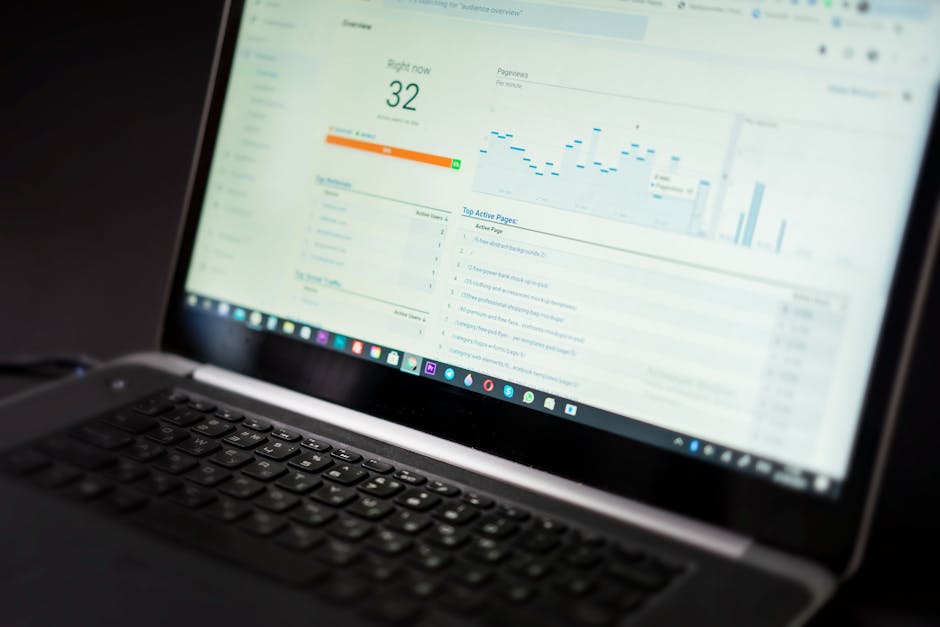
    A laptop displaying an analytics dashboard with real-time data tracking and analysis tools.

    Best Tools by Experience Level and Budget

    For Beginners: Affiliate Aura

    Affiliate Aura works best for influencers new to affiliate marketing or those tired of juggling multiple networks. You get a single dashboard that tracks all your affiliate links across brands, instant payouts when you hit milestones (no 60-day waiting periods), and AI-powered brand matching that suggests merchants aligned with your audience.

    Setup takes under 10 minutes. You connect your social profiles, browse merchant offers, generate tracked links, and start posting. The platform handles disclosure compliance automatically and provides mobile-friendly analytics that show which Instagram Story or TikTok video drove sales.

    Pricing: Free for affiliates. Merchants pay per click or sale, so you never pay platform fees.

    Best for: Micro-influencers (5K-50K followers) and creators who want one tool instead of five browser tabs.

    For Mid-Tier Creators: Refersion

    Refersion gives you more control over link parameters and deeper integration with ecommerce platforms. You can create custom conversion rules, track post-purchase upsells, and see lifetime customer value from your referrals, not just first-order commissions.

    The learning curve is steeper. Expect 2-3 hours to configure tracking pixels, set up custom domains, and understand the reporting interface. Once configured, you get granular data like “this YouTube video generated $1,847 in sales with a 4.2% conversion rate.”

    Pricing: Starts at $99/month for influencers managing their own programs or working with multiple brands directly.

    Best for: Creators with 50K+ followers who negotiate direct brand deals and need professional reporting to justify rate increases.

    For Advanced Users: Impact.com

    Impact.com is enterprise-grade infrastructure built for agencies and top-tier influencers managing dozens of brand partnerships. You get fraud detection, contract management, automated invoicing, and API access for custom integrations.

    This is overkill for most solo creators. The interface assumes you understand attribution models, cookie windows, and cross-device tracking. Setup requires technical support, and the platform targets users managing $50K+ monthly in affiliate revenue.

    Pricing: Custom quotes starting around $500/month, typically negotiated annually.

    Best for: Influencer agencies, creator collectives, or individual creators earning $100K+ annually from affiliate marketing.

    Close-up view of popular social media app icons on a smartphone screen.

    Tracking Features That Actually Matter

    Real-time click tracking is table stakes in 2026. Every tool on this list updates click counts within 5-10 minutes. The differentiator is conversion tracking accuracy, especially across devices and platforms.

    Here’s what separates accurate tracking from guesswork:

    • Cross-device attribution: Someone clicks your Instagram link on mobile but buys on desktop three days later. Good tools use fingerprinting and probabilistic matching to connect those dots.
    • Platform-specific UTM parameters: Automatically tag links with source data so you know if traffic came from an Instagram Story, feed post, or Reel without manual URL building.
    • Conversion lag reporting: See the average time between click and purchase for each brand. Some products convert in hours, others take weeks.
    • Return and refund tracking: Know when commissions get clawed back so your earnings reports match reality.

    Affiliate Aura includes all four by default. Refersion and Impact.com require configuration, but they offer more customization for complex tracking scenarios like multi-touch attribution or affiliate-plus-influencer hybrid deals.

    One often-missed feature is link health monitoring. Dead links cost you money. The best tools scan your links weekly and alert you when a product page goes offline or a merchant program closes.

    Close-up of man holding a smartphone and credit card, making an online payment indoors.

    Commission Tracking and Payout Speed

    Traditional affiliate networks pay 30-90 days after a sale, holding your money during refund windows and processing cycles. This cash flow delay hurts creators who rely on affiliate income for rent and business expenses.

    Instant payout platforms flip this model. Affiliate Aura pays within 24-48 hours once you hit a $50 minimum threshold. The platform absorbs refund risk and uses predictive analytics to identify low-risk transactions eligible for fast payout.

    Here’s how payout speeds compare across major platforms in 2026:

    • Affiliate Aura: 24-48 hours after hitting $50 minimum
    • Amazon Associates: 60 days after end of month in which sale occurred
    • ShareASale: Monthly on the 20th, for sales made 35+ days prior
    • Refersion: Depends on merchant settings, typically 30-45 days
    • Impact.com: Merchant-defined, usually 30-60 days

    Payout speed matters more as you scale. A creator earning $5,000 monthly in commissions with 60-day terms has $10,000 perpetually in limbo. Switching to instant payouts frees that capital for reinvestment in content production, ads, or living expenses.

    Commission transparency is equally important. You should see pending, approved, and paid amounts in one dashboard without cross-referencing bank statements. Affiliate Aura and Impact.com excel here. Amazon Associates and many traditional networks make you dig through multiple reports to reconcile earnings.

    Black and white image of a metal combination lock on a wooden background.

    Fraud Detection and Brand Safety

    Fraudulent clicks and bot traffic waste your time and damage relationships with merchants. In 2026, sophisticated fraud involves click farms, cookie stuffing, and fake influencer accounts that inflate metrics without real audience engagement.

    Enterprise tools like Impact.com use machine learning to flag suspicious patterns: 100 clicks from the same IP address, conversion rates 10x above network averages, or traffic spikes that don’t match your posting schedule. These systems block fraudulent commissions before they hit your account and trigger merchant disputes.

    Affiliate Aura includes basic fraud detection that filters bot traffic and duplicate clicks. It’s sufficient for most influencers but less robust than enterprise solutions. The platform focuses on matching legitimate creators with reputable merchants, reducing fraud risk at the partnership level rather than just the traffic level.

    Brand safety works both ways. Merchants want to avoid affiliates who use black-hat tactics, and influencers want to avoid brands with poor reputations or products that don’t match their values. Look for platforms that vet both sides and provide reputation scores or reviews.

    Red flags to watch for:

    • Merchants with abnormally high commission rates (often a sign of low-quality products or high refund rates)
    • Affiliate programs that require you to buy products before promoting them
    • Platforms that don’t clearly disclose cookie duration or attribution rules
    • Tools that charge affiliates monthly fees plus take a percentage of commissions
    Close-up of a person holding a smartphone with various app icons visible on the screen.

    Ease of Setup and Daily Workflow

    The best tool is the one you’ll actually use consistently. Complex platforms with powerful features often sit unused because the daily workflow feels like homework.

    For beginners, prioritize tools that generate links in under 30 seconds and provide mobile apps for on-the-go link creation. Affiliate Aura nails this. You search for a product, tap “Create Link,” choose your short domain, and copy the link directly into your Instagram bio or TikTok profile. No pixel installation, no CSV imports, no tutorials.

    Intermediate users benefit from batch link creation and content planning features. Refersion lets you generate 50 links at once, tag them by campaign, and schedule reminders to update seasonal promotions. This matters when you’re planning a month of content in advance and need organized link libraries.

    Advanced users want API access and webhook integrations. Impact.com provides this, letting you build custom workflows like “automatically post new affiliate links to Slack when a merchant launches a sale” or “sync commission data to your accounting software daily.”

    Daily workflow should feel like this:

    1. Check dashboard for yesterday’s performance (2 minutes)
    2. Identify top-performing content and create similar posts (10 minutes)
    3. Generate new links for today’s content (5 minutes)
    4. Post content with proper disclosures (time varies)
    5. Review weekly trends and adjust strategy (15 minutes on Fridays)

    If your tool requires more than 20 minutes of daily maintenance, you’re either over-optimizing or using the wrong platform for your needs. Many influencers who switch to simpler tools see productivity gains that outweigh the loss of advanced features they rarely used.

    Link Organization and Content Batching

    Most influencers create content in batches. You shoot 10 Instagram Reels in one afternoon, schedule them across two weeks, and need unique tracked links for each post to measure individual performance.

    Good link management tools let you create folders, tags, or campaigns to group related links. You might organize by brand (Nike, Sephora, Apple), content type (Reels, Stories, YouTube), or promotion period (Spring Sale 2026, Holiday Gift Guide).

    Affiliate Aura includes unlimited link tagging and search functionality. You can find “all Nike links used in Instagram Reels during March” in three clicks. This matters when a brand asks for performance data or you want to replicate successful campaigns.

    Batch link creation saves hours. Instead of generating links one by one as you post, create 20 links on Sunday for the week ahead. Name them descriptively: “Nike_Reel_03_Running_Shoes” instead of “Link_47.” Your future self will thank you when analyzing performance three months later.

    Disclosure management is another workflow saver. Some tools auto-append “#ad” or “affiliate link” to your short URLs or provide disclosure templates you can copy-paste. This ensures FTC compliance without manual work on every post.

    Content batching workflow with proper link management:

    1. Plan content calendar for the next 2 weeks (30 minutes)
    2. Generate and tag all affiliate links needed (15 minutes)
    3. Create content with links already in hand (3-4 hours)
    4. Schedule posts with correct links and disclosures (20 minutes)
    5. Review performance mid-week and adjust remaining posts (10 minutes)

    This approach reduces context-switching and ensures you never post content without a tracked link because you forgot to generate one.

    Platform Comparison: Quick Reference

    Here’s how the top tools stack up across key criteria for influencers in 2026:

    Feature Affiliate Aura Refersion Impact.com
    Setup Time 10 minutes 2-3 hours 1-2 days
    Payout Speed 24-48 hours 30-45 days 30-60 days
    Mobile App Yes Limited Yes
    Pricing Free for affiliates $99+/month $500+/month
    Best For Beginners to mid-tier Mid-tier to advanced Enterprise/agencies

    Your choice depends on three factors: monthly affiliate revenue, technical comfort, and whether you work with networks or direct brand deals. Creators earning under $2,000 monthly should start with free or low-cost tools like Affiliate Aura. Those earning $5,000+ monthly and managing multiple direct partnerships benefit from Refersion’s advanced features. Impact.com makes sense only at $10,000+ monthly revenue or when managing partnerships for multiple creators.

    For businesses looking to launch their own affiliate programs, the setup process varies significantly by platform. Setting up affiliate programs for Shopify stores typically takes 2-3 hours with the right tools, while custom enterprise solutions can take weeks.

    Pricing Models and Hidden Costs

    Affiliate link management tools use three pricing models: free for affiliates with merchant-paid fees, flat monthly subscriptions, or percentage-based commission splits.

    Affiliate Aura uses the first model. You pay nothing. Merchants pay per click or sale, and the platform takes a small percentage of their budget. This works well for influencers because you have zero upfront costs and can test multiple brands without financial risk.

    Refersion charges monthly fees starting at $99. This makes sense if you’re running your own affiliate program or managing direct deals with brands who don’t want to join a network. You control the data and relationships, but you pay whether or not you earn commissions.

    Some tools take a percentage of your commissions on top of monthly fees. Avoid these unless they provide exceptional value. A tool charging $50/month plus 5% of commissions costs you $175 monthly if you earn $2,500 in commissions, which is excessive for basic link tracking.

    Hidden costs to watch for:

    • Custom domain fees: Some platforms charge $5-15/month for branded short links
    • Overage charges: Fees when you exceed monthly click or link limits
    • Integration costs: Charges to connect with specific ecommerce platforms or payment processors
    • Support tiers: Basic plans may lack email support or require paid upgrades for technical help

    Calculate total cost of ownership over 12 months, not just the monthly subscription. A “free” tool that charges $0.01 per click costs $300 monthly if you drive 30,000 clicks, which is more expensive than a $99 flat-rate tool.

    Small businesses evaluating affiliate tracking software face similar pricing considerations, though their focus is typically on merchant-side features rather than influencer workflows.

    Frequently Asked Questions

    What is the best affiliate tracking software for influencers?

    Affiliate Aura is the best option for most influencers in 2026 because it combines real-time tracking, instant payouts, and zero fees for affiliates. Beginners benefit from the 10-minute setup and mobile app, while experienced creators appreciate the AI-powered brand matching that suggests relevant merchant partnerships. For influencers earning over $5,000 monthly who need advanced features like custom attribution models or API access, Refersion or Impact.com provide more control at higher price points.

    How do influencers manage affiliate links?

    Most influencers use dedicated link management platforms to generate tracked URLs, organize them by campaign or brand, and monitor performance in real time. The typical workflow involves creating branded short links for each piece of content, tagging them for easy search later, and reviewing analytics weekly to identify top-performing posts. Tools like Affiliate Aura automate disclosure compliance and provide mobile apps for on-the-go link creation, which fits how most creators work today.

    What tools do influencers use to track affiliate sales?

    Influencers primarily use three types of tools: affiliate networks like Amazon Associates or ShareASale that provide basic tracking for their marketplace, dedicated link management platforms like Affiliate Aura or Refersion that track across multiple merchants, and analytics tools like Google Analytics for deeper traffic analysis. The best approach combines a primary link management platform with network-specific dashboards for merchants who don’t integrate with third-party tools.

    Can you use one platform for affiliate and influencer marketing?

    Yes, dual-sided platforms like Affiliate Aura serve both affiliates and merchants in a single ecosystem. Influencers browse available offers and generate tracked links, while businesses upload products and manage their affiliate programs from the same platform. This eliminates the need to join separate networks for each brand partnership and provides unified reporting across all your affiliate relationships. The main limitation is that some major brands run exclusive programs on specific networks, so you may still need 2-3 platforms to access all available offers.

    How do affiliate link management tools work?

    These tools generate unique URLs that contain tracking parameters identifying you as the referrer. When someone clicks your link, the platform records the click and sets a cookie in their browser. If they purchase within the cookie window (typically 24 hours to 90 days), the tool attributes the sale to your link and credits your account. Modern platforms use advanced techniques like cross-device fingerprinting and server-side tracking to improve accuracy beyond basic cookie tracking, which fails when users switch devices or clear cookies.

    What features should I look for in affiliate link management tools for influencers?

    Prioritize real-time tracking that updates within minutes, branded short links that improve click-through rates, mobile apps for on-the-go link creation, and fast payouts that release commissions within days instead of months. Secondary features that matter as you scale include batch link creation, detailed analytics showing which content types convert best, fraud detection to protect your merchant relationships, and automated FTC disclosure tools. Avoid tools with complex setup processes or those that charge affiliates monthly fees plus commission percentages.

    How much do affiliate link management tools cost for influencers?

    The best tools for influencers are free, with merchants covering platform costs through per-click or per-sale fees. Affiliate Aura uses this model, charging affiliates nothing while providing full tracking and instant payouts. Mid-tier tools like Refersion cost $99-299 monthly and target creators managing their own programs or agencies handling multiple influencers. Enterprise platforms like Impact.com start around $500 monthly and make sense only for creators earning $100,000+ annually from affiliate marketing or managing large creator collectives.

    Ready to Get Started?

    The right affiliate link management tool turns scattered links and delayed payouts into organized campaigns with predictable income. Start with a platform that matches your current revenue and technical comfort, then upgrade as your affiliate business grows.

    For most influencers reading this, that means starting with a free, easy-to-use platform that handles tracking, payouts, and brand matching without monthly fees or complex setup. Affiliate Aura provides exactly that, with real-time analytics, instant commission payouts, and AI-powered merchant matching that connects you with brands your audience actually wants.

    Create your free account in under 10 minutes, browse available merchant offers, and generate your first tracked link today. No credit card required, no monthly fees, no 60-day payout delays.